Database Connection Pooling: The Bottleneck You Forgot to Tune
A service is slow under load. The database CPU is fine, the queries are indexed, but requests are piling up. Someone reasons: the app is waiting on the database, so let's give it more database connections. Pool size goes from 20 to 200. Throughput gets worse. Latency climbs. The on-call engineer is baffled, because the fix was supposed to be obvious.
This scenario plays out constantly, and it comes from a wrong mental model: that database connections are cheap and that more of them means more parallelism. Neither is true. Understanding why is the difference between a pool that protects your database and one that helps you DDoS it.
Why pool at all
Opening a database connection is expensive. A new Postgres connection means a TCP handshake, TLS negotiation, authentication, and — critically — the server forking a backend process and allocating memory for it. That's milliseconds of latency and a non-trivial chunk of RAM, every time. If every web request opened its own connection, you'd spend more time establishing connections than running queries, and your database would drown in process-creation overhead.
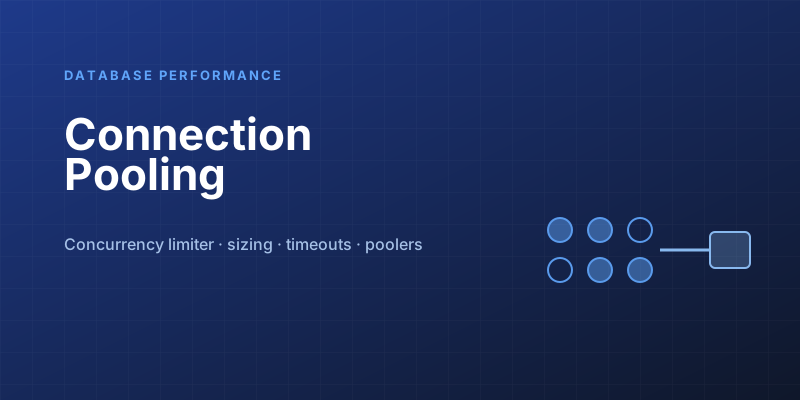
A connection pool fixes this by keeping a set of connections open and lending them out. A request borrows a connection, runs its queries, and returns it to the pool for the next request to reuse. The expensive setup happens once; the per-request cost drops to nearly nothing.
Without pool:  open → query → close   (expensive, every request)
With pool:     borrow → query → return (cheap, connection stays warm)
That part everyone gets. The part people miss is that the pool isn't just a performance optimization — it's a concurrency limiter, and that's where the real engineering lives.
More connections is not more throughput
Here's the counterintuitive truth at the center of this topic: a database has a finite capacity for concurrent work, and exceeding it makes everything slower.
A database server has a fixed number of CPU cores and a finite amount of disk I/O. It can only actually execute as many queries in parallel as it has resources for. If you hand it 200 connections all trying to run queries at once on a machine with 16 cores, it doesn't run 200 queries in parallel — it context-switches frantically between them, thrashes its caches, contends on locks, and serves all of them more slowly. You've added queueing inside the database, which is the worst place to queue because it's the most contended, least observable layer.
The mental model that helps: a database under saturation behaves like a checkout line. Adding more open registers (connections) helps only until every cashier is busy. Past that, new customers just make the crowd bigger and everyone moves slower. The throughput is capped by the cashiers (cores and I/O), not by how many people you let in the door.
This is why the experienced answer to "we're slow, add connections" is usually "remove connections." A smaller pool means requests queue in your application — where queueing is cheap, observable, and controllable — instead of inside the database where it's catastrophic.
Sizing the pool
So how big should the pool be? Smaller than your intuition. The widely-cited starting formula, popularized by the HikariCP project, is:
connections = (core_count × 2) + effective_spindle_count
For a database server with 8 cores on SSD storage, that lands around 18–20 connections — not 200. The reasoning: roughly 2 × cores keeps the CPUs busy while some connections wait on I/O, plus a bit more for the disk's ability to service concurrent I/O. On modern NVMe, the "spindle" term blurs, but the headline stands: the right number is small, often a few dozen, not hundreds.
A few corollaries that catch people out:
- The pool sizes to the database's capacity, not your traffic. Ten app servers each with a 20-connection pool means 200 connections hitting one database. The database doesn't care that they came from ten machines — it sees 200. You must size the aggregate across all clients against what the database can handle, then divide. This is the single most common pooling mistake at scale.
- Bigger is not safer. An oversized pool doesn't sit idle harmlessly under load; it actively lets too much concurrent work reach the database the moment traffic spikes, which is exactly when you can least afford it.
- Measure, don't guess. Watch connection wait times and database CPU together. If requests wait briefly for a connection while the database CPU is healthy, the pool is doing its job (protecting the database). If the database CPU is pinned, a bigger pool makes it worse, not better.
The settings that actually matter
A pool has more knobs than just size, and the defaults are often wrong for your workload:
- Connection timeout — how long a request waits for a free connection before failing. Set this so a request fails fast under saturation rather than hanging forever. A request that waits 30 seconds for a connection has already failed the user; better to reject it in 1–2 seconds and shed load. Failing fast is a feature.
- Max lifetime — how long a connection lives before being retired and replaced. Keeps connections from going stale and lets you cycle out connections cut by a load balancer or firewall idle timeout you didn't know about. Set it shorter than any network device's idle cutoff.
- Idle timeout / minimum idle — how many connections to keep warm during quiet periods. Keep a warm floor so a sudden spike doesn't pay the connection-establishment cost on every request at the worst moment.
- Validation / keepalive — a cheap liveness check (or
tcpKeepAlive) so the pool doesn't hand out a connection the database silently closed an hour ago, which surfaces as a baffling intermittent error.
The serverless wrinkle
Connection pooling assumes long-lived application processes that hold a pool. Serverless functions break that assumption hard: each concurrent function instance is its own process with its own pool, and they scale to hundreds or thousands of instances under load. Suddenly you have thousands of connections stampeding a database that can handle dozens. Many a Lambda-to-Postgres setup has fallen over for exactly this reason.
The fix is an external pooler — a proxy that sits between your functions and the database and multiplexes many client connections onto a small number of real ones. PgBouncer (especially in transaction-pooling mode), Postgres's own connection-pooling layers, and managed offerings like RDS Proxy all exist for this. In a serverless or highly-elastic architecture, treat an external pooler as mandatory infrastructure, not an optimization. The in-process pool simply can't bound concurrency it doesn't know about.
The takeaway
Connection pooling looks like a solved, boring problem — until it's the reason your service is down. The two ideas worth carrying away: a pool is a concurrency limiter, not just a connection cache, and the right size is small and bounded by the database's real capacity, summed across every client that talks to it. When something is slow, resist the urge to open the floodgates. The database almost always wants fewer connections doing more focused work, not a mob at the door.
Keep reading
Write Skew: The Anomaly Snapshot Isolation Does Not Catch
Two transactions each read what the other writes, both commit, and an invariant dies. Snapshot isolation allows write skew — here is how to close the hole.
Designing a Shopping Cart: Price Snapshots, Merge, and No Inventory Hold
A cart is a per-user document, not a reservation. What to store on the line, how to merge an anonymous cart at login, and when the price is allowed to change.
Designing Snowflake-Style IDs: Ordering, Workers, and Clock Rollback
A 64-bit id from a timestamp, a worker number, and a per-millisecond sequence. How many you can issue, why the clock must not step backwards, and why JavaScript cannot hold one.
PostgreSQL 19 on October 29: WAIT for Read-Your-Writes, REPACK Without the Lock, and What Got Pulled
PostgreSQL 19 GA is scheduled for October 29, 2026. The WAIT command gives standbys read-your-writes, REPACK CONCURRENTLY replaces VACUUM FULL and CLUSTER, autovacuum goes parallel, and SQL/PGQ, online checksums, and FOR PORTION OF were reverted in Beta 4.

Idempotency Keys for Write APIs
How to make POST safe to retry: the key, the stored response, the race between two identical requests, and the expiry that forgets too soon.

Read-Your-Writes: The User Just Saved and the Read Replica Does Not Know
Why a write to the primary followed by a read from a replica shows stale data, and the practical ways to pin the next read without sending all traffic to the primary.
Newsletter
New posts, straight to your inbox
One email per post. No spam, no tracking pixels, unsubscribe anytime.
Comments
- No comments yet. Be the first.