Retry Policies in Power Automate: What Actually Happens When an Action Fails
In this series: Power Automate gotchas
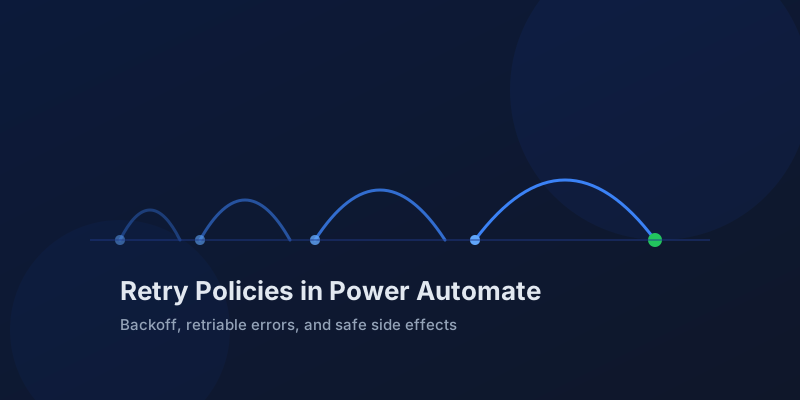
Most makers discover retry policies from the wrong end: a flow run shows an action that "failed" once but the run succeeded, or an HTTP action hammered an API five times and got the account throttled. Power Automate retries failed actions by default, silently, and the defaults are sensible until they are not. Knowing exactly what the retry policy covers is the difference between a resilient flow and one that duplicates work.
Retries happen before the action fails
A retry policy runs inside a single action execution. When an action receives a retriable error, Power Automate does not mark it failed and move on. It waits, sends the request again, and only surfaces a failure after the policy is exhausted. The run history shows one action with multiple attempts tucked inside, which is why flows sometimes take far longer than the sum of their visible actions.
The default policy is exponential: four retries with growing intervals. For most connectors that is what you want, because transient faults usually clear within seconds.
| Policy type | Behavior | When to use |
|---|---|---|
| Default | 4 retries, exponential backoff | Most actions, leave it alone |
| Exponential interval | Custom count and interval, backoff grows | APIs with known recovery windows |
| Fixed interval | Custom count, same wait each time | Predictable, fast-recovering services |
| None | Fail immediately on first error | Non-idempotent calls, tight SLAs |
Only some status codes trigger retries. The policy fires on 408, 429, and 5xx responses, plus connectivity-level failures. A 400 from a malformed payload or a 403 from missing permissions will never be retried, and no retry configuration will fix them. If your action fails instantly with a 4xx, the problem is the request, not the policy.
Configure the policy in action settings
The retry policy lives in the same settings pane as trigger conditions and timeouts. Open the action's settings, switch the retry policy from Default, and set the type, count, and interval. Intervals use ISO 8601 duration format.
Type: Exponential
Count: 6
Interval: PT10S
Minimum interval: PT5S
Maximum interval: PT1H
A fixed policy is simpler when the downstream service has a known recovery pattern:
Type: Fixed
Count: 3
Interval: PT30S
Respect Retry-After when the API sends it. Many services, including Dataverse and SharePoint, return a Retry-After header on 429 responses. Power Automate honors it for the built-in retry, which is one more reason to prefer the platform policy over hand-rolling a Do Until loop with a Delay action. Your loop does not read the header; the platform does.
Retries and side effects do not mix for free
A retry is a duplicate request from the API's point of view. If the action creates a record and the create succeeded but the response was lost, the retry creates a second record. This is the classic retry hazard, and it is why the None policy exists.
Ways to keep retries safe:
- Prefer upserts. Dataverse alternate keys turn a create into an idempotent operation.
- Send an idempotency key header when the API supports one.
- Set the policy to None on payment, email, and other one-shot actions, and handle failure explicitly with run-after branches.
- Make the flow re-runnable instead: check whether the work is already done before doing it.
Retries also multiply load during outages. Six flows retrying six times against a struggling API is 36 requests it cannot serve. For high-volume flows calling a shared service, a shorter policy with a longer interval is kinder than the default, and pairs well with concurrency control on the trigger.
Retry policies are not error handling
The policy handles transient faults; run-after handles outcomes. After the last retry fails, the action is failed and normal error-handling takes over: run-after conditions, Try-Catch scopes, and termination logic. A retry policy does not replace any of that. It just decides how hard the platform tries before giving up.
A useful mental model is three layers:
Trigger condition   → should this run exist?
Retry policy        → is this failure worth another attempt?
Run after / scopes  → the attempt truly failed, now what?
Check the run history's action inputs and outputs to see retry behavior in practice. Each attempt is recorded with its status code and timing, which makes it easy to prove whether an API is flaky or genuinely down.
Retry policies are one of those settings you configure once, correctly, per action class: default for reads, tuned for throttled APIs, and None for anything that must not run twice. Decide deliberately and your failures will be the real ones.
Keep reading

Power Automate Trigger Conditions: The Run That Never Appears
A trigger condition that is false does not start a run and does not leave run history. How the expression differs from a Condition action, and how to see the skipped checks.

Power Platform September 2026 Update: The App-Builder Skill, Agent Plugins, and the Refreshed Model-Driven UI
What matters in Microsoft's September 2026 Power Platform feature update: the model app-builder skill goes GA, the canvas authoring agent plugin goes GA, generative pages embed in forms and reach connectors, model-driven header refresh is GA with display density in preview, and Power Automate gets server-side search.

Dataverse Triggers in Power Automate: Select Columns or the Flow Wakes Up for Nothing
How Select columns and Filter rows on a Dataverse trigger cut wasted runs, and the row-version mistakes that make a flow miss the change it was built for.
Resilient Power Automate: Retry Policies and Dead-Letter Patterns
Transient failures are normal in any flow that calls an API. The difference between a flow that self-heals and one that pages you at 2 a.m. is how you handle retries and the failures that stick.

15 Power Automate Expressions Every Maker Should Memorize
Memorize these Power Automate expressions to build faster flows, handle nulls, shape arrays, format dates, reduce action count, and debug WDL.

Calling the Dataverse Web API from Power Automate with the HTTP Action
Learn when to call the Dataverse Web API from Power Automate for actions, functions, batch requests, impersonation, row association, and binds.
Newsletter
New posts, straight to your inbox
One email per post. No spam, no tracking pixels, unsubscribe anytime.
Comments
- No comments yet. Be the first.