Getting Structured Output From an LLM Without the Heartbreak
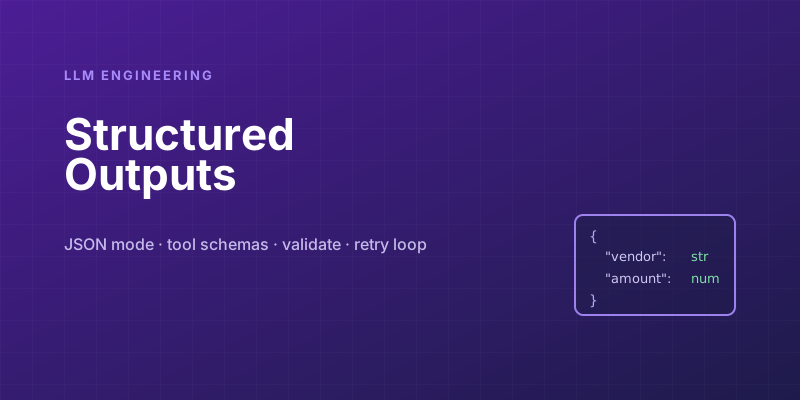
You want a language model to extract structured data — pull the name, amount, and due date out of an invoice, say — and hand it to the rest of your program. So you write a prompt ending in "Return the result as JSON," call the model, and json.loads the response. It works in your demo. Then in production you discover the model sometimes wraps the JSON in a markdown code fence, sometimes adds a friendly "Here's the data you requested!" preamble, sometimes emits trailing commas, and once in a while invents a field you never asked for. Every one of those is a parse error or a silent bug.
The core tension: an LLM is a probabilistic text generator, but you're trying to use it as a typed function that returns a predictable shape. Bridging that gap reliably is a solved problem in 2026 — but only if you stop asking nicely and start using the mechanisms built for exactly this. Here's the progression from fragile to robust.
Level 0: "please return JSON" (don't ship this)
The naive approach treats formatting as a request the model is free to interpret:
prompt = "Extract the invoice details. Return as JSON.\n\n" + invoice_text
response = model.complete(prompt)
data = json.loads(response)   # crosses fingers
This fails in production for a hundred small reasons, all variations on "the model produced text that is almost JSON." Prose around the JSON, code fences, markdown, explanations, hallucinated fields, inconsistent key names between calls. You can paper over each failure with regex and string-stripping, and people do, but you're building a fragile parser for the unbounded output of a creative system. It will break in a new way next week. Don't anchor anything important to this.
Level 1: JSON mode
The first real tool is JSON mode, offered by most providers — a flag that constrains the model to emit syntactically valid JSON. The output will always parse. That alone eliminates the entire class of "it added a sentence before the JSON" failures.
But JSON mode guarantees only syntactic validity, not that the JSON matches your shape. The model can still return {"invoice_total": 4200} when you expected {"amount": 4200}, omit a required field, or nest things differently than you planned. Valid JSON, wrong structure. You've solved "is it parseable" but not "is it correct," and the second problem is the one that causes silent data bugs. JSON mode is necessary, not sufficient.
Level 2: schema-driven tool/function calling
The robust approach is tool use (a.k.a. function calling). Instead of asking for JSON in a prompt, you give the model a formal schema — a JSON Schema describing exactly the structure you want — and the model returns arguments conforming to it.
schema = {
    "name": "record_invoice",
    "description": "Record the structured details extracted from an invoice.",
    "input_schema": {
        "type": "object",
        "properties": {
            "vendor":   {"type": "string"},
            "amount":   {"type": "number", "description": "Total in dollars"},
            "due_date": {"type": "string", "description": "ISO 8601 date"},
            "line_items": {
                "type": "array",
                "items": {
                    "type": "object",
                    "properties": {
                        "description": {"type": "string"},
                        "cost": {"type": "number"},
                    },
                    "required": ["description", "cost"],
                },
            },
        },
        "required": ["vendor", "amount", "due_date"],
    },
}
This is a categorical upgrade over prompt-based JSON for three reasons:
- The schema is explicit and machine-checked, not buried in prose the model might skim. Field names, types, required-ness, and nesting are all declared.
- The provider enforces it. Modern APIs apply constrained decoding so the generated tokens are guaranteed to fit the schema — right field names, right types, required fields present. The whole class of "wrong shape" errors largely disappears at the source.
- Descriptions guide extraction. The per-field
description("Total in dollars", "ISO 8601 date") steers the model toward the format you want, reducing the "it gave me$4,200.00as a string" problem.
Defining a clear schema is the single highest-leverage thing you can do for reliable structured output. If you take one thing away: describe the shape you want as a schema and let the API enforce it, rather than describing it in English and hoping.
Level 3: validate anyway
Even with schema-constrained output, validate on your side before trusting the data. Constrained decoding guarantees the shape; it cannot guarantee the semantics. The model can return a perfectly schema-valid object that is still business-nonsense: a due_date of "1850-01-01", a negative amount, a vendor that's an empty string.
A typed validation layer — Pydantic in Python, Zod in TypeScript — is the right backstop:
from pydantic import BaseModel, field_validator
from datetime import date

class Invoice(BaseModel):
    vendor: str
    amount: float
    due_date: date
    @field_validator("amount")
    @classmethod
    def positive(cls, v):
        if v <= 0:
            raise ValueError("amount must be positive")
        return v

invoice = Invoice.model_validate(model_output)  # raises on bad data
This gives you a typed object the rest of your code can rely on, and a clean, catchable failure when the model produces something valid-but-wrong. Treat the model's output the way you'd treat input from any external system: never trust it unvalidated.
Closing the loop on failure
What do you do when validation does fail? The pattern that works well: feed the validation error back to the model and ask it to fix it. Many frameworks automate this retry loop.
for attempt in range(3):
    output = call_model(prompt, schema=schema)
    try:
        return Invoice.model_validate(output)
    except ValidationError as e:
        prompt += f"\n\nThat output was invalid: {e}. Correct it."
raise RuntimeError("model could not produce valid output")
The model is genuinely good at fixing its own mistakes when told specifically what was wrong — a concrete error message ("amount must be positive, you returned -50") is far more actionable than a generic "try again." Cap the retries so a pathological input can't loop forever, and log the failures: a spike in retry rate is a useful signal that your prompt, schema, or inputs have drifted.
Practical notes that save pain
- Keep schemas flat and shallow when you can. Deeply nested schemas are harder for models to fill correctly and harder for you to validate and debug. If you find yourself five levels deep, consider multiple simpler extractions.
- Use enums for closed sets. If a field can only be
"paid" | "pending" | "overdue", declare it as an enum in the schema. This stops the model from inventing"unpaid"and removes a whole normalization step. - Make optional truly optional. Don't mark a field required if the source might not contain it — forcing the model to fill a required field it can't find is how you get hallucinated values. Let it omit or null them.
- Watch your token budget. Large schemas and verbose field descriptions consume input tokens on every call. Worth it for reliability, but be deliberate; trim descriptions that aren't earning their keep.
The mental model
The reframe that makes all of this click: stop thinking of the LLM call as "ask a question, get text back" and start thinking of it as "invoke a typed function with a contract." The schema is the function signature. Constrained decoding enforces the signature. Validation is your assertion that the returned value is sane. The retry loop is your error handling.
Once you treat structured extraction as a contract rather than a polite request, an LLM stops being a flaky text box you have to babysit and becomes a dependable component you can build on. The difference between a demo and a production system is almost entirely in this layer — and the tools to get it right are sitting in your provider's API, waiting for you to stop saying "please return JSON."
Keep reading

Indirect Prompt Injection: Tool Output Is Not Instructions
A retrieved document, an email, or a tool result can tell the model to take an action. Delimiters do not stop it. The tool allowlist after untrusted text does.

Copilot Auto Model Selection Now Has Tiers: Efficiency, Balance, Intelligence
GitHub Copilot's Auto picker gained efficiency, balance, and intelligence tiers in September 2026, alongside GPT-6 Astra and GPT-6.1 Sol. How the tiers change the cost-quality trade, and what admins control.
GitHub Copilot AI Model Comparison: Which Model to Use for Each Task
AI model comparison for GitHub Copilot Chat: GPT-5.6, Claude, Gemini, Grok, and Kimi, plus when Auto is the cheaper default.

Put the Workflow in Code When the Agent Keeps Improvising
Which steps belong in a fixed program and which belong in a model, so an agent stops skipping the check that production depends on.
Evaluating LLM Applications: Getting Past 'It Looks Good to Me'
Shipping LLM features on vibes works until a prompt tweak silently breaks ten other cases. Here is how to build evals that catch regressions before your users do.

Chunking Strategies for RAG: Where Retrieval Quality Is Won or Lost
Most RAG systems that retrieve bad context aren't failing at embeddings or reranking — they're failing at chunking. How you split documents quietly decides what your model can ever find.
Newsletter
New posts, straight to your inbox
One email per post. No spam, no tracking pixels, unsubscribe anytime.
Comments
- No comments yet. Be the first.