Claude Agent SDK vs Direct API: When to Reach for Each
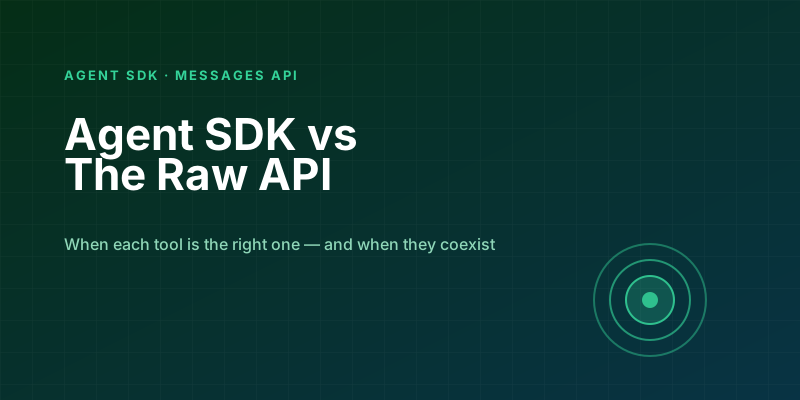
You have two paths when building on Claude: the Agent SDK, which packages up the agent loop, tools, memory, and a reasonable default behavior into something you can use in a dozen lines; and the raw messages API, where you own every part of the loop yourself. Both are well-designed. They reward different goals.
I have used both across a half-dozen projects at this point. This is the question-by-question breakdown I wish someone had written before I picked wrong twice.
What Each Thing Actually Is
The Agent SDK is a higher-level library that wraps the messages API. It brings you the same agent architecture that powers Claude Code: a tool-use loop, context compaction, a file-system tool, a Bash tool, subagents, hooks, and a coherent set of defaults for how those interact. If your target shape is "a capable agent that can use a computer," the SDK is the short path.
The messages API is the underlying HTTP surface. You send messages, you get responses. If you want tool use, you declare the tools and run the loop yourself. The SDK is built on top of this; you can always drop down to it.
Neither is a toy version of the other. The SDK is not "training wheels" — it is opinionated production tooling that also happens to be easy to start with. The raw API is not "hard mode" — it is the primitive that everything else is built on.
The Agent SDK in Practice
The five-minute version looks like this:
from claude_agent_sdk import query

async for message in query(prompt="Fix the failing tests in this repo"):
    print(message)
That one line starts an agent with filesystem access, shell access, the full set of default tools, and Claude's agentic training applied. It will read files, run commands, edit code, iterate. You did not wire up the loop, declare tools, or handle errors. That is the pitch.
You get more control by passing options:
from claude_agent_sdk import query, ClaudeAgentOptions

options = ClaudeAgentOptions(
    system_prompt="You are a careful senior engineer.",
    allowed_tools=["Read", "Edit", "Bash"],
    max_turns=15,
)

async for message in query(prompt="...", options=options):
    ...
You can add your own MCP tools, attach hooks (PreToolUse, PostToolUse), configure permission modes, and stream everything. The SDK also handles context compaction when the conversation gets long — you do not have to think about managing history.
The Messages API in Practice
The same "fix failing tests" task via the raw API is roughly 100 lines. You declare file-system tools, a shell tool, an edit tool. You run the loop yourself. You decide when and how to compact history. You handle tool_use blocks, tool_result blocks, error surfaces.
You get, in return, full visibility into every request, every response, every token.
from anthropic import Anthropic

client = Anthropic()

tools = [read_tool, edit_tool, bash_tool]  # defined elsewhere
messages = [{"role": "user", "content": "Fix the failing tests"}]

while True:
    response = client.messages.create(
        model="claude-sonnet-4-6",
        max_tokens=4096,
        tools=tools,
        system="You are a careful senior engineer.",
        messages=messages,
    )

    log_usage(response.usage)  # you can track every request
    messages.append({"role": "assistant", "content": response.content})

    if response.stop_reason == "end_turn":
        break

    tool_results = run_tools_in_parallel(response.content)
    messages.append({"role": "user", "content": tool_results})
The payoff is clarity. You know exactly what goes in each request, which tools were called, what returned, what the cost was. If something misbehaves, the diagnostic path is short.
When to Pick the Agent SDK
Pick it when:
- Your agent's job looks like coding work. File edits, shell commands, codebase navigation — this is what the SDK was designed for, and its defaults are tuned for it.
- You want production-grade defaults without building them. Context compaction, subagent dispatch, permission modes, session state — these are solved problems you do not want to re-solve.
- You need tool-use behavior fast. One afternoon instead of one week.
- You want to ship an agent that behaves like Claude Code. The SDK is literally the runtime behind Claude Code; you are getting the same engineering.
When to Pick the Messages API
Pick it when:
- Your workload is not agent-shaped. Classification, extraction, summarization, structured output, one-shot completions — these do not need an agent loop and the SDK is overkill.
- You need fine-grained control over the request. Custom caching breakpoints, custom retry logic, custom rate limit handling, specific tool_choice patterns — all easier to express when you own the request object.
- You need explicit cost accounting per call. The SDK gives you usage info, but every abstraction moves the accounting further from your code. For workloads where cost per request is a KPI, the raw API keeps the number closer.
- You are building infrastructure, not a product. A caching layer, an eval harness, a routing proxy — these wrap the API, and the SDK is not the right substrate.
The Hybrid Case
The most capable setup I have built uses both. A thin service layer sits on the messages API for stateless, structured workloads — classification, extraction, RAG answers. A separate execution layer uses the Agent SDK for anything that requires a loop — code changes, multi-step data workflows, investigative tasks.
The two do not overlap. Stateless things stay stateless and cheap. Stateful, agentic things get the right runtime. Neither is forced to do the other's job.
This is roughly how the Anthropic products themselves are built — the Claude app does a lot with direct messages calls, Claude Code uses the agent runtime, and they interoperate where it makes sense.
A Concrete Decision Tree
Three questions, in order:
1. Does your task require more than one model turn? No → messages API. (This catches classification, extraction, single-shot Q&A, embedding-adjacent work.) Yes → continue.
2. Do the tools the model uses look like "operate a computer" tools (files, shells, commands)? Yes → Agent SDK. You want the defaults. No → continue. (The tools are all custom, domain-specific — a CRM, a database, an internal API.)
3. Is your total tool surface small (fewer than ~10 tools) and well-understood? Yes → messages API. Writing the loop yourself is a week of work and you retain full control. No → Agent SDK. Once you have many tools, permission modes, and subagents, rebuilding that infrastructure is a mistake.
What Migrating Looks Like
If you start with the messages API and outgrow it, the SDK migration is not painful. Your tool definitions stay roughly the same (the SDK accepts MCP servers and in-process tools). Your system prompt moves from system=... on each request to options.system_prompt. The loop collapses into async for message in query(...).
If you start with the SDK and need to drop down for a specific concern — a weird caching pattern, a custom rate-limit strategy — the SDK exposes hooks and options for most of it. For the edge case where it doesn't, you can run a specific step through the raw client and feed results back into the agent.
In both directions the path exists. Starting with whichever feels obvious for the immediate problem is fine.
The Bottom Line
The Agent SDK is not the "easy mode" to the messages API — it is a different abstraction at a different altitude. It trades fine-grained control for opinionated agent behavior that matches a lot of the work people actually build agents for.
If the first paragraph of your design doc says "the agent reads files and runs commands and iterates," use the SDK. If it says "given an input, produce an output," use the messages API. If it says both, use both — they are meant to coexist.
Keep reading
MCP Resources vs Tools vs Prompts: Stop Putting Everything in a Tool
The three primitives in the Model Context Protocol, what the model actually sees, and a rule of thumb for Dataverse, files, and internal APIs.
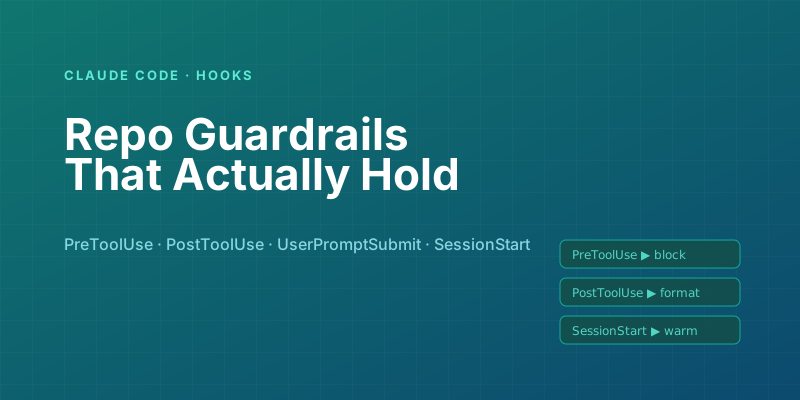
Claude Code Hooks: Automating Repo Guardrails Without Pre-Commit Fatigue
Use Claude Code hooks to enforce policy at the moment actions happen — before edits, before tool calls, on session start — without relying on pre-commit hooks everyone learns to bypass.
Building Your First MCP Server in Python: A Hands-On Walkthrough
From zero to a working Model Context Protocol server in about 100 lines — tools, resources, a local client test, and the traps that will bite you on day one.
Prompt Caching with Claude: What It Saves, Where It Fails, and How to Set It Up in Production
A precise look at Claude's prompt caching — how the cache hit math actually works, the 5-minute and 1-hour TTL variants, and the subtle mistakes that silently disable it.
Tool Use with Claude: Parallel Calls, Retries, and the Patterns That Survive Production
The tool-use features of the Claude API look straightforward in the docs. These are the production patterns that separate a demo from a system that handles real traffic — parallel tool calls, retry loops, error recovery, and tool_choice tactics.
Evaluating LLM Applications: Getting Past 'It Looks Good to Me'
Shipping LLM features on vibes works until a prompt tweak silently breaks ten other cases. Here is how to build evals that catch regressions before your users do.
Newsletter
New posts, straight to your inbox
One email per post. No spam, no tracking pixels, unsubscribe anytime.
Comments
- No comments yet. Be the first.