Prompt Caching with Claude: What It Saves, Where It Fails, and How to Set It Up in Production
The first week I ran prompt caching in production, our Claude costs dropped by roughly 70%. The second week they went back up. The reason, which I missed for three days, was a single piece of dynamic content we had appended inside the cached block — a timestamp we were using for logging. Every request was invalidating the cache one token before the cache breakpoint, and the hit rate had silently collapsed to zero.
Prompt caching is the single biggest cost lever you have on the Claude API, and the failure modes are quiet. This post is the guide I wish I had read before I flipped it on.
How the Math Works
Prompt caching lets you mark a prefix of your request as cacheable. On a cache hit, those input tokens cost a small fraction of the uncached input price. On a cache write (first request in the window, or an invalidation), they cost slightly more than uncached input — roughly 25% premium on the default 5-minute TTL, more for the 1-hour variant.
The breakeven is simple: if the same prefix is going to be sent at least twice within the TTL window, caching wins. For a long system prompt, a retrieved document, or a conversation history, this is almost always true.
Three numbers matter per request:
- Cache read tokens — charged at the cheap rate (~10% of normal input)
- Cache write tokens — charged at a small premium (~125% of normal input)
- Uncached input tokens — the part after your last cache breakpoint, always full price
The cost reduction you see in practice depends almost entirely on the ratio of cache reads to writes. If every request writes (nothing gets reused), you are paying extra. If most requests read, you win big.
Setting It Up
The mechanism is a cache_control marker on a message part. You place it at the end of whatever prefix should be cached. Everything up to and including that marker is eligible; everything after is fresh input.
from anthropic import Anthropic

client = Anthropic()

system_prompt = open("large_system_prompt.md").read()
doc = open("product_docs.md").read()

response = client.messages.create(
    model="claude-sonnet-4-6",
    max_tokens=1024,
    system=[
        {
            "type": "text",
            "text": system_prompt,
            "cache_control": {"type": "ephemeral"},
        },
        {
            "type": "text",
            "text": doc,
            "cache_control": {"type": "ephemeral"},
        },
    ],
    messages=[
        {"role": "user", "content": "Summarize the refund policy."}
    ],
)

print(response.usage)
# Shows cache_creation_input_tokens and cache_read_input_tokens
The first call with this prefix pays the cache-write premium on the system blocks. The second call within 5 minutes with the same prefix pays the read rate. The user message ("Summarize the refund policy.") is uncached and priced normally.
You can set up to four cache_control breakpoints in a single request. The server walks them in order, reuses the longest prefix that matches a live cache entry, and writes a new entry for the tail. In practice, two breakpoints is plenty for most setups — one for the system prompt, one for the shared context document.
The TTL Variants
Two TTLs are available:
- 5-minute (ephemeral, default) — the standard. Hit rate is very high for chat-style workloads where a user sends several messages in a row.
- 1-hour — opt-in via
"cache_control": {"type": "ephemeral", "ttl": "1h"}. Costs more per write, same cheap reads. Worth it when requests are sparse (one every few minutes) but repeatable within the hour.
I default to the 5-minute variant. The 1-hour option pays off for periodic jobs — nightly report generation across a dataset, for example — where the prefix reuses across a run that would otherwise blow past the default TTL.
The Silent Failure Modes
This is the section that would have saved me three days.
A single differing token breaks the cache. The cache key is the exact byte sequence of the cached blocks. If you interpolate a timestamp, a request ID, a user ID, or anything else that varies into the cached prefix, every request becomes a cache write. Check your prefix byte-for-byte across requests — if it differs, move the dynamic part after the last cache breakpoint.
Truncating conversation history invalidates everything behind it. If your chat app keeps the last 10 messages and you add the 11th, you have two choices: let the prefix grow (old turns stay in the prefix, cache hits), or drop the oldest (cache breaks on every new message). For long conversations, drop-from-the-oldest strategies defeat caching. Consider summarization at a stable breakpoint instead.
Tool definitions count. If tools=[...] changes between requests — say you are dynamically filtering tools — the cache for system blocks survives but tool-change invalidates everything after it. Keep the tool list stable or use dedicated cache breakpoints around the set.
Minimum cacheable size. There is a floor on what is worth caching — around 1024 tokens for the Sonnet- and Haiku-class models, and a higher floor (2048+) for the larger Opus-class and the newest Haiku 4.5. Prefixes below the floor cannot be cached at all. Check the current per-model minimums in the Anthropic prompt caching docs; below the floor, cache_control silently does nothing.
Cold starts skew observability. The first request after a deploy or a TTL expiry is always a cache write. If your metrics dashboard shows "first request of the hour costs a lot," that is by design — cache writes cost more than uncached input, remember, so the cold request is worse than not caching at all.
Measuring Whether It Is Working
The response object tells you exactly what happened:
print(response.usage)
# Usage(
#   input_tokens=50,
#   cache_creation_input_tokens=0,
#   cache_read_input_tokens=3400,
#   output_tokens=128
# )
Three metrics to track in production:
- Cache hit ratio —
cache_read_tokens / (cache_read_tokens + cache_creation_tokens). In a well-designed setup this should be above 85%. - Uncached input percentage — fraction of total input tokens that flowed in after the last cache breakpoint. If this is climbing, something dynamic is leaking into the prefix.
- Effective cost per 1K input tokens — weighted average across cache reads, writes, and uncached. This is the number that actually matters.
I put these on a small dashboard next to the usual latency and error graphs. When caching is working, the effective cost chart is flat and low. When it breaks, it jumps visibly — before the bill does.
Patterns That Age Well
A few shapes I have settled on:
Structured prefix. Put the stable parts first, dynamic parts last. A typical production request for a RAG-style setup looks like: system prompt (cached) → retrieved documents (cached) → conversation history (cached up to last turn) → latest user message (uncached). Three breakpoints, one dynamic tail.
Summarize at a breakpoint. In long conversations, once history crosses a threshold, replace the oldest N turns with a compact summary and put a cache breakpoint at the end of the summary. The summary stays stable, the cache hit rate stays high, and context does not blow up.
Cache the tool spec. If your tool definitions are large (some of mine are 3K+ tokens of schema and instructions), put a breakpoint at the end of tools=[...]. Tool specs rarely change; the cost is nearly free to hit.
Do not cache what you cannot reuse. Per-user personalization that never repeats across requests is not a caching candidate. Do not reach for cache_control on user-specific context unless the same user is sending bursts within the TTL.
The Boring Summary
Prompt caching is one of the few features where the "use it" case is so dominant that the interesting work is making sure you have not accidentally disabled it. The math strongly favors caching for any repeatable prefix above the minimum size, and the 5-minute TTL covers the common chat patterns with high hit rates.
Flip it on, put breakpoints at your largest stable prefixes, and watch the response usage metrics for the first few days. If your cache hit ratio is below 85%, find the byte that is changing and move it. The rest takes care of itself.
Keep reading
MCP Resources vs Tools vs Prompts: Stop Putting Everything in a Tool
The three primitives in the Model Context Protocol, what the model actually sees, and a rule of thumb for Dataverse, files, and internal APIs.
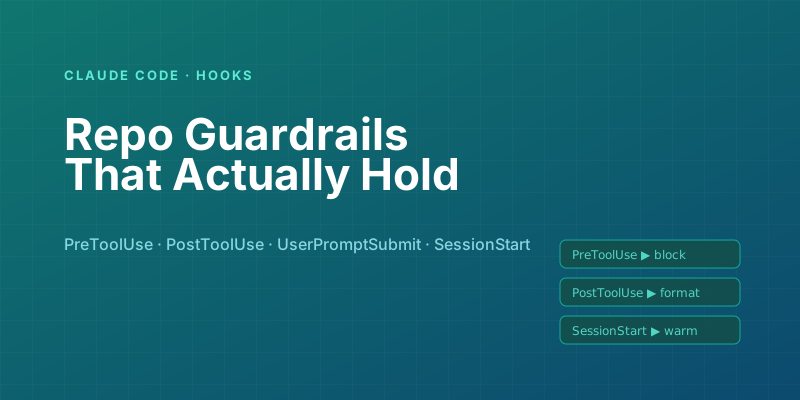
Claude Code Hooks: Automating Repo Guardrails Without Pre-Commit Fatigue
Use Claude Code hooks to enforce policy at the moment actions happen — before edits, before tool calls, on session start — without relying on pre-commit hooks everyone learns to bypass.

Building Your First MCP Server in Python: A Hands-On Walkthrough
From zero to a working Model Context Protocol server in about 100 lines — tools, resources, a local client test, and the traps that will bite you on day one.
Tool Use with Claude: Parallel Calls, Retries, and the Patterns That Survive Production
The tool-use features of the Claude API look straightforward in the docs. These are the production patterns that separate a demo from a system that handles real traffic — parallel tool calls, retry loops, error recovery, and tool_choice tactics.
Claude Agent SDK vs Direct API: When to Reach for Each
The Claude Agent SDK is the fastest path to a capable coding-style agent. The raw messages API is the fastest path to understanding what your agent is doing. Here's when each is the right tool.
Evaluating LLM Applications: Getting Past 'It Looks Good to Me'
Shipping LLM features on vibes works until a prompt tweak silently breaks ten other cases. Here is how to build evals that catch regressions before your users do.
Newsletter
New posts, straight to your inbox
One email per post. No spam, no tracking pixels, unsubscribe anytime.
Comments
- No comments yet. Be the first.