Tool Use with Claude: Parallel Calls, Retries, and the Patterns That Survive Production
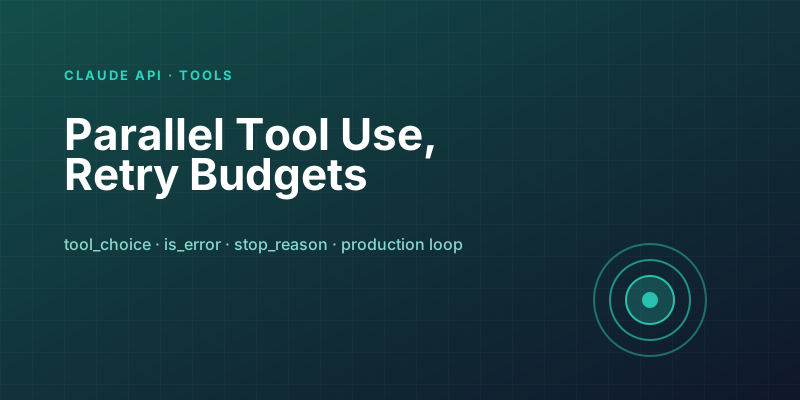
Tool use in the Claude API is one of those features that looks four-lines-of-code simple in the quickstart and turns into a full chapter the moment you take it to production. The basic shape — declare tools, let the model call them, return results — stays the same. What changes is everything around the edges: parallel calls, timeouts, retries, error surfaces, and the specific flavors of tool_choice that matter under load.
This post covers the patterns I have ended up relying on across a handful of production systems.
The Basic Loop (So We Are on the Same Page)
Tool use is a turn-based loop. You send a request with tool definitions. The model responds with either a final text answer or a tool_use block. You execute the tool, send the result back in a tool_result block, and repeat until the model stops asking for tools.
from anthropic import Anthropic

client = Anthropic()

tools = [
    {
        "name": "get_weather",
        "description": "Get current weather for a city.",
        "input_schema": {
            "type": "object",
            "properties": {"city": {"type": "string"}},
            "required": ["city"],
        },
    }
]

messages = [{"role": "user", "content": "What's the weather in Seattle and Vancouver?"}]

while True:
    response = client.messages.create(
        model="claude-sonnet-4-6",
        max_tokens=1024,
        tools=tools,
        messages=messages,
    )

    if response.stop_reason == "end_turn":
        break

    messages.append({"role": "assistant", "content": response.content})

    tool_results = []
    for block in response.content:
        if block.type == "tool_use":
            result = run_tool(block.name, block.input)
            tool_results.append({
                "type": "tool_result",
                "tool_use_id": block.id,
                "content": result,
            })

    messages.append({"role": "user", "content": tool_results})
Everything else in this post is a refinement on that loop.
Parallel Tool Calls Are the Default
When the user asks "What's the weather in Seattle and Vancouver?", the model emits two tool_use blocks in a single response — not two sequential turns. This is parallel tool use, and it is on by default. Your job is to honor it.
The naive implementation runs them sequentially:
# Works, but serializes requests the model expected to be parallel
for block in response.content:
    if block.type == "tool_use":
        result = run_tool(block.name, block.input)
        tool_results.append({...})
The latency-optimized version runs them concurrently:
import asyncio

async def run_block(block):
    result = await run_tool_async(block.name, block.input)
    return {
        "type": "tool_result",
        "tool_use_id": block.id,
        "content": result,
    }

tool_calls = [b for b in response.content if b.type == "tool_use"]
tool_results = await asyncio.gather(*(run_block(b) for b in tool_calls))
For two weather calls the difference is small. For five document lookups at 800ms each, it is the difference between a 4-second and a 1-second turn. Always parallelize.
You can turn parallel tool use off with disable_parallel_tool_use=True in tool_choice. Do this when a tool has side effects that must be ordered (writes to the same record, for example) and you cannot enforce that server-side.
Error Handling: The Model Will Recover, If You Let It
When a tool call fails — a 503 from an upstream API, a timeout, a bad argument — you have two options. Raise an exception and abort the turn, or return the error as a tool_result with is_error: true:
try:
    result = await run_tool_async(block.name, block.input)
    tool_results.append({
        "type": "tool_result",
        "tool_use_id": block.id,
        "content": result,
    })
except Exception as e:
    tool_results.append({
        "type": "tool_result",
        "tool_use_id": block.id,
        "content": f"Error: {type(e).__name__}: {e}",
        "is_error": True,
    })
Return the error as a tool result. The model sees it, reasons about it, and usually recovers — retries with different arguments, asks the user for clarification, or gives up gracefully. Raising exceptions means you lose all of that recovery logic and end up reimplementing it yourself.
The one exception is truly fatal errors you do not want to expose — auth failures on internal systems, for instance. Those you log and raise. Transient and business-logic errors go back to the model.
Retries: Layer Them Correctly
There are three retry layers in a tool-use system, and they do different things:
Transport retries — handle transient network failures between your service and the Claude API. The SDK handles these automatically with exponential backoff. Leave this alone.
Tool-side retries — inside run_tool(), retry idempotent upstream calls on 5xx or timeout. Keep these short (2-3 attempts, quick backoff) so the overall turn does not balloon.
Model-level recovery — surfaced via is_error: true. The model decides whether to try again with different arguments. This is where you catch cases like "the record does not exist" or "the date format was wrong" — things a retry would not fix.
The mistake I see most often is stacking all three at maximum: SDK retries, in-tool retries with 10 attempts, and the model itself retrying. A single API failure can amplify into a 90-second tool-use loop that costs real money.
tool_choice Is More Than Just "Auto"
Four values, each useful:
auto— default. Model picks whether to call tools. Right for most chat-style interactions.any— model must call a tool. Useful when you have a workflow step that is only meaningful as a tool call.tool— model must call a specific tool. Useful for "summarize using this specific structured output tool."none— no tool calls this turn. Useful for the final "now write the answer" step in a multi-turn agent.
A pattern I use a lot: in a research agent, the first N turns are tool_choice: auto (gather info), and the final turn flips to tool_choice: none (force the model to synthesize a text answer instead of looking for one more thing to check).
Structured Output via a Single Tool
Tool use doubles as a structured output mechanism. Declare one tool with your output schema, set tool_choice to force it, and the model fills in the schema as arguments. The returned tool_use block is your structured result.
extract_tool = {
    "name": "extract_invoice",
    "description": "Extract structured data from an invoice.",
    "input_schema": {
        "type": "object",
        "properties": {
            "invoice_number": {"type": "string"},
            "total": {"type": "number"},
            "line_items": {
                "type": "array",
                "items": {
                    "type": "object",
                    "properties": {
                        "description": {"type": "string"},
                        "quantity": {"type": "integer"},
                        "unit_price": {"type": "number"},
                    },
                    "required": ["description", "quantity", "unit_price"],
                },
            },
        },
        "required": ["invoice_number", "total", "line_items"],
    },
}

response = client.messages.create(
    model="claude-sonnet-4-6",
    max_tokens=1024,
    tools=[extract_tool],
    tool_choice={"type": "tool", "name": "extract_invoice"},
    messages=[{"role": "user", "content": [
        {"type": "text", "text": "Extract fields from this invoice:"},
        {"type": "text", "text": invoice_text},
    ]}],
)

tool_use = next(b for b in response.content if b.type == "tool_use")
extracted = tool_use.input  # This is your structured dict
This is more reliable than asking for JSON in the prompt and parsing. The model is constrained by the schema; malformed outputs become validation errors on the server side rather than your json.loads() blowing up.
Stop Reasons: Read Them
Every response has a stop_reason. The ones that matter for tool-use loops:
tool_use— model wants more tools. Keep looping.end_turn— model is done. Exit the loop.max_tokens— you hit the output limit mid-turn. Almost always a bug in yourmax_tokenssetting.refusal— model refused. Do not retry; return to the user.stop_sequence— a configured stop sequence fired. Rare in tool-use contexts.
The mistake here is assuming every non-end_turn response is a tool call. max_tokens and refusal also stop the run, and looping on them will pile up a long message history of nothing useful.
Hard Limits You Should Set
A tool-use loop can run away. Two guardrails I put on every production loop:
Max iterations — cap the number of turns. I default to 10 for chat, 25 for autonomous agents. If the model has not finished in that many turns, something is wrong and a human should look at the transcript.
Max tool calls per turn — cap parallelism. 8 is a reasonable default. If the model is asking for 40 tool calls in one turn, it almost always means the prompt is under-constrained ("look up every user's history") and the right fix is upstream, not downstream.
Both limits are easy to forget until you get a bill. Put them in from day one.
The Part That Is Not in the Docs
Tool descriptions are your most important piece of real estate. The model picks tools based on their descriptions; vague descriptions cause wrong tool selection; overly detailed descriptions burn input tokens on every request.
The pattern that has worked for me: description starts with the single-sentence purpose, then one line on when to use it, then one line on when not to. Example:
description: "Search the ticketing system for open tickets matching a query.
Use when the user asks about existing tickets or support history.
Do not use for knowledge-base questions — use `search_docs` for that."
That three-line pattern cuts wrong-tool calls dramatically without making the description expensive.
The Shape That Holds
A production tool-use system looks roughly the same across domains: async parallel execution, structured error returns, tight retry budgets, well-written tool descriptions, iteration caps, and an awareness of stop reasons. None of it is glamorous. All of it compounds.
The version that ships is the one that handles the timeout gracefully, not the one with the cleverest prompt.
Keep reading
MCP Resources vs Tools vs Prompts: Stop Putting Everything in a Tool
The three primitives in the Model Context Protocol, what the model actually sees, and a rule of thumb for Dataverse, files, and internal APIs.
Claude Code Hooks: Automating Repo Guardrails Without Pre-Commit Fatigue
Use Claude Code hooks to enforce policy at the moment actions happen — before edits, before tool calls, on session start — without relying on pre-commit hooks everyone learns to bypass.
Building Your First MCP Server in Python: A Hands-On Walkthrough
From zero to a working Model Context Protocol server in about 100 lines — tools, resources, a local client test, and the traps that will bite you on day one.
Prompt Caching with Claude: What It Saves, Where It Fails, and How to Set It Up in Production
A precise look at Claude's prompt caching — how the cache hit math actually works, the 5-minute and 1-hour TTL variants, and the subtle mistakes that silently disable it.
Claude Agent SDK vs Direct API: When to Reach for Each
The Claude Agent SDK is the fastest path to a capable coding-style agent. The raw messages API is the fastest path to understanding what your agent is doing. Here's when each is the right tool.
Evaluating LLM Applications: Getting Past 'It Looks Good to Me'
Shipping LLM features on vibes works until a prompt tweak silently breaks ten other cases. Here is how to build evals that catch regressions before your users do.
Newsletter
New posts, straight to your inbox
One email per post. No spam, no tracking pixels, unsubscribe anytime.
Comments
- No comments yet. Be the first.