Azure Functions vs Azure Container Apps: Choosing the Right Serverless Model
"We need to go serverless." I hear this in almost every architecture review. But "serverless" means very different things depending on which Azure service you pick. Azure Functions and Azure Container Apps are both marketed as serverless, both can scale to zero, and both let you stop managing VMs. But they solve fundamentally different problems, and choosing the wrong one will cost you in complexity, latency, or money.
Here is how to pick the right one — and when to use both.
The Fundamental Difference
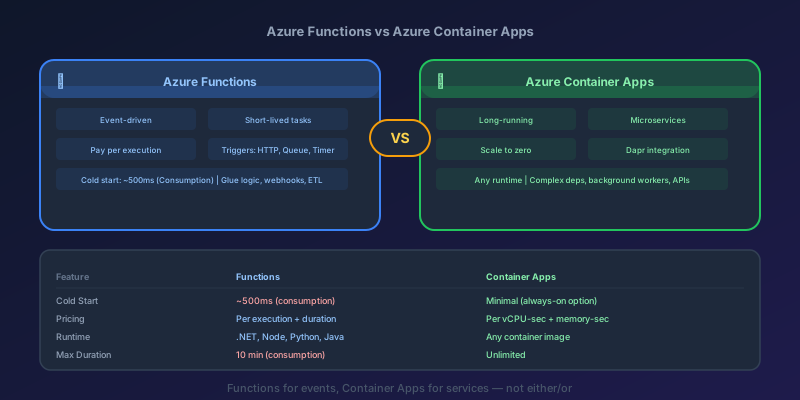
Azure Functions is a function-as-a-service platform. You write a function, bind it to a trigger (HTTP, queue message, timer, blob upload), and Azure handles everything else. The unit of deployment is a function. The unit of scaling is an invocation.
Azure Container Apps is a container-as-a-service platform. You bring a Docker container — any language, any framework, any runtime — and Azure handles orchestration, scaling, and networking. The unit of deployment is a container. The unit of scaling is a replica.
Think of it this way: Functions are for event-driven glue logic. Container Apps are for applications and microservices.
Head-to-Head Comparison
| Feature | Azure Functions | Azure Container Apps |
|---|---|---|
| Deployment unit | Function code/package | Docker container |
| Scale unit | Per-invocation | Per-replica (container instance) |
| Scale to zero | Yes (Consumption plan) | Yes (with scale rules) |
| Cold start | 1-10s (Consumption), near-zero (Premium) | 5-30s (depends on image size) |
| Max execution time | 10 min max on Consumption (default 5, configurable via host.json); 60 min on Premium; unlimited on Dedicated | Unlimited |
| Pricing model | Per-execution + execution time | Per-vCPU-second + memory-second |
| Languages | C#, JavaScript, Python, Java, PowerShell, Go, Rust (custom handler) | Anything in a container |
| Local development | Azure Functions Core Tools | Docker, any IDE |
| Built-in triggers | 20+ (HTTP, Queue, Timer, Blob, Cosmos DB, Event Grid, etc.) | HTTP, KEDA scalers |
| Networking | VNET integration (Premium/Dedicated) | Full VNET integration |
| State management | Durable Functions | Dapr state management |
| Service discovery | N/A (event-driven) | Built-in DNS-based |
| Sidecar support | No | Yes |
When to Use Azure Functions
Functions excel at short-lived, event-driven workloads where the trigger-action pattern fits naturally.
Perfect Use Cases
HTTP APIs with simple logic. A webhook receiver that validates a payload and writes to a queue. An API endpoint that reads from Cosmos DB and returns JSON. If your function does one thing in response to one trigger, Functions is the simplest option.
[Function("ProcessOrder")]
public async Task Run(
    [QueueTrigger("orders")] OrderMessage message,
    [CosmosDBOutput("db", "processed-orders")] IAsyncCollector<Order> output)
{
    var order = await _orderService.Process(message);
    await output.AddAsync(order);
}
That is the entire deployment artifact. No Dockerfile, no container registry, no Kubernetes YAML. Bind to a trigger, write your logic, deploy.
Scheduled jobs. Timer triggers replace cron jobs without any infrastructure. Report generation, cleanup tasks, health checks — Functions handles the scheduling, retries, and monitoring.
Event processing. Process messages from Service Bus, Event Hubs, or Event Grid. Functions has native bindings for all of them with automatic scaling based on queue depth.
Glue between services. Functions works brilliantly as the connective tissue between Azure services. A blob upload triggers a function that resizes the image, writes metadata to Cosmos DB, and sends a notification to a queue. Each step is a binding, not boilerplate code.
When Functions Struggle
- Long-running processes. The Consumption plan caps at 10 minutes per invocation (default 5, configurable via
functionTimeoutinhost.json). The Premium plan caps at 60 minutes. If your workload runs for hours, you will fight the platform - Complex dependency trees. If your function needs a full DI container with dozens of services, the cold start cost is brutal. A function that takes 8 seconds to cold start defeats the purpose of serverless
- Non-HTTP/non-event workloads. Functions needs a trigger. If you are running a background worker that continuously processes data, the trigger model does not fit
- Multi-container architectures. You cannot run sidecars alongside Functions. No service meshes, no Dapr natively in the function host
When to Use Azure Container Apps
Container Apps excel at application-level workloads — things that look like services rather than functions.
Perfect Use Cases
Microservices. Container Apps was built for this. Each service is a container with its own scaling rules, revision management, and ingress configuration. Service-to-service communication uses built-in DNS — no service discovery infrastructure needed.
APIs with complex dependencies. If your API needs a specific runtime version, native libraries, ML model files, or a particular OS configuration, put it in a container. You control the entire runtime environment.
Long-running background workers. Need to continuously poll a queue, maintain WebSocket connections, or run a data pipeline? Container Apps supports long-running processes with no execution timeout.
Applications requiring sidecars. Need to run Dapr alongside your app for state management, pub/sub, and service invocation? Container Apps has native Dapr integration.
# Container App with Dapr sidecar
properties:
  configuration:
    dapr:
      enabled: true
      appId: "order-processor"
      appPort: 3000
  template:
    containers:
      - name: order-processor
        image: myregistry.azurecr.io/order-processor:latest
        resources:
          cpu: 0.5
          memory: 1Gi
    scale:
      minReplicas: 0
      maxReplicas: 10
      rules:
        - name: queue-scaling
          custom:
            type: azure-servicebus
            metadata:
              queueName: orders
              messageCount: "5"
Multi-language microservice architectures. One service in Go, another in Python, a third in .NET — Container Apps does not care. Each service brings its own container.
When Container Apps Struggle
- Simple event reactions. If all you need is "when X happens, do Y," Functions is simpler and cheaper. You do not need a Dockerfile for a 20-line function
- Extreme scale-to-zero speed. Container cold starts are slower than Function cold starts because you are booting an entire container, not just loading a function. If sub-second cold start matters, use Functions with the Premium plan
Pricing: The Real Comparison
This is where the choice often gets made. Let's compare a workload processing 1 million requests per month, each taking 500ms with 256MB memory.
Azure Functions (Consumption Plan)
- First 1M executions: free
- Execution time: 1M x 0.5s x 0.25GB = 125,000 GB-s
- First 400,000 GB-s: free
- Cost: effectively free for this workload
Azure Container Apps (Consumption)
- Assuming 2 replicas running 50% of the time (auto-scaling):
- vCPU: 2 x 0.25 vCPU x ~360 hrs = 180 vCPU-hours
- Memory: 2 x 0.5 GB x ~360 hrs = 360 GiB-hours
- Cost: roughly $15-25/month depending on region
For bursty, event-driven workloads, Functions on Consumption is dramatically cheaper. For steady-state workloads with predictable traffic, Container Apps' per-second billing can be more cost-effective than Functions on the Premium plan.
The Decision Flowchart
Here is how I walk teams through the choice:
-
Is it triggered by an event (queue message, timer, HTTP request) and completes inside the Consumption plan's 10-minute ceiling?
- Yes → Azure Functions (Consumption plan)
- No → Continue
-
Does it need to run longer than 10 minutes per invocation or maintain persistent connections?
- Yes → Azure Container Apps
- No → Continue
-
Does it need sidecar containers, Dapr, or a custom runtime environment?
- Yes → Azure Container Apps
- No → Continue
-
Is it a microservice that needs service-to-service communication?
- Yes → Azure Container Apps (built-in service discovery)
- No → Continue
-
Is cost the primary concern and traffic is bursty?
- Yes → Azure Functions (Consumption plan)
- No → Azure Container Apps (more flexibility)
Using Both Together
The best architectures often use both. A pattern I use frequently:
- Azure Functions for event processing, webhooks, scheduled tasks, and glue logic
- Azure Container Apps for core business services, APIs with complex logic, and background workers
Functions handles the edges — the integrations, triggers, and lightweight processing. Container Apps runs the core — the services that contain your domain logic and need full control over the runtime.
They communicate through Service Bus queues, Event Grid events, or direct HTTP calls. Each service uses the compute model that fits its workload.
Migration Path
Starting with Functions and outgrowing it? The migration path to Container Apps is straightforward:
- Extract your function logic into a standalone application (Express, ASP.NET, FastAPI — whatever fits)
- Containerize it with a Dockerfile
- Deploy to Container Apps with KEDA scale rules that replicate your function triggers
- Update your event bindings — replace Function trigger bindings with direct SDK integrations (Service Bus SDK instead of
QueueTriggerbinding)
The reverse migration (Container Apps to Functions) is harder because Functions has more constraints. This is another reason to start with Functions for appropriate workloads — it is easier to move up than to simplify down.
Takeaway
Azure Functions and Azure Container Apps are not competitors — they are complements. Functions is the right choice for event-driven, short-lived workloads where you want zero infrastructure management and pay-per-invocation pricing. Container Apps is the right choice for application workloads where you need full runtime control, long-running processes, or microservice networking. Use the decision flowchart, and do not be afraid to use both in the same architecture.
Keep reading

IHttpClientFactory: Stop Creating HttpClient Per Request
Why new HttpClient() in a .NET service exhausts sockets under load, and how IHttpClientFactory plus a named client fixes DNS without freezing the handler forever.
Rate Limiting and Throttling: Designing APIs That Survive Traffic Spikes
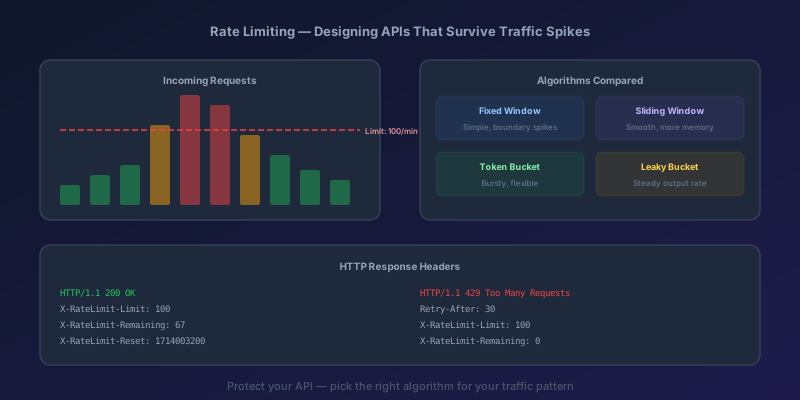
Why every public API needs rate limiting, the four main algorithms compared, implementation in Next.js with Redis, proper HTTP headers, and Azure API Management policies.
Monolith to Microservices: How to Decompose Without Creating a Distributed Monolith
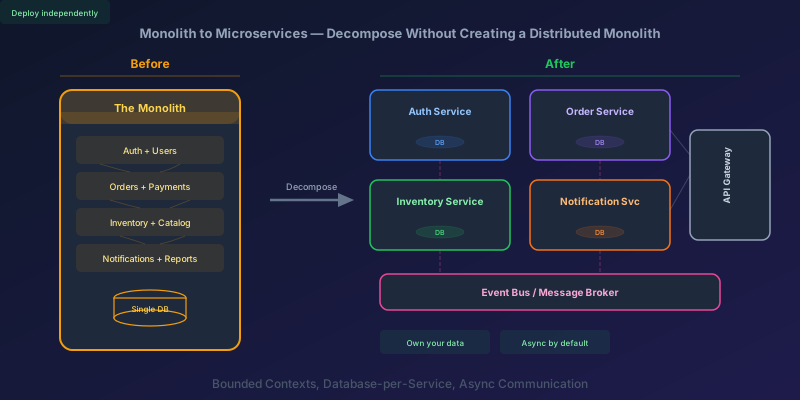
A practical guide to breaking apart a monolith into microservices — identifying boundaries, splitting the database, handling data consistency, and avoiding the traps that turn your migration into a distributed monolith.
Fixing NuGet Error: Unable to Load the Service Index for Source
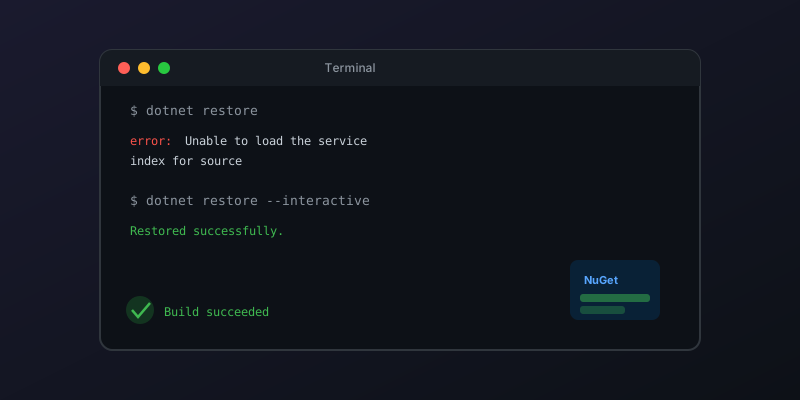
A step-by-step guide to diagnosing and resolving NuGet package source errors in Visual Studio and dotnet CLI.
Pass the CancellationToken or the Work Continues After the Client Left
ASP.NET Core binds CancellationToken to the aborted request. Forward it to EF Core and HttpClient, and do not turn a client disconnect into a 500.

Next.js 16 Cache Components: Replacing revalidate and force-dynamic With 'use cache'
How Cache Components in Next.js 16 replace route segment configs with the use cache directive and cacheLife, what becomes a build error, and the cookies-outside-the-cache rule that trips every migration.
Newsletter
New posts, straight to your inbox
One email per post. No spam, no tracking pixels, unsubscribe anytime.
Comments
- No comments yet. Be the first.