Rate Limiting and Throttling: Designing APIs That Survive Traffic Spikes
Your API launches. Traffic is modest. Everything works. Then a customer integrates your API into their batch job that fires 50,000 requests per minute, another customer's retry logic hammers you during a partial outage, and a bot starts scraping every endpoint. Your database connection pool is exhausted, legitimate users get timeouts, and your on-call engineer gets paged at 3 AM.
This is not a hypothetical. This is what happens to every API that ships without rate limiting.
Rate limiting is not optional infrastructure. It is a core part of your API contract. Let's look at how to do it properly.
What Rate Limiting Actually Protects
Rate limiting is not just about blocking bad actors. It serves three critical functions:
- Fairness — preventing one consumer from monopolizing shared resources
- Stability — keeping the system operational during traffic spikes
- Cost control — protecting your infrastructure budget from runaway usage
Without rate limiting, your API's availability is determined by your least-disciplined consumer.
The Four Algorithms Compared
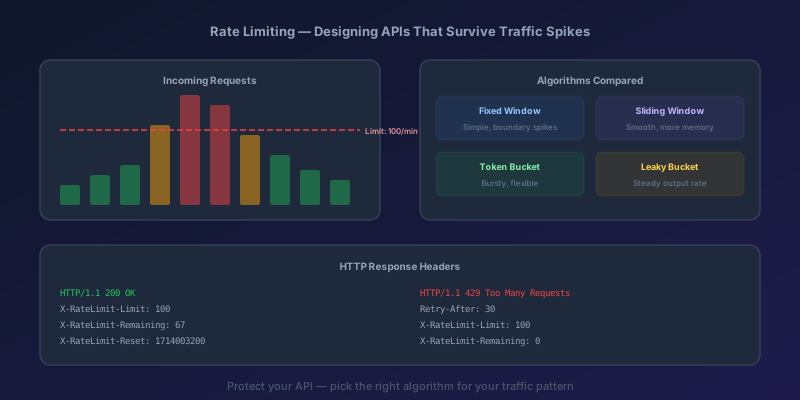
There are four mainstream rate limiting algorithms. Each makes different trade-offs between precision, memory usage, and burst tolerance.
Fixed Window
Divide time into fixed intervals (e.g., 1-minute windows). Count requests per window. Reset the counter at the start of each window.
Problem: the boundary burst. A client can send 100 requests at 11:59:59 and another 100 at 12:00:00 — hitting your API with 200 requests in two seconds while technically staying under a 100-per-minute limit.
Sliding Window Log
Track the timestamp of every request. When a new request arrives, count all requests within the past window duration. Precise, but stores every timestamp — memory-expensive at scale.
Sliding Window Counter
A hybrid. Keep counters for the current and previous fixed window, then use a weighted average based on how far into the current window you are. Good precision with low memory.
Token Bucket
A bucket holds tokens, up to a maximum capacity. Each request consumes one token. Tokens refill at a fixed rate. If the bucket is empty, the request is rejected.
This is the algorithm most production APIs use. It naturally allows short bursts (the bucket can be full when the burst starts) while enforcing a sustained rate.
Which to pick
The honest summary is shorter than a table. Fixed Window is the cheapest to implement and the worst at what rate limiting is actually for — one misbehaving client can double your effective rate at the window boundary. Sliding Window Log is precise but pays for that precision in memory, one entry per request. Sliding Window Counter trades a little precision for much better memory, which makes it a solid default when you do not want bursts. Token Bucket is the one most production APIs end up using: tiny state, predictable sustained rate, and a bucket size that gives you configurable burst tolerance for free.
Default to Token Bucket. Reach for Sliding Window Counter when a client must not exceed the limit even briefly — payment processing, auth endpoints, anything with per-second quotas.
Implementing Rate Limiting in Next.js
Here is a practical token bucket implementation for a Next.js API route using an in-memory store. This works for single-instance deployments.
// lib/rate-limit.ts
interface TokenBucket {
  tokens: number;
  lastRefill: number;
}

const buckets = new Map<string, TokenBucket>();

export function rateLimit(
  key: string,
  maxTokens: number = 10,
  refillRate: number = 1, // tokens per second
): { allowed: boolean; remaining: number; resetIn: number } {
  const now = Date.now();
  let bucket = buckets.get(key);

  if (!bucket) {
    bucket = { tokens: maxTokens, lastRefill: now };
    buckets.set(key, bucket);
  }

  // Refill tokens based on elapsed time
  const elapsed = (now - bucket.lastRefill) / 1000;
  bucket.tokens = Math.min(maxTokens, bucket.tokens + elapsed * refillRate);
  bucket.lastRefill = now;

  if (bucket.tokens >= 1) {
    bucket.tokens -= 1;
    return {
      allowed: true,
      remaining: Math.floor(bucket.tokens),
      resetIn: Math.ceil((maxTokens - bucket.tokens) / refillRate),
    };
  }

  return {
    allowed: false,
    remaining: 0,
    resetIn: Math.ceil((1 - bucket.tokens) / refillRate),
  };
}
Using it in an API route:
// app/api/data/route.ts
import { NextRequest, NextResponse } from "next/server";
import { rateLimit } from "@/lib/rate-limit";

export async function GET(request: NextRequest) {
  const ip = request.headers.get("x-forwarded-for") ?? "anonymous";
  const { allowed, remaining, resetIn } = rateLimit(ip, 60, 1);

  const headers = {
    "X-RateLimit-Limit": "60",
    "X-RateLimit-Remaining": remaining.toString(),
    "X-RateLimit-Reset": resetIn.toString(),
  };

  if (!allowed) {
    return NextResponse.json(
      { error: "Too many requests" },
      { status: 429, headers: { ...headers, "Retry-After": resetIn.toString() } }
    );
  }

  // Your actual API logic here
  const data = { message: "Success" };
  return NextResponse.json(data, { headers });
}
Distributed Rate Limiting with Redis
The in-memory approach breaks the moment you have multiple instances. Requests land on different servers, each with its own counter. You need a shared store — and Redis is the standard choice.
There is a common mistake here that inflates rejection counts: adding the request to the sorted set before checking whether it is allowed. Every rejected request then pollutes the window and keeps the client blocked longer than the configured rate implies. The fix is to check first, then add only when allowed — and to do it atomically with a Lua script so two concurrent requests cannot both pass a stale count.
// lib/rate-limit-redis.ts
import { Redis } from "ioredis";

const redis = new Redis(process.env.REDIS_URL!);

const SLIDING_WINDOW_LUA = `
  local key = KEYS[1]
  local now = tonumber(ARGV[1])
  local windowStart = tonumber(ARGV[2])
  local maxRequests = tonumber(ARGV[3])
  local windowSeconds = tonumber(ARGV[4])
  local member = ARGV[5]

  redis.call('ZREMRANGEBYSCORE', key, 0, windowStart)
  local count = redis.call('ZCARD', key)

  if count < maxRequests then
    redis.call('ZADD', key, now, member)
    redis.call('EXPIRE', key, windowSeconds)
    return {1, maxRequests - count - 1}
  else
    redis.call('EXPIRE', key, windowSeconds)
    return {0, 0}
  end
`;

export async function rateLimitDistributed(
  key: string,
  maxRequests: number = 60,
  windowSeconds: number = 60,
): Promise<{ allowed: boolean; remaining: number; resetIn: number }> {
  const now = Date.now();
  const windowStart = now - windowSeconds * 1000;
  const member = `${now}-${Math.random()}`;

  const [allowed, remaining] = (await redis.eval(
    SLIDING_WINDOW_LUA,
    1,
    `rl:${key}`,
    now.toString(),
    windowStart.toString(),
    maxRequests.toString(),
    windowSeconds.toString(),
    member,
  )) as [number, number];

  return {
    allowed: allowed === 1,
    remaining,
    resetIn: windowSeconds,
  };
}
The Lua script runs atomically inside Redis, so prune, count, and insert are a single logical step — you will not over-admit during a burst, and rejected requests do not poison the window. A pipeline is not enough here: pipelines batch commands over the wire but do not hold a lock, so two processes can still read the same pre-insert count and both be admitted.
HTTP Headers: Speaking the Rate Limit Language
Well-designed APIs communicate rate limits through standard headers so clients can self-regulate:
| Header | Purpose | Example |
|---|---|---|
X-RateLimit-Limit | Maximum requests allowed in the window | 60 |
X-RateLimit-Remaining | Requests remaining in the current window | 42 |
X-RateLimit-Reset | Seconds until the limit resets | 30 |
Retry-After | Seconds to wait before retrying (on 429) | 15 |
The IETF draft-ietf-httpapi-ratelimit-headers is moving toward a different shape — a single structured-field RateLimit header (with limit, remaining, reset parameters) plus a RateLimit-Policy header — rather than the three separate X- prefixed names. The X-RateLimit-* form is what's deployed in the wild today; the IETF draft is the direction of travel. Pick one, document it, and stay consistent.
Always return these headers on every response, not just 429s. Clients need to see their remaining quota before they exhaust it.
Client-Side Handling of 429 Responses
Your API returns 429s correctly. Now make sure your clients handle them correctly too. The standard pattern is exponential backoff with jitter:
async function fetchWithRetry(
  url: string,
  maxRetries: number = 3,
): Promise<Response> {
  for (let attempt = 0; attempt <= maxRetries; attempt++) {
    const response = await fetch(url);

    if (response.status !== 429) return response;

    if (attempt === maxRetries) return response;

    // Respect Retry-After header if present
    const retryAfter = response.headers.get("Retry-After");
    const baseDelay = retryAfter
      ? parseInt(retryAfter) * 1000
      : Math.pow(2, attempt) * 1000;

    // Add jitter to prevent thundering herd
    const jitter = Math.random() * 1000;
    await new Promise((r) => setTimeout(r, baseDelay + jitter));
  }

  throw new Error("Max retries exceeded");
}
The jitter is critical. Without it, all rate-limited clients retry at the exact same moment, creating another spike. This is the thundering herd problem, and it will bite you in production.
Azure API Management Rate Limiting
If you are running APIs behind Azure API Management (APIM), rate limiting is a policy configuration — no code changes needed.
<policies>
  <inbound>
    <!-- Per-subscription rate limit: 100 calls per 60 seconds -->
    <rate-limit calls="100" renewal-period="60" />

    <!-- Per-subscription quota: 10,000 calls per day -->
    <quota calls="10000" renewal-period="86400" />

    <!-- Per-IP rate limit using rate-limit-by-key -->
    <rate-limit-by-key
      calls="20"
      renewal-period="60"
      counter-key="@(context.Request.IpAddress)" />
  </inbound>
</policies>
Key distinctions in APIM:
rate-limit— short-term burst control (e.g., 100 per minute). Returns 429 when exceededquota— long-term usage cap (e.g., 10,000 per day). Returns 403 when exceededrate-limit-by-key— rate limits by arbitrary key (IP, user ID, API key, custom header)
You can combine all three. A common pattern: rate-limit-by-key on IP address for anonymous traffic, rate-limit on subscription key for authenticated traffic, and a daily quota to prevent runaway costs.
APIM automatically sets the standard rate limit headers, and the Developer Portal shows consumers their current usage.
The Practical Takeaway
Rate limiting is table stakes for any API exposed to the internet. Here is the decision path:
- Single instance, low traffic — in-memory token bucket (simple, no dependencies)
- Multiple instances — Redis-backed sliding window (precise, scalable)
- Behind Azure APIM — use APIM policies (zero code, configurable per product/subscription)
Always return rate limit headers. Always use exponential backoff with jitter on the client side. And always set your limits based on actual load testing — not guesswork. Your 3 AM self will thank you.
Keep reading
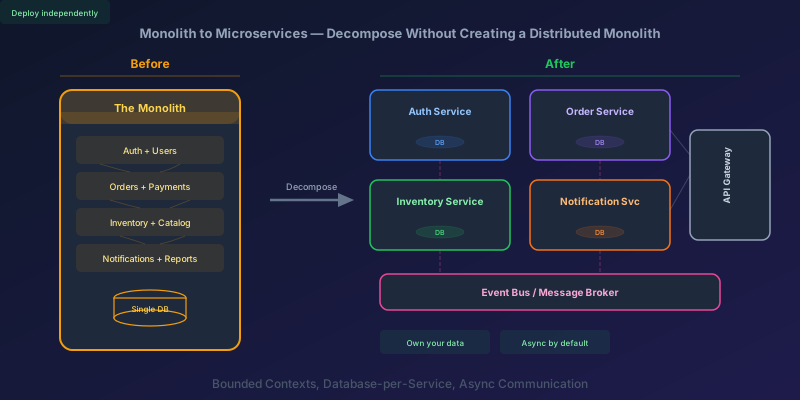
Monolith to Microservices: How to Decompose Without Creating a Distributed Monolith
A practical guide to breaking apart a monolith into microservices — identifying boundaries, splitting the database, handling data consistency, and avoiding the traps that turn your migration into a distributed monolith.

TypeScript 7 Upgrade: 10x Faster tsc, and the API Gap You Have to Plan Around
TypeScript 7.0 is the native Go compiler, stable since July 2026, with 8 to 12x faster full builds. Deprecations are hard errors, strict and esnext are defaults, and the programmatic API waits for 7.1. A migration order that keeps lint and frameworks working.

IHttpClientFactory: Stop Creating HttpClient Per Request
Why new HttpClient() in a .NET service exhausts sockets under load, and how IHttpClientFactory plus a named client fixes DNS without freezing the handler forever.
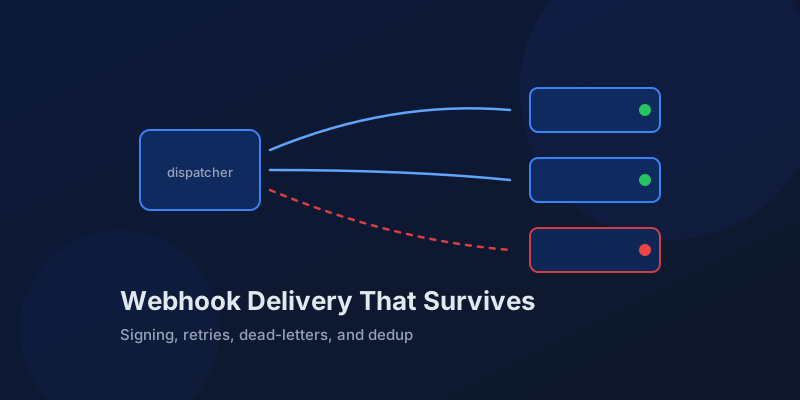
Designing Webhook Delivery That Survives Flaky Consumers
Signing, retries, ordering, and dead-lettering: the design decisions that separate reliable webhook delivery from silent event loss.
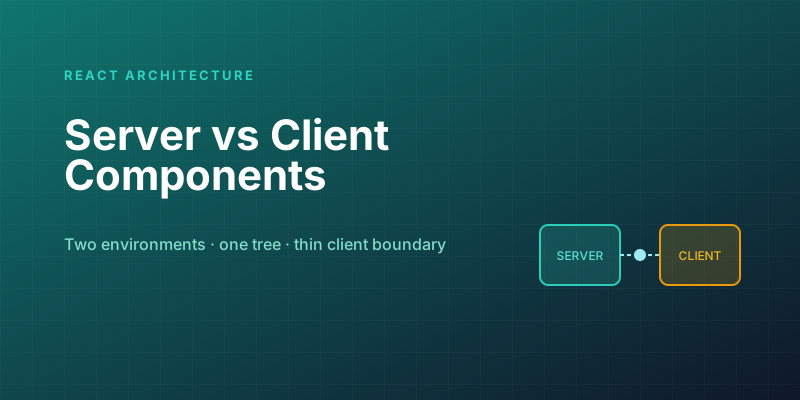
Server Components vs. Client Components: A Mental Model That Sticks
The hardest part of React Server Components isn't the syntax — it's knowing which kind of component you're writing and why. Here is the mental model that makes the boundary obvious.

Optimistic UI Updates: Making Apps Feel Instant Without Lying to Users
The like button that responds before the server confirms feels instant. The trick is updating the UI first and reconciling later — and handling the rollback so you never mislead the user.
Newsletter
New posts, straight to your inbox
One email per post. No spam, no tracking pixels, unsubscribe anytime.
Comments
- No comments yet. Be the first.