Fixing NuGet Error: Unable to Load the Service Index for Source
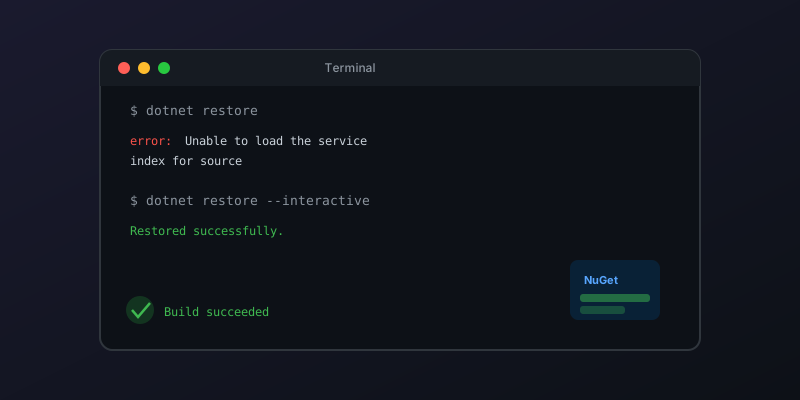
You set up a new .NET project, run dotnet restore, and hit this:
Unable to load the service index for source https://pkgs.dev.azure.com/...
This error blocks your entire build. Here is how to fix it systematically.
Common Causes and Fixes
1. Authentication Issue (Most Common)
If the source is an Azure DevOps Artifacts feed, you likely need the Azure Artifacts Credential Provider and an interactive auth pass:
# Install the credential provider — pick whichever fits your platform.
# On .NET SDK 9.0.200+ you can install it as a dotnet tool:
dotnet tool install --global Microsoft.Artifacts.CredentialProvider.NuGet.Tool

# Or run Microsoft's official install script (works on macOS / Linux):
sh -c "$(curl -fsSL https://aka.ms/install-artifacts-credprovider.sh)"

# Then clear the HTTP cache and restore interactively the first time
dotnet nuget locals http-cache --clear
dotnet restore --interactive
The --interactive flag opens a browser-based auth flow. After authenticating once, credentials are cached for future restores.
2. Incorrect or Stale nuget.config
Check your nuget.config files — NuGet reads them from multiple locations:
# Show which config files are being used
dotnet nuget config paths
Common locations:
./nuget.config(project-level)~/.nuget/NuGet/NuGet.Config(user-level)- System-level config
Look for a <packageSources> entry pointing to a feed URL that no longer exists or that you don't have access to:
<packageSources>
  <add key="nuget.org" value="https://api.nuget.org/v3/index.json" />
  <add key="MyFeed" value="https://pkgs.dev.azure.com/org/project/_packaging/feed/nuget/v3/index.json" />
</packageSources>
Remove or fix any invalid sources.
3. Network or Proxy Issues
Behind a corporate proxy:
# Set proxy in nuget config
dotnet nuget config set http_proxy http://proxy.company.com:8080
dotnet nuget config set http_proxy.user YOUR_USERNAME
Or test connectivity directly:
curl -I https://api.nuget.org/v3/index.json
If this fails, it is a network issue — not a NuGet issue.
4. SSL Certificate Problems
Common in corporate environments with certificate inspection:
# Trust the dev certs
dotnet dev-certs https --trust

# If using a custom CA, export and add it
# (check with your IT team for the root CA cert)
5. Feed Actually Down
Sometimes the feed is genuinely unavailable. Check:
If a private feed is down, you can temporarily fall back to packages already in your local NuGet cache by removing the failing source from your nuget.config (so the restore only consults the remaining sources and the local cache). Pulling ~/.nuget/packages directly with --source does not work — that folder is the global packages folder, not a NuGet feed.
Quick Diagnosis Checklist
- Can you reach the feed URL in a browser? (auth/network issue)
- Does
dotnet nuget list sourceshow the correct feeds? - Does
dotnet restore --interactiveresolve it? (credential issue) - Does removing the private feed and restoring from nuget.org work? (feed-specific issue)
Key Takeaway
90% of the time this error is an authentication problem. Run dotnet restore --interactive first — it solves most cases in under a minute. Only dig deeper if that doesn't work.
Keep reading
IHttpClientFactory: Stop Creating HttpClient Per Request
Why new HttpClient() in a .NET service exhausts sockets under load, and how IHttpClientFactory plus a named client fixes DNS without freezing the handler forever.
Pass the CancellationToken or the Work Continues After the Client Left
ASP.NET Core binds CancellationToken to the aborted request. Forward it to EF Core and HttpClient, and do not turn a client disconnect into a 500.
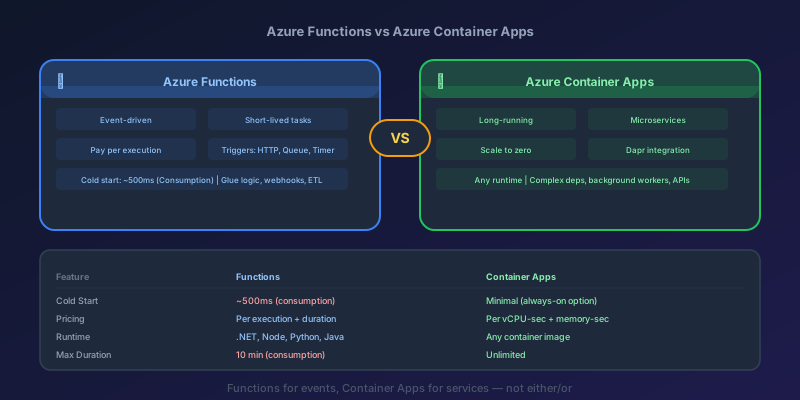
Azure Functions vs Azure Container Apps: Choosing the Right Serverless Model
A detailed comparison of Azure Functions and Azure Container Apps — pricing, cold starts, scaling, runtime support, and a decision flowchart for picking the right one.
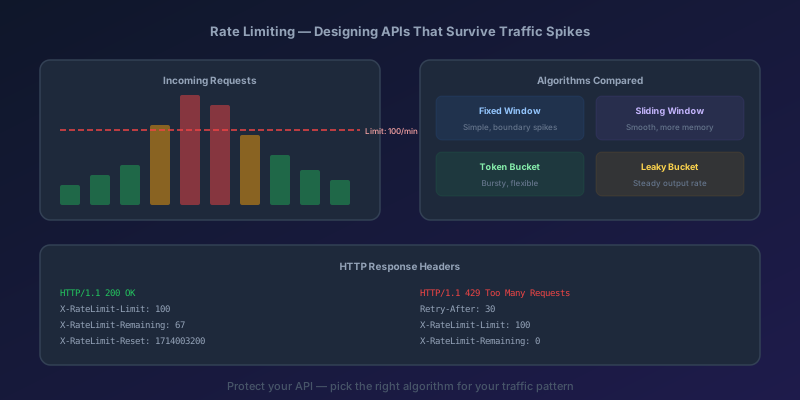
Rate Limiting and Throttling: Designing APIs That Survive Traffic Spikes
Why every public API needs rate limiting, the four main algorithms compared, implementation in Next.js with Redis, proper HTTP headers, and Azure API Management policies.
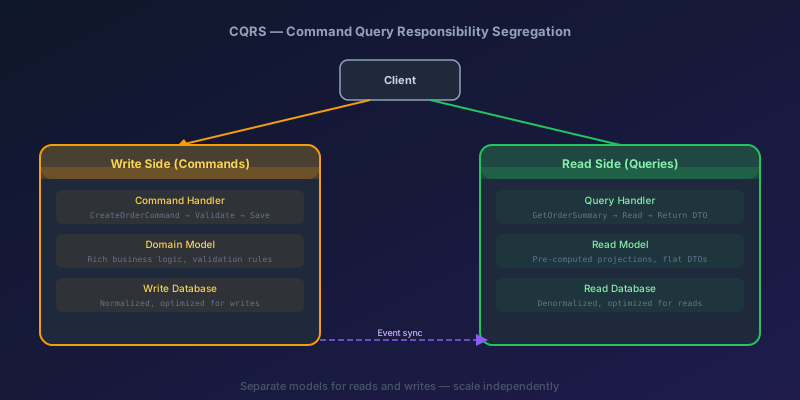
CQRS in Practice: When It's Worth the Complexity and When It Isn't
A clear-eyed look at Command Query Responsibility Segregation — what it actually is, how to implement it in .NET, when it pays off, and when it's unnecessary complexity.
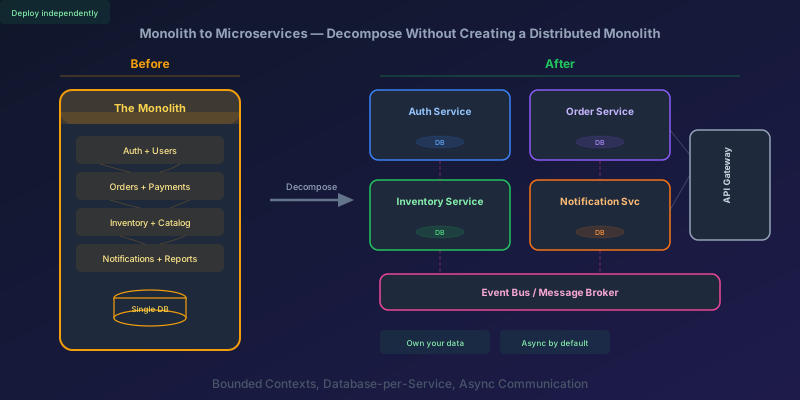
Monolith to Microservices: How to Decompose Without Creating a Distributed Monolith
A practical guide to breaking apart a monolith into microservices — identifying boundaries, splitting the database, handling data consistency, and avoiding the traps that turn your migration into a distributed monolith.
Newsletter
New posts, straight to your inbox
One email per post. No spam, no tracking pixels, unsubscribe anytime.
Comments
- No comments yet. Be the first.