Handling Null and Blank Date Fields in Power Automate
In this series: Power Automate gotchas
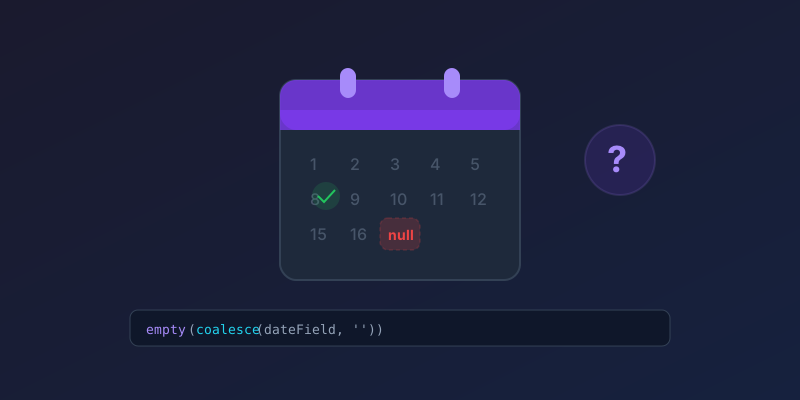
Checking whether a date field is blank in Power Automate has always been trickier than it should be. The value might be null, an empty string, or the infamous 0001-01-01T00:00:00Z. Here is how to handle all of these reliably.
The Problem
When you pull a date field from Dataverse, SharePoint, or a SQL connector, an empty date can appear in multiple forms depending on the source:
- Dataverse: returns
null - SharePoint: returns an empty string
"" - SQL Server: may return
1900-01-01orNULL - Excel: returns an empty string or
0
A simple equals null condition often misses these edge cases.
The Reliable Approach
Use the empty() function combined with coalesce():
@empty(coalesce(triggerOutputs()?['body/dateField'], ''))
This handles both null and empty string in a single expression. If the field is null, coalesce falls back to an empty string, and empty() returns true.
Checking for the Epoch Date
Some connectors return 0001-01-01T00:00:00Z instead of null. Add a secondary check:
@or(
  empty(coalesce(triggerOutputs()?['body/dateField'], '')),
  equals(formatDateTime(triggerOutputs()?['body/dateField'], 'yyyy'), '0001')
)
A Cleaner Pattern with Compose
For readability, break it into steps:
-
Compose — name it
DateValue:@coalesce(triggerOutputs()?['body/dateField'], '') -
Condition — check if blank:
@or(empty(outputs('DateValue')), equals(outputs('DateValue'), '0001-01-01T00:00:00Z'))
This makes the flow easier to debug and the logic visible at a glance.
Filter at the Trigger, Not After
If the flow should not run when the date is empty, do not detect it in a Condition action. Use Filter rows on the Dataverse trigger instead:
datefield eq null
For SharePoint list triggers, a trigger condition is the equivalent:
@not(empty(triggerOutputs()?['body/DateField']))
Skipping the run is cheaper than starting it and terminating. It also keeps the run history readable.
Dataverse-Specific: Use the Null Check Directly
With the current Dataverse connector, you can use the condition action and compare directly to null — it now handles this correctly for Dataverse date fields. Select the field, operator is equal to, and leave the value blank.
This works for Dataverse. It still fails for SharePoint empty strings, Excel serial 0 / 1899-12-30, and SQL 1900-01-01. If the flow might be reused across connectors, keep empty(coalesce(...)).
Key Takeaway
Never trust a single null check for dates across different connectors. The empty(coalesce(...)) pattern is defensive, portable, and takes 30 seconds to implement. Use it everywhere.
Keep reading

Power Automate Trigger Conditions: The Run That Never Appears
A trigger condition that is false does not start a run and does not leave run history. How the expression differs from a Condition action, and how to see the skipped checks.

Power Platform September 2026 Update: The App-Builder Skill, Agent Plugins, and the Refreshed Model-Driven UI
What matters in Microsoft's September 2026 Power Platform feature update: the model app-builder skill goes GA, the canvas authoring agent plugin goes GA, generative pages embed in forms and reach connectors, model-driven header refresh is GA with display density in preview, and Power Automate gets server-side search.

Dataverse Triggers in Power Automate: Select Columns or the Flow Wakes Up for Nothing
How Select columns and Filter rows on a Dataverse trigger cut wasted runs, and the row-version mistakes that make a flow miss the change it was built for.
Retry Policies in Power Automate: What Actually Happens When an Action Fails
How Power Automate retry policies work, which errors they cover, how to configure them, and how to keep retries from duplicating side effects.

Resilient Power Automate: Retry Policies and Dead-Letter Patterns
Transient failures are normal in any flow that calls an API. The difference between a flow that self-heals and one that pages you at 2 a.m. is how you handle retries and the failures that stick.

15 Power Automate Expressions Every Maker Should Memorize
Memorize these Power Automate expressions to build faster flows, handle nulls, shape arrays, format dates, reduce action count, and debug WDL.
Newsletter
New posts, straight to your inbox
One email per post. No spam, no tracking pixels, unsubscribe anytime.
Comments
- No comments yet. Be the first.