Dataverse Plug-in Performance: Avoiding the Slow Plug-in That Times Out
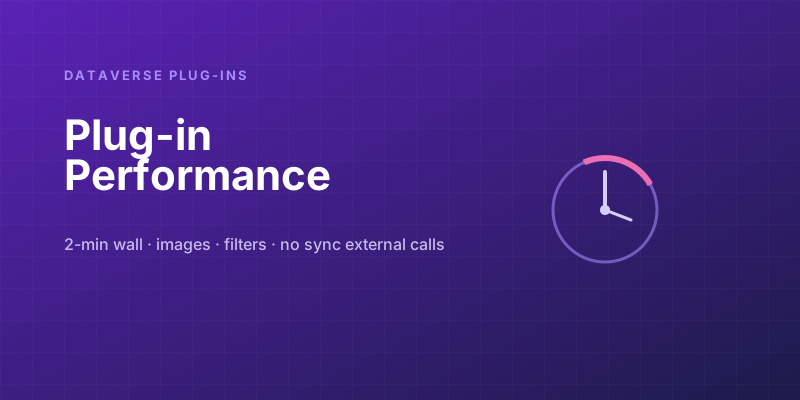
A Dataverse plug-in feels like ordinary C#, so people write it like ordinary C#: query freely, call out to a service, loop over some records, do the work. Then it ships, real data shows up, and saves start failing with a two-minute timeout. The reason is something the local debugger never shows you: a synchronous plug-in does not run in a comfortable background process. It runs inside the user's database transaction, on the platform's clock, and everything it does is billed against the time the user spends staring at a spinning save button. Treat it like a normal program and you will eventually break record saves for the whole org. Here is how plug-ins actually execute, and the rules that keep them fast.
The constraint that changes everything: the 2-minute wall
The Dataverse sandbox imposes a hard limit: a plug-in has roughly two minutes to complete. Exceed it and the platform kills the execution and rolls back the transaction. For a synchronous plug-in, that rollback means the user's save fails — they get an error, their data isn't saved, and if your plug-in fires on a common operation, you've just blocked everyone doing that operation.
That two-minute ceiling is not a target to aim near; it's a cliff. A healthy synchronous plug-in should complete in tens of milliseconds, not seconds. If you're measuring a plug-in's runtime in seconds, it's already in danger — a slightly larger dataset, a slightly slower downstream service, or a moment of platform load will push it over. The whole performance discipline below exists because you're spending the user's transaction time, and that budget is tiny.
Rule 1: Query only what you need
The most common performance sin is retrieving columns you don't use. ColumnSet(true) — "give me every column" — is convenient and wasteful. Each column is data to fetch, serialize, and transfer, and wide tables can have hundreds of them.
// ❌ Pulls every column on every matching row
var query = new QueryExpression("account") { ColumnSet = new ColumnSet(true) };

// ✅ Pull exactly the three columns you actually read
var query = new QueryExpression("account")
{
    ColumnSet = new ColumnSet("name", "creditlimit", "statuscode"),
    Criteria = new FilterExpression
    {
        Conditions = { new ConditionExpression("statuscode", ConditionOperator.Equal, 1) }
    },
    TopCount = 50          // bound the result set — never fetch unboundedly
};
Two habits here: name the columns explicitly, and always bound the result set with TopCount or paging. A query that returns "all matching rows" works fine on your 20-row dev environment and melts when production has 200,000. Assume every unbounded query will someday match far more rows than you imagined.
Rule 2: Use the right image instead of re-querying
Plug-ins receive pre-images and post-images — snapshots of the record before and after the operation — registered alongside the step. People constantly query the database to read a field they could have gotten from an image for free.
// ❌ A database round-trip to read the old value
var current = service.Retrieve("account", target.Id, new ColumnSet("creditlimit"));

// ✅ The pre-image already has it — no query at all
var preImage = (Entity)context.PreEntityImages["PreImage"];
var oldLimit = preImage.GetAttributeValue<Money>("creditlimit");
Registering a pre-image with just the columns you need turns a database round-trip into an in-memory read. This is one of the highest-leverage optimizations in plug-in development, and it's free — you're using data the platform already handed you.
Rule 3: Filter the step so the plug-in barely runs
The fastest plug-in code is the code that doesn't execute. Two filters keep your plug-in dormant unless it's genuinely needed:
- Filtering attributes. Register the step to fire only when specific columns change. A plug-in that recalculates something based on
creditlimitshould fire only whencreditlimitis in the update — not on every edit to the account. Set the filtering attributes in registration and the platform skips your plug-in entirely for irrelevant updates. - An early depth/context guard. Check
context.Depthto avoid re-triggering yourself, and bail out immediately when the trigger conditions aren't met:
if (context.Depth > 1) return;                          // avoid recursive re-entry
if (!target.Contains("creditlimit")) return;            // nothing we care about changed
Putting cheap exit conditions at the very top means the overwhelming majority of executions cost almost nothing. You're spending the user's transaction time, so spend as little of it as possible — and most of the time, spend none.
Rule 4: Don't make external calls in a synchronous plug-in
This is the one that causes the worst incidents. Calling an external web service from a synchronous plug-in chains the user's save to the availability and latency of that service. If the service is slow, every save is slow. If the service is down, every save fails — you've coupled your users' ability to save a record to a third party's uptime.
// ❌ In a synchronous plug-in: the user's save now waits on, and can fail on,
//    an external HTTP call you don't control
var response = httpClient.PostAsync(externalUrl, payload).Result;
If you must integrate with an external system as part of a Dataverse operation, do it asynchronously: register the step as async, or — better — publish the work elsewhere (a message to Azure Service Bus, a flow, an async job) so the user's transaction commits immediately and the integration happens out of band. The principle generalizes: anything slow or unreliable does not belong on the synchronous save path. Keep the user's transaction fast and local; push slow, networked, or failure-prone work to async.
Rule 5: Mind the N+1 inside loops
If you process a set of related records, querying inside the loop is the classic N+1 trap — 100 child records become 100 separate retrieves, and your tens-of-milliseconds budget is gone.
// ❌ One query per iteration
foreach (var line in orderLines)
    var product = service.Retrieve("product", line.ProductId, cols);   // N queries

// ✅ One query for all of them, then look up in memory
var ids = orderLines.Select(l => l.ProductId).ToList();
var products = RetrieveProductsInOneQuery(service, ids);               // 1 query
var byId = products.ToDictionary(p => p.Id);
foreach (var line in orderLines)
    var product = byId[line.ProductId];                                // in-memory
Batch the reads into a single query with an In filter, build a dictionary, and look up locally. The shape "one query instead of N" is the same lesson as everywhere else in software, but it bites extra hard here because you're racing a two-minute clock inside someone's transaction.
Sync or async? Decide deliberately
Much of plug-in performance comes down to one registration choice: synchronous (runs in the user's transaction, blocks the save, can cancel it with an error) or asynchronous (runs in the background shortly after, doesn't block the user). Use the right one:
- Synchronous — only when the work must complete before the save returns and may need to prevent it: validation that should block an invalid save, a derived value that must be correct inside the same transaction. Keep it tiny and local.
- Asynchronous — for everything that can happen "soon after": notifications, integrations, non-critical derived data, anything involving an external call or heavier computation. The user's save returns instantly and your slower work runs out of band, off the critical path and off the two-minute clock.
The instinct to internalize: synchronous plug-in time is the user's time, and it's strictly limited. Default to async unless the operation genuinely must be transactional, query narrowly, lean on images and filters so the code rarely runs and runs cheaply when it does, and keep every slow or networked dependency off the save path. A plug-in that respects those rules disappears into the background where it belongs. One that ignores them becomes the reason saves are failing org-wide — and that's a much worse afternoon than the extra ten minutes of design would have cost.
Keep reading
Dataverse Cascade Delete: Parental, Restrict, and the Children You Lose
What Parental, Referential Restrict, and Remove Link actually do on delete, assign, and merge, and which preset to pick before a parent row takes its children with it.

Sales Agent Creates CRM Records From Copilot Chat, and Sales Development Agent Quotes on Its Own: What Went GA on September 30
Two Dynamics 365 Sales agent capabilities reached general availability on September 30, 2026: inline record creation in Microsoft 365 Copilot Chat, and autonomous quote generation in Sales Development Agent. Setup, security, and the escalation path.
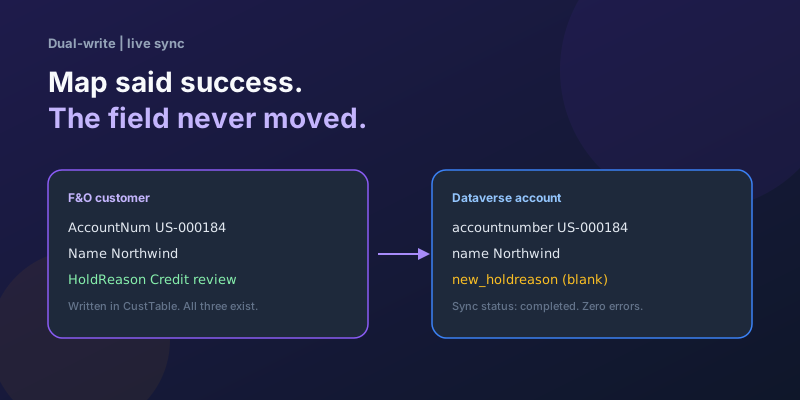
Dual-Write Dropped My Field and Reported Success
Why a dual-write map can complete with zero errors while a custom F&O field never lands in Dataverse — staging tables, unpublished maps, and change tracking after a schema change.
Elastic Tables in Dataverse: When Cosmos-Backed Storage Beats Standard Tables
What Dataverse elastic tables are, how TTL, partitioning, and JSON columns work, and how to decide between elastic and standard tables.

Business Process Flows in Dynamics 365: Branching, Stage-Gating, and the Limits Nobody Warns You About
A practical guide to designing branching Business Process Flows in model-driven Dynamics 365 apps, with stage-gating, automation hooks, the storage model, and hard limits.
The Dataverse Plugin Execution Pipeline: Stages, Transactions, and Images Explained
How the Dataverse event pipeline actually works: pre-validation, pre-operation, post-operation stages, the transaction boundary, entity images, depth, and registration guidance.
Newsletter
New posts, straight to your inbox
One email per post. No spam, no tracking pixels, unsubscribe anytime.
Comments
- No comments yet. Be the first.