Extending Data Entities in D365 Finance & Operations Without Breaking Upgrades
In this series: F&O and Dataverse integration
Data entities are how almost everything moves in and out of Dynamics 365 Finance & Operations: the Data Management Framework (DMF), OData, dual-write, and Power Platform virtual entities all sit on top of them. Sooner or later you need a standard entity to carry one extra field, expose a related table, or enforce custom validation. Do it carelessly and your next One Version update overwrites the change — or worse, the entity silently stops importing. Here is how to extend data entities so they survive upgrades.
Extend, don't overlayer
Overlayering is gone. Every change to a standard entity is an extension: you create an extension element in your own model and the compiler merges it at build time. The rule of thumb:
- Adding fields, ranges, or relations to a standard entity → extension.
- Heavy reshaping (different staging, new natural key, denormalized joins) → a brand-new entity that you own outright.
A new entity is fully yours and never conflicts with Microsoft's changes. Extensions are lighter but constrained: you can add, you cannot remove or re-type what Microsoft ships.
Adding a field to a standard entity
Say you added PaymentHoldReason to VendTable and you need it on VendVendorV2Entity so integrations can read and write it. Three steps:
- Create an extension of the entity and drag the new field into the entity's data source so it is available for mapping.
- Add the entity field and map it to the data source column.
- Rebuild and regenerate the staging table.
The mapping is the part people forget. An entity field with no data source mapping compiles fine and silently returns null on every import.
// Run business logic as the entity writes back to the table. Put it on the
// ENTITY (not the table) so DMF and OData both honor it.
[ExtensionOf(tableStr(VendVendorV2Entity))]
final class VendVendorV2Entity_Extension
{
    public void mapEntityToDataSource(DataEntityRuntimeContext _context)
    {
        next mapEntityToDataSource(_context);

        VendTable vendTable = _context.getDatabaseEntityDataSourceObject(
            tableNum(VendTable)) as VendTable;

        if (this.PaymentHoldReason && !vendTable.PaymentStop)
        {
            vendTable.PaymentStop = NoYes::Yes;
        }
    }
}
Computed and virtual fields
Not every field maps one-to-one. Two escape hatches:
- Virtual (unmapped) fields are filled in code via
postLoad(). Use them for values assembled at read time — a formatted address, a derived status. - Computed columns push a SQL expression into the view that backs the entity. The database evaluates them, so they filter and sort efficiently, but the expression must be expressible through
SysComputedColumnserver methods.
private static server str compute formattedVendorName()
{
    DataEntityName dataEntity = identifierStr(VendVendorV2Entity);
    str account = SysComputedColumn::returnField(dataEntity,
        dataEntityDataSourceStr(VendVendorV2Entity, VendTable),
        fieldStr(VendTable, AccountNum));
    str name = SysComputedColumn::returnField(dataEntity,
        dataEntityDataSourceStr(VendVendorV2Entity, VendTable),
        fieldStr(VendTable, VendorName));

    return SysComputedColumn::stringConcat(account,
        SysComputedColumn::literal(' - '), name);
}
Reach for postLoad() only when the database cannot do the work. Every virtual field is computed row by row in X++ after the result set returns, which destroys performance on bulk reads.
Validation that actually fires
validateField and validateWrite on the entity run for OData and DMF writes. Put cross-field rules here, not on the table, or imports bypass them entirely.
public boolean validateWrite()
{
    boolean ret = next validateWrite();

    if (this.PaymentHoldReason && !this.PaymentStop)
    {
        ret = checkFailed("A hold reason requires payment stop to be set.") && ret;
    }
    return ret;
}
The staging-table trap
DMF imports land in a staging table first, then copy to the target. When you add a field through an extension, the staging table does not grow automatically — you must regenerate it (right-click the entity, Generate staging table, or rebuild with that option set). Skip this and the import maps your field to nothing while reporting success.
| Symptom | Likely cause |
|---|---|
| New field always null after import | Field unmapped, or staging table not regenerated |
| Works in dev, fails in UAT | Staging table out of sync; redeploy the package |
| OData write ignores validation | Logic on the table instead of the entity |
| Exports slow after adding fields | Too many virtual fields doing postLoad work |
Cross-company and keys
Two more things bite teams:
- DataAreaId: public entities are cross-company by default. If your extension joins a company-specific table, set the entity's company behaviour explicitly or every caller has to pass
cross-company=true. - Entity keys: the natural key (for example
AccountNum) is what upsert matches on. If a new field belongs to identity, you almost always need a new entity — you cannot safely re-key Microsoft's.
Test like an integration, not a user
Before you ship: import a file through DMF and confirm the field round-trips; GET and PATCH the entity through OData with a REST client; and if the entity feeds dual-write or virtual entities, confirm change tracking still initializes after your change. An entity that passes the form but fails the API is the most common — and most expensive — way to learn this lesson in production.
Keep reading

Dual-Write Dropped My Field and Reported Success
Why a dual-write map can complete with zero errors while a custom F&O field never lands in Dataverse — staging tables, unpublished maps, and change tracking after a schema change.

OData 429s from F&O: What Actually Throttles You
HTTP 429 from Dynamics 365 Finance & Operations is usually the query shape, not the request count — cross-company scans, $filter that cannot seek, $batch that still burns SQL, and why retrying harder makes month-end worse.
D365 F&O Data Entities: Composite, Computed, and Virtual Fields Explained
Data entities look like simple tables until you need a nested import, a derived column, or a field with no storage. Knowing the three advanced shapes is what makes integrations actually work.
Recurring Integrations and the REST API in D365 Finance & Operations
Move files in and out of D365 Finance & Operations reliably using the recurring integrations REST API — enqueue, dequeue, acknowledge, and the status polling patterns that keep data flowing.
Dual-Write vs Virtual Entities vs OData: Choosing the Right F&O–Dataverse Pattern
Compare dual-write, virtual entities, OData, and DMF for Finance and Operations to Dataverse integration with latency and failure tradeoffs.
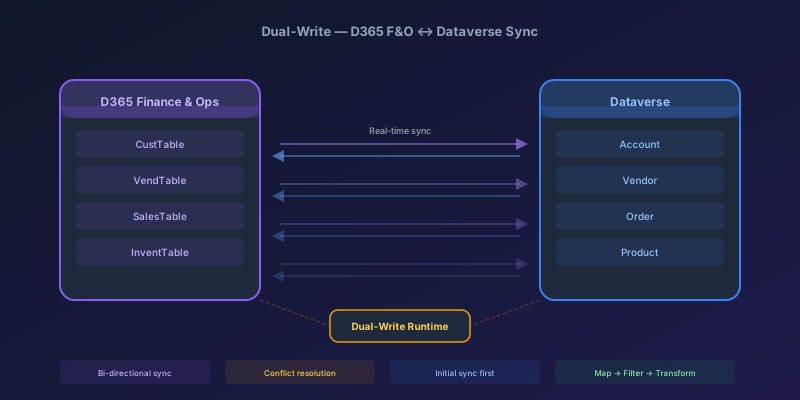
Dual-Write Between D365 F&O and Dataverse: Pitfalls and Patterns That Actually Work
A field-tested guide to dual-write configuration between D365 Finance & Operations and Dataverse — covering initial sync failures, conflict resolution, performance tuning, and when to use alternatives like virtual entities or data export service.
Newsletter
New posts, straight to your inbox
One email per post. No spam, no tracking pixels, unsubscribe anytime.
Comments
- No comments yet. Be the first.