OpenTelemetry in .NET: Distributed Tracing Without Vendor Lock-In
Distributed tracing used to mean picking a vendor — Datadog, New Relic, Dynatrace — and instrumenting your services with their proprietary SDK. Swap vendors and you rewrite your instrumentation. OpenTelemetry (OTel) solves this: one open instrumentation standard, pluggable exporters. Here's how to add production-grade tracing to a .NET application using System.Diagnostics.ActivitySource, ship to three different backends, and do it without touching application code when you switch.
The Core Concepts
OpenTelemetry defines three signals: traces, metrics, and logs. For distributed tracing, traces are the primary signal.
A trace is a tree of spans. Each span represents a unit of work — an HTTP request, a database call, a queue publish. Spans carry:
- A
TraceIdshared across the entire trace (128-bit hex) - A
SpanIdunique to this span (64-bit hex) - A
ParentSpanIdlinking to the caller's span - Timing (start, end, duration)
- Attributes (key-value metadata)
- Status (OK, Error, Unset)
In .NET, OpenTelemetry maps onto System.Diagnostics.ActivitySource and Activity — the same API that ASP.NET Core and the runtime already use internally for their own instrumentation.
Setup: NuGet Packages
dotnet add package OpenTelemetry.Extensions.Hosting
dotnet add package OpenTelemetry.Instrumentation.AspNetCore
dotnet add package OpenTelemetry.Instrumentation.Http
dotnet add package OpenTelemetry.Instrumentation.SqlClient
dotnet add package OpenTelemetry.Exporter.Otlp        # OTLP → Jaeger / Tempo
dotnet add package Azure.Monitor.OpenTelemetry.AspNetCore  # → Azure Monitor
Wiring OTel in Program.cs
var builder = WebApplication.CreateBuilder(args);

builder.Services.AddOpenTelemetry()
    .WithTracing(tracing => tracing
        .SetResourceBuilder(ResourceBuilder.CreateDefault()
            .AddService(serviceName: "OrderService", serviceVersion: "1.4.2"))
        .AddAspNetCoreInstrumentation(options =>
        {
            options.RecordException = true;
            options.Filter = ctx => !ctx.Request.Path.StartsWithSegments("/health");
        })
        .AddHttpClientInstrumentation()
        .AddSqlClientInstrumentation(options =>
        {
            options.SetDbStatementForText = true;
        })
        .AddSource("OrderService")           // your custom ActivitySource name
        .AddOtlpExporter(options =>
        {
            options.Endpoint = new Uri(builder.Configuration["Otlp:Endpoint"]!);
        }))
    .WithMetrics(metrics => metrics
        .AddAspNetCoreInstrumentation()
        .AddHttpClientInstrumentation()
        .AddRuntimeInstrumentation()
        .AddOtlpExporter());
For Azure Monitor, swap AddOtlpExporter for:
.UseAzureMonitor(options =>
{
    options.ConnectionString = builder.Configuration["ApplicationInsights:ConnectionString"];
});
Same instrumentation code, different exporter. That's the OTel promise.
Custom Instrumentation: ActivitySource
Auto-instrumentation covers HTTP and SQL. For your own business logic, use ActivitySource:
public class OrderProcessor
{
    private static readonly ActivitySource Source = new("OrderService");

    public async Task<Order> ProcessOrderAsync(OrderRequest request)
    {
        using var activity = Source.StartActivity("ProcessOrder");
        activity?.SetTag("order.customer_id", request.CustomerId);
        activity?.SetTag("order.item_count", request.Items.Count);

        try
        {
            var inventory = await CheckInventoryAsync(request);
            var payment   = await ChargePaymentAsync(request, inventory);

            activity?.SetTag("order.payment_id", payment.Id);
            activity?.SetStatus(ActivityStatusCode.Ok);

            return new Order(payment.Id, request.Items);
        }
        catch (PaymentDeclinedException ex)
        {
            activity?.SetStatus(ActivityStatusCode.Error, ex.Message);
            activity?.RecordException(ex);
            throw;
        }
    }

    private async Task<InventoryResult> CheckInventoryAsync(OrderRequest request)
    {
        using var span = Source.StartActivity("CheckInventory");
        span?.SetTag("inventory.sku_count", request.Items.Count);
        // ... inventory logic
    }
}
StartActivity returns null if no listener is attached — as in a test without OTel configured. The ?. null-conditional operators make the code safely no-op. Your business logic doesn't carry an observability dependency.
Propagating Context Across Services
For traces to stitch together across service boundaries, the TraceId and SpanId must travel with inter-service calls. The HttpClientInstrumentation handles this automatically for HttpClient — it injects traceparent headers (W3C Trace Context spec) on every outbound HTTP request.
For message queues (Azure Service Bus, RabbitMQ, Kafka), you need to propagate manually.
Publishing side:
using var activity = Source.StartActivity("PublishOrderEvent", ActivityKind.Producer);

var message = new ServiceBusMessage(JsonSerializer.SerializeToUtf8Bytes(orderEvent));

Propagators.DefaultTextMapPropagator.Inject(
    new PropagationContext(activity!.Context, Baggage.Current),
    message.ApplicationProperties,
    (props, key, value) => props[key] = value);

await sender.SendMessageAsync(message);
Consuming side:
var parentContext = Propagators.DefaultTextMapPropagator.Extract(
    default,
    message.ApplicationProperties,
    (props, key) => props.TryGetValue(key, out var val)
        ? new[] { val.ToString()! }
        : Array.Empty<string>());

using var activity = Source.StartActivity(
    "ConsumeOrderEvent",
    ActivityKind.Consumer,
    parentContext.ActivityContext);
This stitches the consumer span as a child of the publisher span across the queue boundary — giving you an end-to-end trace through async workflows.
Exporting to Multiple Backends
With OTLP as your export protocol, point to any compatible backend:
Jaeger for local development:
# docker-compose.yml
jaeger:
  image: jaegertracing/all-in-one:1.57
  ports:
    - "16686:16686"  # Jaeger UI
    - "4317:4317"    # OTLP gRPC receiver
// appsettings.Development.json
{ "Otlp": { "Endpoint": "http://localhost:4317" } }
Grafana Tempo in production:
{ "Otlp": { "Endpoint": "https://tempo.yourdomain.com:4317" } }
Azure Monitor:
APPLICATIONINSIGHTS_CONNECTION_STRING="InstrumentationKey=..."
The OrderProcessor.cs instrumentation code doesn't change between any of these environments.
Sampling in Production
Exporting every span from a high-traffic service is expensive. Use sampling:
// Sample 5% of traces randomly
.SetSampler(new ParentBasedSampler(new TraceIdRatioBasedSampler(0.05)));
ParentBasedSampler respects upstream sampling decisions — if the caller's trace is sampled, all child spans are sampled too. This keeps traces coherent across services.
For critical paths like payments or auth, the right tool is a custom sampler that always returns RecordAndSample for the operations you care about, falling back to a ratio sampler for everything else. Mutating Activity.ActivityTraceFlags after the fact does not retroactively flip the sampling decision — sampling is decided at activity creation time by the registered sampler.
public class CriticalPathSampler : Sampler
{
    private readonly Sampler _default;
    private readonly HashSet<string> _alwaysSample;

    public CriticalPathSampler(Sampler defaultSampler, IEnumerable<string> alwaysSample)
    {
        _default = defaultSampler;
        _alwaysSample = new HashSet<string>(alwaysSample);
    }

    public override SamplingResult ShouldSample(in SamplingParameters p) =>
        _alwaysSample.Contains(p.Name)
            ? new SamplingResult(SamplingDecision.RecordAndSample)
            : _default.ShouldSample(p);
}

// Wire it up
.SetSampler(new CriticalPathSampler(
    new ParentBasedSampler(new TraceIdRatioBasedSampler(0.05)),
    new[] { "ChargePayment", "Login" }))
Now spans named ChargePayment or Login always export, while the rest of the service stays at the 5% ratio.
What Good Traces Enable
Once distributed tracing is in place, you can answer questions that logs alone can't:
- "Why is p99 latency for checkout 3x higher than p50?" → find the slow span in the flame chart
- "Which downstream service caused the cascade failure at 14:32?" → follow the error span across services
- "What's the database call breakdown for the search endpoint?" → SQL span timing and statement text
The Jaeger UI and Grafana's trace explorer both support trace comparison — place two traces side by side to find performance regressions between deployments.
Start with auto-instrumentation, ship to a local Jaeger, and find one interesting trace in your first hour. That's usually enough to make distributed tracing a permanent part of your observability stack.
Keep reading
GitHub Merge Queues: Serializing main Without Parking Every PR
How merge queues absorb the rebase race on protected branches, what CI has to guarantee, and when a queue is worse than Require branches to be up to date.
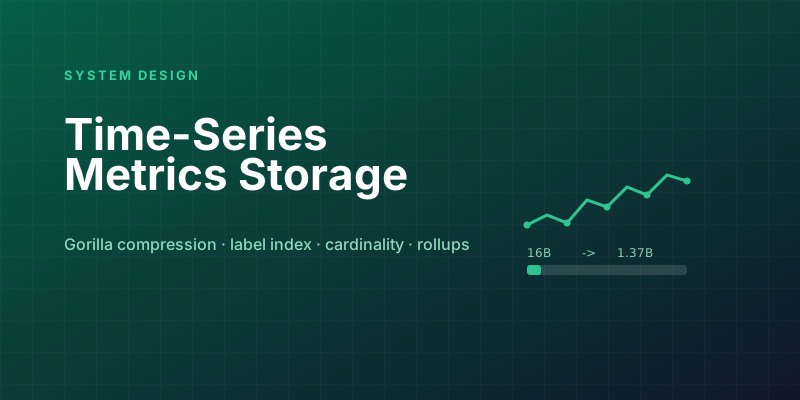
Designing a Metrics System: Time-Series Storage from Gorilla to Downsampling
Ten million series, one datapoint each per 10 seconds, queried by tags: delta-of-delta compression, the inverted index over labels, and why high cardinality kills TSDBs.
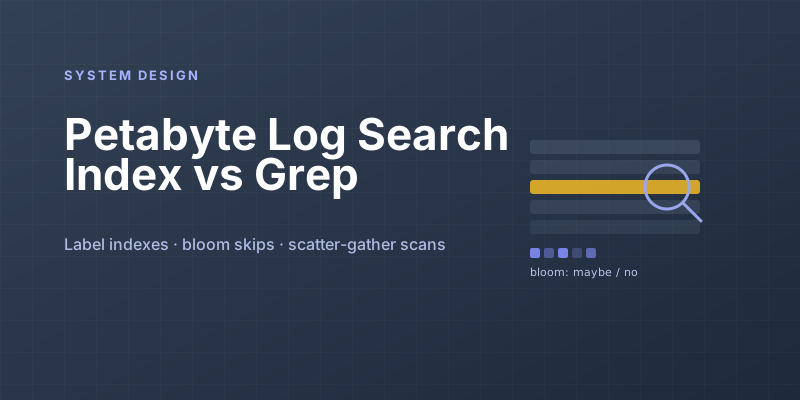
Designing Petabyte Log Search: Index Everything vs Grep Smarter
Logs are 100x your metrics volume and queried 0.001% as often. The Splunk-style full index, the Loki-style label-only bet, and bloom-filtered brute force in between.
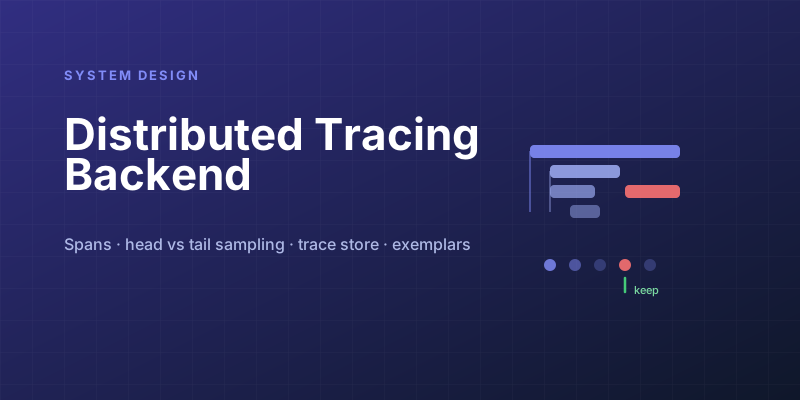
Designing a Distributed Tracing Backend: Dapper-Style Sampling and Storage
Tracing every request would need a system bigger than the one being traced. Head vs tail sampling, span ingestion pipelines, and storage laid out for trace reads.
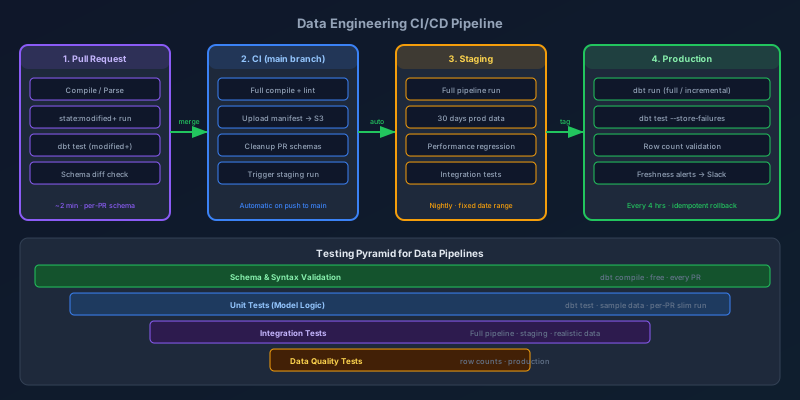
CI/CD Pipelines for Data Engineers
Data pipelines are production software. Here's how to build CI/CD that catches bad transforms before they corrupt dashboards: testing strategy, environment promotion, slim runs, and rollback patterns.
Feature Flags: How to Stop Coupling Deployment to Release
Shipping code and releasing a feature are different events that most teams accidentally fuse together. Feature flags split them — and unlock trunk-based development, safe rollouts, and instant rollback.
Newsletter
New posts, straight to your inbox
One email per post. No spam, no tracking pixels, unsubscribe anytime.
Comments
- No comments yet. Be the first.