Streaming LLM Output: SSE Events, Partial Tool JSON, and Abort
The UI is waiting for the last token. The model started a tool_use block two seconds ago. Your code called json.loads on the fragments so far, raised, and the user saw an error instead of the weather. Streaming is not "the same response, delivered slowly." It is a sequence of events, some of which are incomplete JSON, and the complete assistant message does not exist until the stream says it does.
The basic tool-use loop still applies. Streaming changes when you are allowed to execute a tool, what you can show the user, and how you stop paying for tokens the user no longer wants.
What actually arrives on the wire
With stream=True (or the SDK's messages.stream), the Messages API sends Server-Sent Events. Each event has a type. The ones that matter:
| Event | What it is |
|---|---|
message_start | The message shell: id, model, role, empty content, input usage |
content_block_start | A new block. For text, text is "". For tool_use, you get id and name; input is {} |
content_block_delta | Incremental payload. text_delta.text for prose. input_json_delta.partial_json for tool arguments |
content_block_stop | That block is finished. JSON for that tool call is now a complete object, or it is truncated |
message_delta | stop_reason and output usage |
message_stop | The HTTP stream is done |
ping | Keep-alive. Ignore it |
error | The stream failed. Stop assembling. Do not invent a tool_result |
A text_delta is safe to append to the UI as it arrives. An input_json_delta is not a value. It is a slice of a JSON string. "{\"city\": \"Sea" is not an object. Concatenate every partial_json for that block index, and parse once on content_block_stop.
import json
from anthropic import Anthropic

client = Anthropic()
tools = [
    {
        "name": "get_weather",
        "description": "Get current weather for a city.",
        "input_schema": {
            "type": "object",
            "properties": {"city": {"type": "string"}},
            "required": ["city"],
        },
    }
]
messages = [{"role": "user", "content": "What's the weather in Seattle?"}]
assembled = {}  # index -> {"kind", "id", "name", "text", "json"}

with client.messages.stream(
    model="claude-sonnet-4-6",
    max_tokens=1024,
    tools=tools,
    messages=messages,
) as stream:
    for event in stream:
        if event.type == "content_block_start":
            block = event.content_block
            assembled[event.index] = {
                "kind": block.type,
                "id": getattr(block, "id", None),
                "name": getattr(block, "name", None),
                "text": "",
                "json": "",
            }
        elif event.type == "content_block_delta":
            slot = assembled[event.index]
            delta = event.delta
            if delta.type == "text_delta":
                slot["text"] += delta.text
                print(delta.text, end="", flush=True)
            elif delta.type == "input_json_delta":
                slot["json"] += delta.partial_json
        elif event.type == "content_block_stop":
            slot = assembled[event.index]
            if slot["kind"] == "tool_use":
                slot["input"] = json.loads(slot["json"])  # complete, or this throws

    final = stream.get_final_message()
A raw SSE error event means stop assembling. The Python SDK usually raises instead of yielding that event. Either way, do not invent a tool_result.
get_final_message() is the SDK assembling the same blocks for you. Use it when you want the canonical Message. Keep the event loop when you need to paint tokens, enforce a timeout, or abort.
OpenAI's Chat Completions stream is the same idea with different names: delta.content for text, delta.tool_calls[i].function.arguments for fragments. You still concatenate arguments by index and parse after finish_reason arrives. Do not treat the two APIs as interchangeable objects. Treat them as two event vocabularies for one rule: text is displayable; tool JSON is not a value until the block ends.
Why json.loads in the loop fails
Constrained decoding still emits JSON incrementally. The schema is enforced over the finished string. Mid-stream, the bytes can be any prefix: a hanging quote, a missing brace, a key with no value. Structured output is a guarantee on the completed tool input, not on every delta.
If stop_reason is max_tokens and the last block was tool_use, the concatenated string may still be invalid. That is not a retry-with-the-same-tool_result situation. There is no result. End the turn, raise max_tokens, and fix the budget. Looping as if the model asked for a tool will send a tool_result for an id whose input never existed.
Show the user the text blocks. Do not stream the partial JSON into the transcript. A half-finished {"accountId": "00 is a leak of a guess, not a status line.
Reconstruct the assistant message, then run tools
The next request needs a well-formed assistant turn: every tool_use block with its id, name, and complete input, plus any text that accompanied it. The SDK's final message is that turn. If you roll your own assembler, copy the id from content_block_start. Deltas do not repeat it. The tool_result you send back must use that same id.
Do not execute a tool on content_block_start. You have a name and an empty input. Wait for content_block_stop. Then you can run independent tool calls in parallel, the same as in the non-streaming loop. Streaming does not change the rule that writes belong behind a confirmation the code enforces, not behind the model's confidence. Put that step in a function the stream cannot skip.
stop_reason lives on message_delta, near the end. If you branch on it before that event, you are branching on null. end_turn, tool_use, max_tokens, and refusal are still the four you must distinguish. Streaming does not add a fifth that means "keep going."
Abort is an HTTP cancel, not a prompt
The user hit Stop, or navigated away, or the tab crashed. Sending "please stop" as another user message does nothing to the in-flight generation. Cancel the request.
In the Python SDK, leaving the with client.messages.stream(...) block closes the stream. In the browser, pass AbortSignal into fetch and abort it. The server should forward that cancel to the provider connection. Tokens already generated are usually billable. The win is stopping the rest of the output, not a refund of the first sentence.
Persist only what you will send back. A cancelled stream is not an assistant message. If you store the partial text as a completed turn, the next request has a truncated assistant message with no stop_reason the API emitted, and tool ids that never closed. Drop it, or store it as an aborted attempt in your logs, not in messages.
Proxies will sit on the first token
SSE is a long-lived HTTP response with Content-Type: text/event-stream. Anything that buffers the body until Content-Length arrives will hold every token until message_stop. Then the UI dumps the whole answer at once and you paid for streaming to get a spinner.
If you proxy through nginx, proxy_buffering off for that location. If you wrap the provider stream in a Next.js Route Handler, write chunks as events arrive and do not collect the full string first. Disable buffering on the platform in front of you when it has a flag for it. Flush after each event you care about showing.
ping events exist because idle connections die. Your client should treat them as no-ops, not as errors, and should not time out a stream that is still pinging.
The shape that holds
Paint text_delta. Concatenate partial_json. Parse on content_block_stop. Run tools only from complete input. Copy id from content_block_start. Read stop_reason from message_delta. Abort the socket when the user is gone. Leave incomplete JSON out of the next turn.
The non-streaming code path is the same loop with one event: the finished Message. Streaming is that message arriving as a log. If you handle the log like a document, you will parse half a city name and call it an error.
Keep reading
Indirect Prompt Injection: Tool Output Is Not Instructions
A retrieved document, an email, or a tool result can tell the model to take an action. Delimiters do not stop it. The tool allowlist after untrusted text does.
Copilot Auto Model Selection Now Has Tiers: Efficiency, Balance, Intelligence
GitHub Copilot's Auto picker gained efficiency, balance, and intelligence tiers in September 2026, alongside GPT-6 Astra and GPT-6.1 Sol. How the tiers change the cost-quality trade, and what admins control.
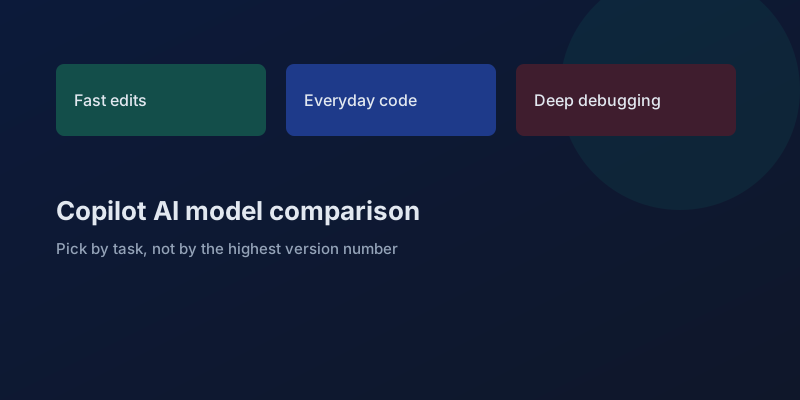
GitHub Copilot AI Model Comparison: Which Model to Use for Each Task
AI model comparison for GitHub Copilot Chat: GPT-5.6, Claude, Gemini, Grok, and Kimi, plus when Auto is the cheaper default.
Put the Workflow in Code When the Agent Keeps Improvising
Which steps belong in a fixed program and which belong in a model, so an agent stops skipping the check that production depends on.
Evaluating LLM Applications: Getting Past 'It Looks Good to Me'
Shipping LLM features on vibes works until a prompt tweak silently breaks ten other cases. Here is how to build evals that catch regressions before your users do.
Getting Structured Output From an LLM Without the Heartbreak
Asking a model to 'return JSON' and parsing the result is how you get 3 a.m. pages. Tool schemas, constrained decoding, and validation turn a probabilistic text generator into a reliable API.
Newsletter
New posts, straight to your inbox
One email per post. No spam, no tracking pixels, unsubscribe anytime.
Comments
- No comments yet. Be the first.