Copilot in Dynamics 365 Sales: What It Does and How to Configure It
In this series: Copilot in Dynamics 365
Copilot in Dynamics 365 Sales is useful only when it is connected to clean sales data, enabled for the right users, and governed like a production feature. Turning it on without preparation gives sellers summaries they do not trust and emails they rewrite from scratch. The goal is not to enable AI; it is to remove low-value seller work while keeping control of customer data.
Copilot is strongest when it summarizes work already captured
The best Copilot experiences in Sales are grounded in Dataverse records and seller activity. Account, lead, and opportunity summaries can bring together key fields, recent notes, activities, stakeholders, and changes. A seller opening an opportunity should quickly understand what changed, what is at risk, and what needs attention.
This works when the underlying data is usable. If opportunities have stale close dates, empty next steps, generic notes, and missing contacts, Copilot will not magically infer a reliable sales process. It will summarize weak input. That is still technically impressive, but operationally disappointing.
Use Copilot first for recap and preparation. Record summaries, opportunity snapshots, meeting preparation, and “what changed” style prompts have a clear seller payoff. They reduce reading time without pretending to replace judgment.
Email assistance improves throughput, not accountability
Email drafting and summarization are common entry points because sellers feel the time savings immediately. Copilot can draft follow-up emails, summarize long threads, and help tailor messages to a record context. It can also help with tone, length, and next-step clarity.
Do not treat generated email as fully delegated communication. Sellers still own accuracy, commitments, pricing statements, legal language, and customer tone. A strong rollout makes review mandatory culturally, even if the product experience is convenient.
| Feature | Seller value | Data dependency | Governance note |
|---|---|---|---|
| Record summary | Faster account and opportunity review | Recent activities and populated fields | Validate field quality |
| Email draft | Faster customer follow-up | Contact, opportunity, and thread context | Seller must review |
| Email summary | Less thread reading | Connected mailbox content | Respect mailbox policies |
| Meeting prep | Better call readiness | Appointments, notes, opportunities | Encourage activity hygiene |
| News and insights | External context | Account identity and relevance | Treat as advisory |
| What changed recap | Faster pipeline review | Audit-like recent updates | Confirm key field coverage |
The feature set should be introduced as assistive. Copilot can accelerate the seller, but it should not become the place where process gaps hide.
Configuration starts in Sales Hub and admin settings
The exact admin surface can vary by release wave and tenant configuration, but the setup pattern is consistent. Use the Sales Hub app and related admin settings to enable Copilot features for the environment, app, and eligible users. Confirm licensing, region availability, language support, and any tenant-level controls before announcing the feature.
Configuration path:
1. Confirm Dynamics 365 Sales licensing and environment readiness.
2. Open the Sales Hub app with an administrator role.
3. Review Sales app settings for Copilot and AI features.
4. Enable the relevant Copilot capabilities.
5. Assign access to a pilot security group.
6. Validate summaries, email assistance, and meeting prep with real records.
7. Expand only after data quality issues are logged and owned.
Do not skip the pilot. A ten-user pilot with real opportunities will reveal more than a perfect demo environment. Watch for empty summaries, confusing field labels, missing activity history, and security role surprises.
Data prerequisites decide whether sellers trust the output
Copilot needs meaningful customer and pipeline data. At minimum, review account hierarchy, contact relationships, opportunity stages, estimated revenue, close dates, notes, tasks, appointments, emails, and stakeholder fields. If your sales process depends on custom tables, confirm whether those records are surfaced in the experience you plan to use.
Activity hygiene matters. Meeting prep is weak when meetings are not tracked. Opportunity summaries are weak when sellers keep next steps in private notes outside Dynamics.
Field semantics matter. If “Probability” means manager confidence in one business unit and automated forecast probability in another, Copilot can summarize the number but not resolve the governance problem.
Security trimming matters. Users should only see data they are allowed to access. Test with realistic security roles, not just system administrators.
{
  "pilotAudience": "enterprise-sellers",
  "minimumDataQuality": {
    "opportunityNextStepRequired": true,
    "primaryContactRequired": true,
    "activityTrackingExpected": true
  },
  "reviewCadence": "weekly"
}
Governance is an adoption feature
Copilot governance should be practical. Sellers need to know what the feature can use, what it cannot guarantee, and when human review is mandatory. Administrators need monitoring and a support path. Sales operations needs a way to turn Copilot feedback into data quality fixes.
| Checklist item | Owner | Done when |
|---|---|---|
| Licensing confirmed | Platform admin | Pilot users can access features |
| Security roles tested | CRM admin | Pilot users see only expected records |
| Data fields reviewed | Sales operations | Key summary fields are populated |
| Email policy approved | Compliance or sales leadership | Review expectations are documented |
| Pilot feedback channel created | Product owner | Sellers can report bad or missing context |
| Training delivered | Sales enablement | Users know review responsibilities |
The fastest way to lose trust is to dismiss bad output as user error. Treat it as telemetry. Sometimes the fix is training. Sometimes it is a field requirement. Sometimes it is a security or configuration issue.
Limitations should be explained before rollout
Copilot can produce incomplete or overconfident language. It may miss context that is not stored in Dynamics 365 or connected productivity data. It may summarize stale information accurately but still lead to a bad business decision. It may not understand local process nuances unless those nuances are represented in the data and experience.
Set expectations plainly. Copilot is not a forecast owner, legal reviewer, pricing authority, or sales manager. It is an assistant that can reduce reading, drafting, and preparation time. Human review remains part of the process.
Also watch feature availability. Copilot capabilities evolve across regions, languages, apps, and licensing plans. Before writing internal guidance, verify the exact behavior in your tenant. Screenshots from another environment are not a configuration plan.
A measured rollout beats a flashy launch
Start with a pilot focused on one or two outcomes, such as opportunity summaries and email drafting. Measure whether sellers save time, whether summaries are trusted, and which data gaps show up repeatedly. Then decide whether to expand to meeting prep, news insights, and broader pipeline recap scenarios.
Copilot in Dynamics 365 Sales works when it is treated as a product capability with owners, permissions, feedback, and data readiness. Enable it deliberately, train sellers honestly, and fix the records that make the assistant look weak. The payoff is not magic; it is fewer minutes spent hunting context and more time spent moving deals.
Keep reading
Grounding a Copilot Studio Agent on Your Dataverse Data Without the Hallucinations
How to ground a Copilot Studio agent on Dataverse and other knowledge sources, keep answers cited and security-trimmed, test for hallucination, and choose tools vs knowledge.
MCP Explained: How Claude Connects to Your Dataverse Data
An introduction to the Model Context Protocol and how the Dataverse MCP server lets Claude read and write business data through natural language.
Querying Dataverse from Claude: A Practical MCP Walkthrough
A hands-on example of using the Dataverse MCP server with Claude to query tables, create records, and update data in Dynamics 365 through natural language.
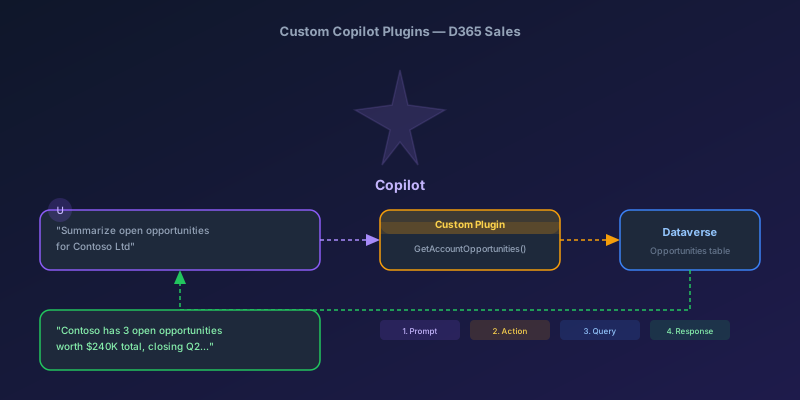
Building Custom Copilot Plugins for D365 Sales: Your First Action Step by Step
A hands-on tutorial for creating custom Copilot plugins in Dynamics 365 Sales — from defining a custom API to registering a plugin that Copilot can invoke, with real examples and permission gotchas.
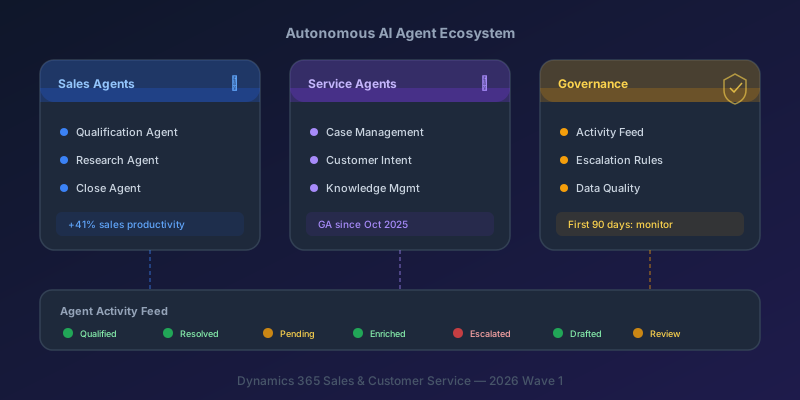
Autonomous AI Agents in D365 Sales and Customer Service: What You Actually Need to Know
A practical breakdown of the Sales Qualification Agent, Case Management Agent, and the governance framework you need before deploying them.
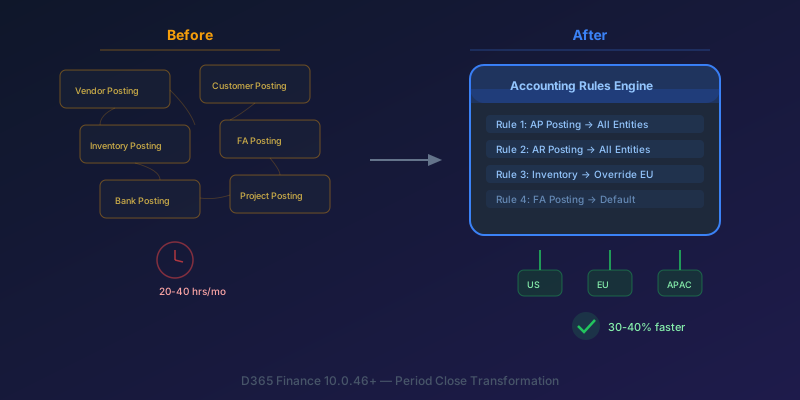
The New Accounting Rules Engine in D365 Finance: Stop Wasting 30 Hours a Month on Period Close
How the Accounting Rules Engine, multi-entity journals, flexible hierarchies, and Copilot in D365 Finance 10.0.46+ transform period close for multi-company environments.
Newsletter
New posts, straight to your inbox
One email per post. No spam, no tracking pixels, unsubscribe anytime.
Comments
- No comments yet. Be the first.