Feature Flags: How to Stop Coupling Deployment to Release
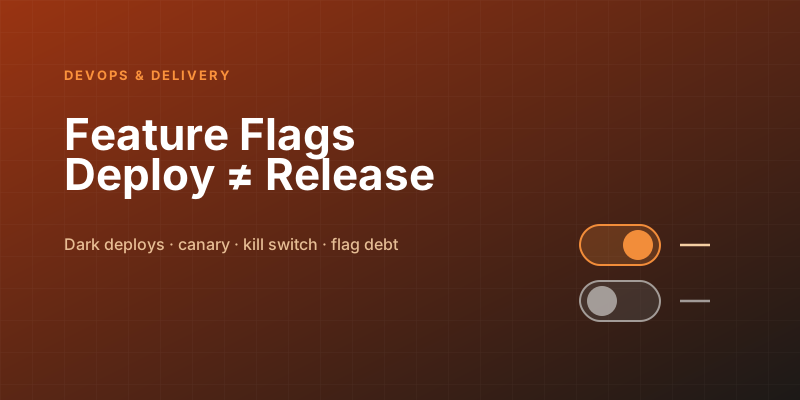
Two events happen in most teams' minds as one: deploying code to production and releasing a feature to users. They feel like the same moment — you push the new checkout flow, and now users have the new checkout flow. But fusing them creates a cascade of pain: you can't merge unfinished work without exposing it, so you hoard it in long-lived branches that drift and explode at merge time; a bad feature means an emergency rollback of the entire deployment; and "let's show this to 5% of users first" is impossible because deploying means showing everyone.
Feature flags break the fusion. The idea is almost trivially simple — wrap new behavior in a runtime conditional — but the consequences reshape how a team ships software. Let me make the case and then the cautions.
The core idea
A feature flag is a runtime switch around a piece of behavior:
if flags.is_enabled("new-checkout-flow", user=current_user):
    return render_new_checkout()
else:
    return render_old_checkout()
The code for both paths is deployed to production. Which path a user actually gets is decided at runtime by the flag's configuration — not by what's in the build. That single indirection is the whole trick, and it splits one event into two independent ones:
- Deploy = the code is in production, dormant behind a flag, affecting no one.
- Release = you flip the flag on, and now users see it — no deployment required.
Because the flag is flipped through configuration rather than a code push, releasing becomes a runtime decision you can make gradually, target precisely, and — critically — reverse instantly. You've turned "release" from a deployment event into a config change. Everything good about feature flags flows from that.
What this unlocks
Decoupling deploy from release isn't an academic nicety; it enables concrete practices that are otherwise hard or impossible:
- Trunk-based development. Developers merge small changes into the main branch continuously, even for half-finished features, because the unfinished work sits behind an off flag and reaches no one. This kills the long-lived feature branch — the thing responsible for so many agonizing merges. Incomplete code lives safely in production, dark, until it's ready. Merge early, merge often, ship dark.
- Progressive / canary rollout. Instead of all-or-nothing, turn a feature on for 1% of users, watch your error rates and metrics, then 5%, 25%, 100%. If something breaks, only a sliver of users was ever affected, and you caught it before it was everyone's problem. You're de-risking the release by limiting the blast radius.
- Instant rollback — the killer feature. When a freshly-released feature misbehaves, you flip the flag off. The bad behavior stops in seconds, with no redeploy, no rebuild, no rollback pipeline, no waiting for CI. This is the single most valuable property of feature flags. A kill switch on risky functionality means a 2 a.m. incident becomes a config toggle instead of an emergency deployment. The difference in mean-time-to-recovery is enormous.
- Targeted access. Show a feature to internal staff only (dogfooding), to beta opt-ins, to one enterprise customer who requested it, or to a specific region — all by changing the flag's targeting rules, not the code.
The flavors of flag
"Feature flag" covers several distinct purposes, and conflating them is where the mess starts. They differ mainly in how long they should live and who manages them:
- Release flags — temporary, wrapping in-progress work for trunk-based development and rollout. These should be short-lived: born when the feature starts, deleted once it's fully rolled out and stable.
- Experiment flags — for A/B tests, splitting users between variants to measure impact. They live for the duration of the experiment, then come out.
- Ops / kill switches — for operational control: disable an expensive feature under load, turn off a flaky integration. These are longer-lived by design, owned by operations.
- Permission flags — gating features by plan tier, entitlement, or user segment. These are effectively permanent product configuration, not temporary toggles.
Knowing which kind you're creating tells you its expected lifespan and who owns it. The common failure is treating a release flag as if it were permanent — which leads directly to the biggest hazard of the whole practice.
The dark side: flag debt
Feature flags are not free, and the bill is complexity. This is the honest caution that the enthusiastic version of this topic skips: every flag is a branch in your code, and branches multiply. Two boolean flags interacting create four possible states; ten flags create a combinatorial explosion of paths, and you cannot possibly test them all. A codebase littered with stale flags becomes a maze where no one is sure which combinations are even reachable, let alone correct.
The discipline that keeps flags a benefit rather than a liability:
- Treat every release flag as temporary from birth. The plan to remove a flag is part of adding it. A flag with no removal plan is technical debt you've pre-committed to.
- Delete flags aggressively once a feature is fully rolled out. The cleanup — ripping out the conditional and the dead branch — is part of finishing the feature, not optional follow-up. A "done" feature whose flag is still in the code isn't fully done.
- Track flag lifecycle and age. Many flag platforms surface stale flags — ones that have been 100% on for months. Those are cleanup candidates screaming to be removed. An old release flag is almost always debt.
- Default to safe. A flag should default to off (or to the old, known-good behavior) so that if the flag system is unreachable, you fail to the safe path rather than the experimental one.
- Cap the live count. Some teams budget a maximum number of active flags. The constraint forces removal discipline and keeps the state space from exploding.
The mental model: a feature flag is a loan. It gives you something valuable up front — the ability to deploy dark and release safely — but it accrues complexity interest every day it stays in the code. Pay it back by removing the flag, and the loan was a great deal. Let it linger and you've taken on debt that compounds into an untestable, unreasonable codebase.
Build vs. buy
For a couple of flags, a config file or environment variable read at runtime is genuinely fine — don't over-engineer. As you grow into percentage rollouts, user targeting, real-time toggling without a deploy, audit logs of who flipped what, and visibility into stale flags, a dedicated platform (LaunchDarkly, Unleash, Flagsmith, or a cloud provider's offering) earns its keep. The deciding line is usually dynamic targeting and real-time control: the moment you need to flip a flag without a deploy and target specific user segments, you've outgrown the config file. Until then, keep it simple.
The bottom line
Feature flags are one of the highest-leverage practices in modern delivery because they fix a category error baked into how most teams think: that shipping code and releasing a feature are the same act. They aren't, and pretending they are forces you into long-lived branches, all-or-nothing releases, and slow, scary rollbacks. Split the two with a runtime switch and you get trunk-based development, gradual de-risked rollouts, precise targeting, and — best of all — a kill switch that turns incidents into toggles. Just respect the catch: every flag is a loan against your codebase's clarity. Add them deliberately, default them safe, and remove them relentlessly. Do that, and feature flags become the quiet infrastructure that lets you ship faster and sleep better at the same time.
Keep reading
Kubernetes Liveness Probes That Restart a Process That Was Fine
Liveness restarts the container. Readiness pulls it out of the Service. A startup probe holds both off until the process has booted. Most outages come from using the wrong one.
GitHub Rewrote the Copilot Runtime in Rust With Agents. The Playbook Is the Story.
832,378 lines of production Rust, 128 pull requests, 135 releases in fourteen and a half weeks, about $120,000 in tokens. What GitHub's TypeScript-to-Rust port of the Copilot agent runtime teaches about shipping a rewrite without a cutover.
The Pipeline Was Green Because the Test Stage Never Ran
How an Azure DevOps condition and a skipped stage produce a green build that did not test anything, and the check to add so that cannot ship.
GitHub Merge Queues: Serializing main Without Parking Every PR
How merge queues absorb the rebase race on protected branches, what CI has to guarantee, and when a queue is worse than Require branches to be up to date.
Designing a Metrics System: Time-Series Storage from Gorilla to Downsampling
Ten million series, one datapoint each per 10 seconds, queried by tags: delta-of-delta compression, the inverted index over labels, and why high cardinality kills TSDBs.
Designing Petabyte Log Search: Index Everything vs Grep Smarter
Logs are 100x your metrics volume and queried 0.001% as often. The Splunk-style full index, the Loki-style label-only bet, and bloom-filtered brute force in between.
Newsletter
New posts, straight to your inbox
One email per post. No spam, no tracking pixels, unsubscribe anytime.
Comments
- No comments yet. Be the first.