Infrastructure as Code with Bicep: Moving Beyond ARM Templates
If you have ever written an ARM template, you know the pain. Hundreds of lines of nested JSON. No comments. String concatenation for resource names using concat() and bracket syntax that makes your eyes bleed. Copy-paste as the primary reuse mechanism. A typo in a deeply nested property that you discover only at deploy time, 6 minutes in, with an error message that points to the wrong line.
ARM templates were a breakthrough when they launched — declarative infrastructure on Azure was genuinely new. But the developer experience never improved. The tooling never caught up. And in 2026, there is no reason to write raw ARM templates anymore. Bicep exists, and it is strictly better.
What Is Bicep?
Bicep is a domain-specific language that compiles to ARM template JSON. It is not a wrapper or an abstraction layer with its own runtime — it is a transparent compiler. Every Bicep file produces an ARM template, which is what Azure Resource Manager actually deploys. This means:
- Zero runtime risk. If ARM works, Bicep works. There is no Bicep runtime to fail
- Full ARM feature coverage. Anything you can do in ARM, you can do in Bicep
- Instant adoption. You can decompile existing ARM templates to Bicep and start from there
Think of it like TypeScript to JavaScript. You write the better language, the compiler produces the deployment artifact.
ARM vs Bicep: Side by Side
Here is the same resource — an Azure Storage Account — in both languages.
ARM Template (JSON)
{
  "$schema": "https://schema.management.azure.com/schemas/2019-04-01/deploymentTemplate.json#",
  "contentVersion": "1.0.0.0",
  "parameters": {
    "storageAccountName": {
      "type": "string",
      "metadata": {
        "description": "Name of the storage account"
      }
    },
    "location": {
      "type": "string",
      "defaultValue": "[resourceGroup().location]"
    },
    "sku": {
      "type": "string",
      "defaultValue": "Standard_LRS",
      "allowedValues": [
        "Standard_LRS",
        "Standard_GRS",
        "Standard_ZRS"
      ]
    }
  },
  "resources": [
    {
      "type": "Microsoft.Storage/storageAccounts",
      "apiVersion": "2023-01-01",
      "name": "[parameters('storageAccountName')]",
      "location": "[parameters('location')]",
      "sku": {
        "name": "[parameters('sku')]"
      },
      "kind": "StorageV2",
      "properties": {
        "minimumTlsVersion": "TLS1_2",
        "supportsHttpsTrafficOnly": true
      }
    }
  ],
  "outputs": {
    "storageId": {
      "type": "string",
      "value": "[resourceId('Microsoft.Storage/storageAccounts', parameters('storageAccountName'))]"
    }
  }
}
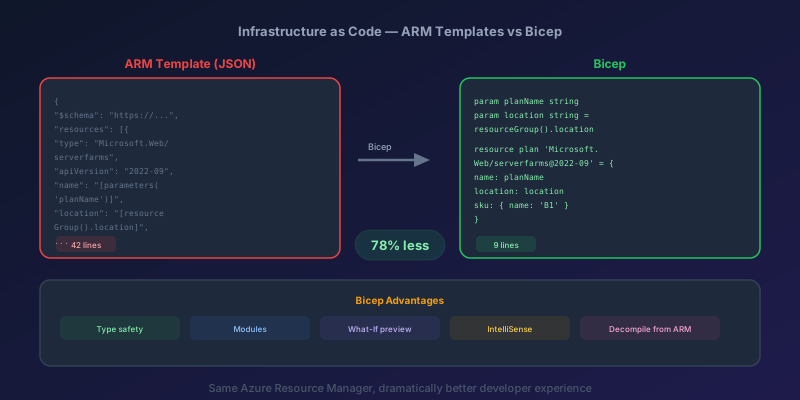
43 lines. No comments allowed in JSON. The [parameters('...')] syntax is verbose and error-prone.
Bicep
@description('Name of the storage account')
param storageAccountName string

param location string = resourceGroup().location

@allowed(['Standard_LRS', 'Standard_GRS', 'Standard_ZRS'])
param sku string = 'Standard_LRS'

resource storageAccount 'Microsoft.Storage/storageAccounts@2023-01-01' = {
  name: storageAccountName
  location: location
  sku: {
    name: sku
  }
  kind: 'StorageV2'
  properties: {
    minimumTlsVersion: 'TLS1_2'
    supportsHttpsTrafficOnly: true
  }
}

output storageId string = storageAccount.id
22 lines. Comments are supported. String interpolation works naturally. Parameters are declared inline. The resource declaration reads like a config file, not a JSON maze.
Modules for Reusability
This is where Bicep pulls far ahead of ARM. In ARM, reusability meant linked templates with SAS-token-protected URLs to blob storage. In Bicep, it is a simple file reference.
Create a module:
// modules/storage.bicep
param name string
param location string = resourceGroup().location
param sku string = 'Standard_LRS'
param containers array = []

resource storageAccount 'Microsoft.Storage/storageAccounts@2023-01-01' = {
  name: name
  location: location
  sku: { name: sku }
  kind: 'StorageV2'
  properties: {
    minimumTlsVersion: 'TLS1_2'
    supportsHttpsTrafficOnly: true
  }
}

resource blobContainers 'Microsoft.Storage/storageAccounts/blobServices/containers@2023-01-01' = [
  for container in containers: {
    name: '${storageAccount.name}/default/${container}'
  }
]

output id string = storageAccount.id
output name string = storageAccount.name
Consume it:
// main.bicep
param environment string

module appStorage 'modules/storage.bicep' = {
  name: 'deploy-app-storage'
  params: {
    name: 'st${environment}app${uniqueString(resourceGroup().id)}'
    sku: environment == 'prod' ? 'Standard_GRS' : 'Standard_LRS'
    containers: ['uploads', 'exports', 'backups']
  }
}

module logsStorage 'modules/storage.bicep' = {
  name: 'deploy-logs-storage'
  params: {
    name: 'st${environment}logs${uniqueString(resourceGroup().id)}'
    containers: ['diagnostics', 'audit']
  }
}
One module, two storage accounts with different configurations. No linked templates, no blob URLs, no SAS tokens.
Bicep also supports registry modules — publish modules to an Azure Container Registry and reference them by version:
module appStorage 'br:myregistry.azurecr.io/bicep/storage:v1.2.0' = {
  name: 'deploy-app-storage'
  params: { ... }
}
This gives you versioned, shareable infrastructure components across teams.
Deploying with Azure CLI
Bicep is natively supported by Azure CLI. No separate tooling needed:
# Deploy to a resource group
az deployment group create \
  --resource-group rg-myapp-prod \
  --template-file main.bicep \
  --parameters environment='prod'

# Preview changes before deploying (what-if)
az deployment group what-if \
  --resource-group rg-myapp-prod \
  --template-file main.bicep \
  --parameters environment='prod'
The what-if command is critical. It shows you exactly what will be created, modified, or deleted — before you touch anything. Run it in every pipeline before the actual deployment:
Resource changes: 2 to create, 1 to modify, 0 to delete

  + Microsoft.Storage/storageAccounts/stprodapp7x2k [new]
  + Microsoft.Storage/storageAccounts/stprodlogs7x2k [new]
  ~ Microsoft.Web/sites/myapp-prod [modify]
    - properties.siteConfig.appSettings[2].value: "old-value"
    + properties.siteConfig.appSettings[2].value: "new-value"
Integrating Bicep into CI/CD
Here is a pipeline that validates, previews, and deploys Bicep templates:
stages:
  - stage: Validate
    jobs:
      - job: BicepBuild
        steps:
          - script: az bicep build --file main.bicep
            displayName: 'Compile Bicep (syntax check)'

          - script: |
              az deployment group validate \
                --resource-group $(resourceGroup) \
                --template-file main.bicep \
                --parameters environment='$(env)'
            displayName: 'Validate against Azure'

  - stage: Preview
    dependsOn: Validate
    jobs:
      - job: WhatIf
        steps:
          - script: |
              az deployment group what-if \
                --resource-group $(resourceGroup) \
                --template-file main.bicep \
                --parameters environment='$(env)' \
                --no-pretty-print > whatif-output.txt
            displayName: 'Run what-if'

          - publish: whatif-output.txt
            artifact: 'whatif-results'

  - stage: Deploy
    dependsOn: Preview
    condition: and(succeeded(), eq(variables['Build.SourceBranch'], 'refs/heads/main'))
    jobs:
      - deployment: DeployInfra
        environment: 'production'
        strategy:
          runOnce:
            deploy:
              steps:
                - script: |
                    az deployment group create \
                      --resource-group $(resourceGroup) \
                      --template-file main.bicep \
                      --parameters environment='$(env)'
                  displayName: 'Deploy Infrastructure'
The Preview stage publishes the what-if output as a pipeline artifact. Reviewers can check exactly what will change before the Deploy stage runs.
Migrating Existing ARM Templates
Bicep can decompile existing ARM JSON to .bicep files:
az bicep decompile --file azuredeploy.json
This produces a working .bicep file, though it may need cleanup — decompiled code often has redundant variables and verbose naming. Think of it as a starting point, not a finished product.
Migration strategy for a team:
- Decompile existing ARM templates to Bicep
- Clean up the generated code — simplify names, extract modules, add comments
- Deploy both side by side temporarily (ARM and Bicep produce identical JSON, so this is safe)
- Switch the pipeline to use Bicep files
- Delete the ARM templates
Current Limitations
Bicep is excellent, but be aware of these edges:
- No state management. Unlike Terraform, Bicep is stateless. It relies on Azure Resource Manager's built-in state (the resource group). This means it cannot detect drift or manage resources that were created outside Bicep
- Azure only. Bicep is exclusively for Azure resources. If you need multi-cloud, Terraform or Pulumi are better choices
- Extension resources can be awkward. Diagnostic settings, role assignments, and locks sometimes require verbose syntax because they are child resources of any resource type
- Limited testing story. There is no built-in unit testing framework for Bicep. You can validate and what-if, but structured assertions require external tools
The Takeaway
If you are writing ARM templates in 2026, stop. Decompile them to Bicep today. The syntax is cleaner, the tooling is better, modules actually work, and the what-if command alone justifies the migration. Bicep compiles to ARM, so you are not taking on any runtime risk — just improving your developer experience dramatically.
Your infrastructure deserves the same code quality standards as your application. Bicep makes that possible.
Keep reading
Kubernetes Liveness Probes That Restart a Process That Was Fine
Liveness restarts the container. Readiness pulls it out of the Service. A startup probe holds both off until the process has booted. Most outages come from using the wrong one.
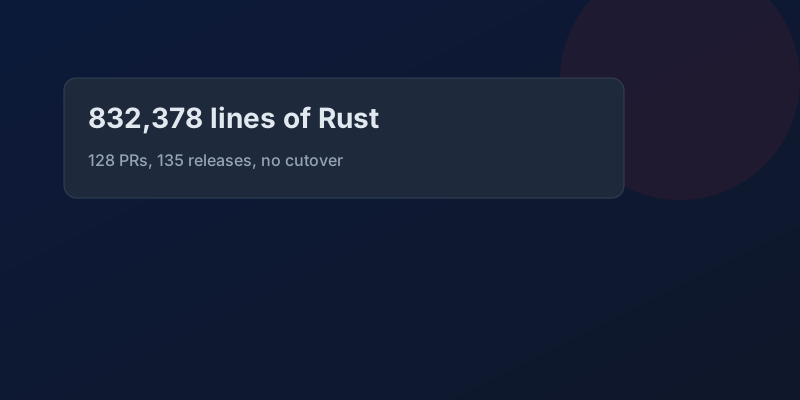
GitHub Rewrote the Copilot Runtime in Rust With Agents. The Playbook Is the Story.
832,378 lines of production Rust, 128 pull requests, 135 releases in fourteen and a half weeks, about $120,000 in tokens. What GitHub's TypeScript-to-Rust port of the Copilot agent runtime teaches about shipping a rewrite without a cutover.

The Pipeline Was Green Because the Test Stage Never Ran
How an Azure DevOps condition and a skipped stage produce a green build that did not test anything, and the check to add so that cannot ship.

GitHub Merge Queues: Serializing main Without Parking Every PR
How merge queues absorb the rebase race on protected branches, what CI has to guarantee, and when a queue is worse than Require branches to be up to date.
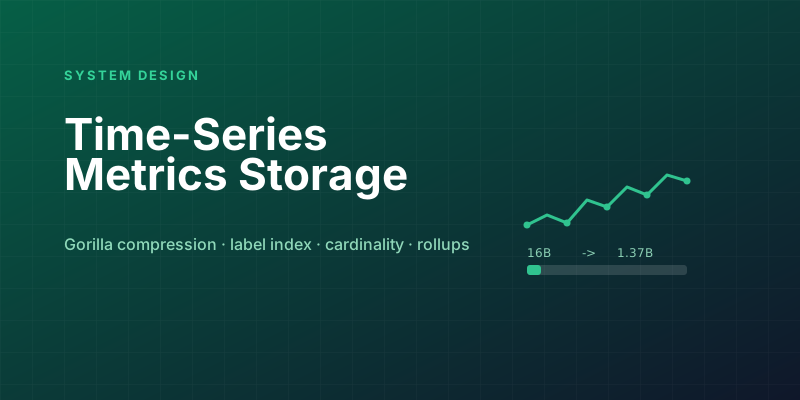
Designing a Metrics System: Time-Series Storage from Gorilla to Downsampling
Ten million series, one datapoint each per 10 seconds, queried by tags: delta-of-delta compression, the inverted index over labels, and why high cardinality kills TSDBs.
Designing Petabyte Log Search: Index Everything vs Grep Smarter
Logs are 100x your metrics volume and queried 0.001% as often. The Splunk-style full index, the Loki-style label-only bet, and bloom-filtered brute force in between.
Newsletter
New posts, straight to your inbox
One email per post. No spam, no tracking pixels, unsubscribe anytime.
Comments
- No comments yet. Be the first.