GitHub Actions OIDC: Azure Login Without a Client Secret
The workflow stored AZURE_CLIENT_SECRET in GitHub. Someone rotated the secret in Entra and forgot the Actions secret. Every deploy failed. Or nobody rotated it, the secret sat in the repo for two years, and a leaked GITHUB_TOKEN was not even the interesting part — the client secret was.
You do not need that secret. GitHub Actions can prove which repo, ref, and environment ran the job. Entra can trust that proof. The Azure Login action then exchanges a short-lived GitHub OIDC token for an Azure access token. The client id, tenant id, and subscription id are identifiers. They are not a credential.
What Entra actually checks
You create a federated identity credential on an app registration or a user-assigned managed identity. Entra accepts the GitHub token only when three fields match:
| Field | Value GitHub / Azure Login send | What you put on the credential |
|---|---|---|
| Issuer | https://token.actions.githubusercontent.com | The same URL |
| Audience | api://AzureADTokenExchange (Azure Login's default) | api://AzureADTokenExchange |
| Subject | The sub claim on that run's token | The exact string, case included |
Subject is not a glob. Entra compares it as a string. AADSTS700213 means no credential had that subject. AADSTS7002138 means one almost did, but the case differed. Copy the subject claim from the Azure Login step's Federated token details in the run log. Do not type the org name from memory.
The issuer is GitHub's OIDC provider. The audience is Entra's token-exchange app id URI. Azure Login requests the GitHub JWT with aud set to api://AzureADTokenExchange unless you override audience. Leave it alone on public Azure.
The workflow
The job needs id-token: write. That permission lets the job request an OIDC token from GitHub. It does not grant write access to the repo, and it does not grant anything in Azure. Put it on the deploy job, not on the whole workflow, so a lint job cannot mint a cloud token.
jobs:
  deploy:
    runs-on: ubuntu-latest
    permissions:
      id-token: write
      contents: read
    steps:
      - uses: actions/checkout@v4
      - uses: azure/login@v2
        with:
          client-id: ${{ secrets.AZURE_CLIENT_ID }}
          tenant-id: ${{ secrets.AZURE_TENANT_ID }}
          subscription-id: ${{ secrets.AZURE_SUBSCRIPTION_ID }}
      - run: az account show
azure/login@v2 is the login Microsoft Learn documents for this flow; the action's current major is v3 and the OIDC inputs are the same. The identity still needs a role assignment on the subscription or resource group. Federation replaces the password. It does not replace RBAC.
Do not pass creds: with a JSON client secret. That is the old service-principal login. If both patterns are in the YAML, you have not moved.
The subject GitHub actually emits
The default sub is concatenated metadata. Which pieces appear depends on the job.
A job with a GitHub Environment uses the environment, not the branch:
repo:octo-org/octo-repo:environment:Production
A pull_request job with no environment:
repo:octo-org/octo-repo:pull_request
A push or workflow_dispatch job with no environment, filtered to a branch:
repo:octo-org/octo-repo:ref:refs/heads/main
A tag is ref:refs/tags/TAG-NAME. A colon inside an environment name is encoded as %3A.
That is the trap that produces AADSTS700213 after a "cleanup." You added environment: Production so reviewers must approve the deploy. GitHub's subject switched from the branch form to the environment form. The federated credential is still repo:octo-org/octo-repo:ref:refs/heads/main. Entra is correct to refuse. Create a credential for the environment subject, and stop using the branch subject for that job.
Pin production to the environment subject. Then a workflow file on a feature branch cannot get the production identity just because it checked out. Combine that with required reviewers on the GitHub Environment. The merge queue can still serialize main; Azure login belongs on the deploy job that names the environment, not on every CI job.
Repos created after 15 July 2026
GitHub's default sub used only org and repo names. Names can be recycled. Repositories created after 15 July 2026 (not GitHub Enterprise Server) use an immutable default that embeds owner id and repository id:
repo:octo-org@123456/octo-repo@456789:ref:refs/heads/main
Older repositories keep the name-only format unless you opt in to immutable subject claims, or you rename or transfer the repo after that date.
The Azure portal's GitHub federated-credential form has optional owner and repository id fields. Filling them when the token does not include ids produces a credential that will never match. Leaving them empty when the token does include ids fails the other way. Match the format your run log shows. Do not mix them.
What this is not for
A secret that is still a secret. Client id, tenant id, and subscription id can live in GitHub secrets because Microsoft documents them that way. They are not the thing you were protecting. Delete AZURE_CLIENT_SECRET. If a login step still references it, the migration is not done.
pull_request_target plus a checkout of the PR head. That event runs in the base repository's context, so it can request OIDC tokens the base repo is trusted for. If you then check out untrusted code and run it, you have given that code a path to Azure. Keep Azure login on push to a protected branch, on workflow_dispatch, or on an environment-gated job. Do not hand it to untrusted PR code.
One credential per branch because wildcards felt unsafe to learn. A credential is an exact subject (unless you are on Entra's flexible federated-credential preview, which is a different object). If you need main and Production, that is two credentials, not a pattern. Read the token, then create the rows.
OIDC does not make the pipeline skip tests quietly. It does not warm a slot. It removes the long-lived password from the store that every engineer can see in Settings → Secrets. Put the federated credential on the identity that should deploy, match the subject the job will actually send, and treat a client secret in Actions as a bug.
Keep reading
Kubernetes Liveness Probes That Restart a Process That Was Fine
Liveness restarts the container. Readiness pulls it out of the Service. A startup probe holds both off until the process has booted. Most outages come from using the wrong one.
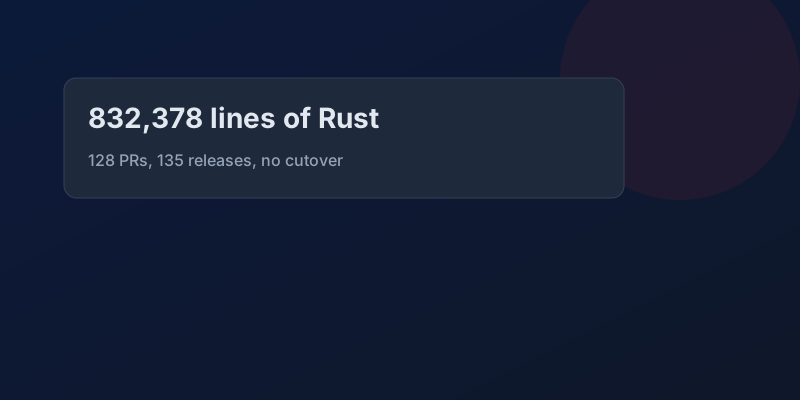
GitHub Rewrote the Copilot Runtime in Rust With Agents. The Playbook Is the Story.
832,378 lines of production Rust, 128 pull requests, 135 releases in fourteen and a half weeks, about $120,000 in tokens. What GitHub's TypeScript-to-Rust port of the Copilot agent runtime teaches about shipping a rewrite without a cutover.

The Pipeline Was Green Because the Test Stage Never Ran
How an Azure DevOps condition and a skipped stage produce a green build that did not test anything, and the check to add so that cannot ship.

GitHub Merge Queues: Serializing main Without Parking Every PR
How merge queues absorb the rebase race on protected branches, what CI has to guarantee, and when a queue is worse than Require branches to be up to date.

Designing a Metrics System: Time-Series Storage from Gorilla to Downsampling
Ten million series, one datapoint each per 10 seconds, queried by tags: delta-of-delta compression, the inverted index over labels, and why high cardinality kills TSDBs.
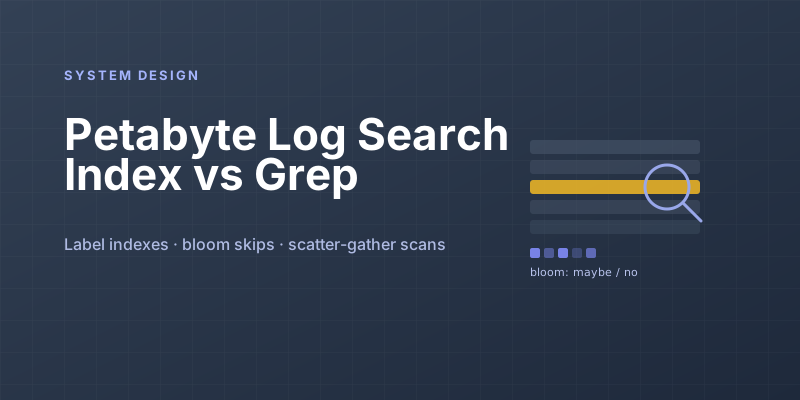
Designing Petabyte Log Search: Index Everything vs Grep Smarter
Logs are 100x your metrics volume and queried 0.001% as often. The Splunk-style full index, the Loki-style label-only bet, and bloom-filtered brute force in between.
Newsletter
New posts, straight to your inbox
One email per post. No spam, no tracking pixels, unsubscribe anytime.
Comments
- No comments yet. Be the first.