The Pipeline Was Green Because the Test Stage Never Ran

The build was green. Production had a null reference the tests cover. The test stage had not run. Azure DevOps treats a skipped stage as a successful pipeline unless you tell it otherwise. A condition that was true on the Tuesday you wrote it — "only test on main" — is false on the pull request, the stage skips, and the PR policy sees green.
This is a different failure from a flaky test. A flaky test is red sometimes. A skipped stage is never red. Nobody gets paged. The only signal is a stage in the timeline with a hollow circle, and people who look at the badge do not open the timeline.
How a stage skips without failing
A stage skips when its condition is false, or when a dependency was skipped and the default condition (succeeded()) is not met, or when a runtime parameter said so. The pipeline result stays succeeded.
- stage: Test
  dependsOn: Build
  condition: and(succeeded(), eq(variables['Build.SourceBranch'], 'refs/heads/main'))
  jobs:
    - job: Unit
      steps:
        - script: dotnet test --no-build
On a pull request, Build.SourceBranch is refs/pull/.../merge, the condition is false, and Test does not run. The author thinks tests ran because the pipeline is required and it passed.
The condition you usually want on a PR validation pipeline is succeeded(). Branch filters belong on the trigger, or on a stage that is explicitly optional, such as a production deploy.
Make "did not run" a failure
For any stage that must run before merge:
- Delete the branch condition, or move it to
trigger/princlude lists so the pipeline does not start when it should not. - Keep
condition: succeeded()so a failed build still skips tests for the right reason — there is nothing to test — and a successful build always tests. - Add a final stage that fails if Test was skipped.
- stage: Gate
  dependsOn: Test
  condition: always()
  jobs:
    - job: RequireTests
      variables:
        testResult: $[ stageDependencies.Test.result ]
      steps:
        - script: |
            if [ "$(testResult)" != "Succeeded" ]; then
              echo "Test stage result is $(testResult)"
              exit 1
            fi
always() is what makes this stage exist even when Test was skipped. Without it, Gate skips too, and you are back to a green pipeline. The dependency result for a skipped stage is Skipped. Succeeded is the only value that may pass.
What to click before you trust the badge
Open the run. Every required stage should be filled green, not outlined. A hollow stage is a stage that did not run. Add that glance to the PR checklist for one week and you will find the conditions that were copied from a deploy pipeline into a CI pipeline.
Slot swaps and smoke tests, covered in the slot-swap pipeline, have the same shape one stage later. A smoke test that is skipped is not a smoke test. Gate it the same way. The badge is allowed to be green only after the stages you care about have a result of Succeeded.
Keep reading
Kubernetes Liveness Probes That Restart a Process That Was Fine
Liveness restarts the container. Readiness pulls it out of the Service. A startup probe holds both off until the process has booted. Most outages come from using the wrong one.
GitHub Rewrote the Copilot Runtime in Rust With Agents. The Playbook Is the Story.
832,378 lines of production Rust, 128 pull requests, 135 releases in fourteen and a half weeks, about $120,000 in tokens. What GitHub's TypeScript-to-Rust port of the Copilot agent runtime teaches about shipping a rewrite without a cutover.
GitHub Merge Queues: Serializing main Without Parking Every PR
How merge queues absorb the rebase race on protected branches, what CI has to guarantee, and when a queue is worse than Require branches to be up to date.
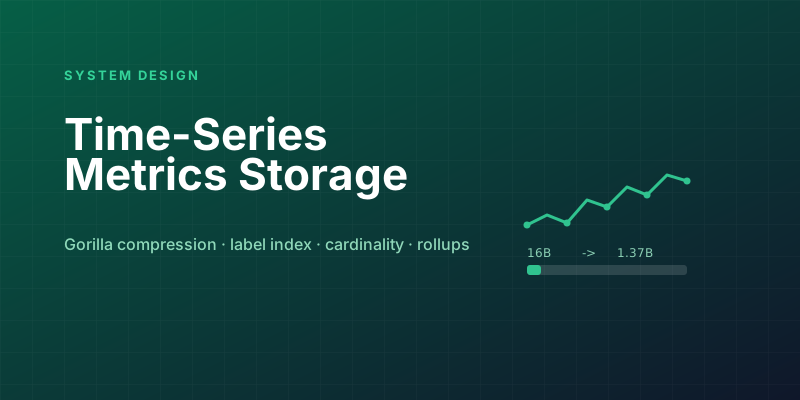
Designing a Metrics System: Time-Series Storage from Gorilla to Downsampling
Ten million series, one datapoint each per 10 seconds, queried by tags: delta-of-delta compression, the inverted index over labels, and why high cardinality kills TSDBs.
Designing Petabyte Log Search: Index Everything vs Grep Smarter
Logs are 100x your metrics volume and queried 0.001% as often. The Splunk-style full index, the Loki-style label-only bet, and bloom-filtered brute force in between.
Designing a Distributed Tracing Backend: Dapper-Style Sampling and Storage
Tracing every request would need a system bigger than the one being traced. Head vs tail sampling, span ingestion pipelines, and storage laid out for trace reads.
Newsletter
New posts, straight to your inbox
One email per post. No spam, no tracking pixels, unsubscribe anytime.
Comments
- No comments yet. Be the first.