Detecting Create vs Update Triggers in Dataverse Power Automate Flows
In this series: Power Automate gotchas
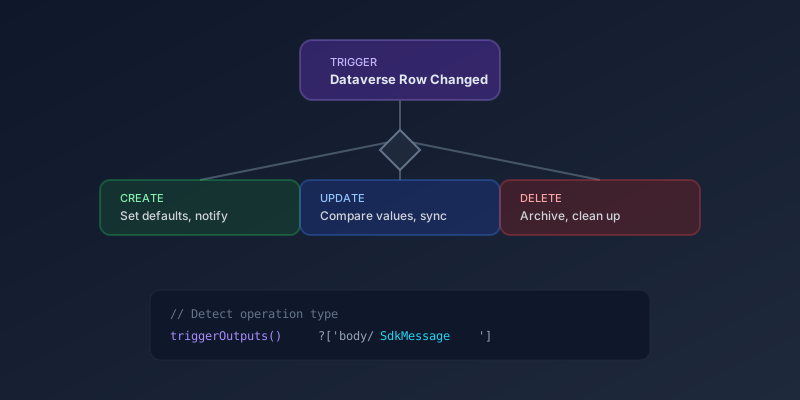
The Dataverse connector's "When a row is added, modified or deleted" trigger fires for multiple operation types. When your flow needs different logic for creates versus updates, here is how to detect which one fired.
The Modern Approach (2026)
The current Dataverse connector provides the trigger type directly in the trigger outputs. Use this expression:
@triggerOutputs()?['body/SdkMessage']
This returns one of:
Create— a new row was addedUpdate— an existing row was modifiedDelete— a row was removed
Implementing Conditional Logic
Add a Switch action right after the trigger:
Switch on: @triggerOutputs()?['body/SdkMessage']
Case: Create
- Set default field values
- Send welcome notifications
- Create related records
Case: Update
- Compare old and new values
- Trigger approval workflows
- Sync changes to external systems
Case: Delete
- Archive the record
- Clean up related data
- Send deletion notifications
Comparing Old and New Values on Update
For updates, you often want to know what actually changed. Unlike a Dataverse plug-in, the Power Automate trigger does not give you pre-operation values — there is no _previousValue_* property on the trigger body, and this is a long-standing gap that the community has open ideas requesting.
Three patterns that work today:
- Maintain a "last known value" column. When you care about transitions on a specific field (e.g.,
statuscode), keep a shadow column you write to on every change, and read from on the next run. - Use Dataverse audit history. If auditing is on for the table, your flow can call
RetrieveRecordChangeHistoryto fetch the previous value as part of the run. Heavier than a column compare, but no schema changes. - Move the comparison server-side. A real-time Dataverse plug-in registered on
PreUpdatehas the previous values in its plug-in execution context. Use a plug-in to detect the transition and a flow to react.
Whichever path you pick, do not reach for a property on the trigger body that does not exist.
Filtering Triggers
Instead of detecting the type in-flow, filter at the trigger level first:
- Set Change type to only the operations you care about (
Added,Modified,Deleted, or a combination) - Use Filter rows to further narrow which records fire the flow (
statecode eq 0,statuscode eq 1) - Use Select columns to limit the payload
If the flow only handles creates, do not subscribe to updates and then Switch on SdkMessage. You will still pay for the run, and you will still share the Dataverse notification quota with every other flow on that table.
Keep SdkMessage for the minority of flows that genuinely share 80% of their steps across create and update.
Common Pattern: Single Trigger, Shared Logic
For flows where create and update share most logic but differ in a few steps:
- Run shared validation and data enrichment first
- Use a Condition to branch only where behavior differs
- Converge back to shared post-processing
This avoids maintaining two nearly identical flows for create and update scenarios.
Key Takeaway
Use triggerOutputs()?['body/SdkMessage'] to detect the operation type. Filter at the trigger level when possible to reduce unnecessary runs. And remember: the trigger does not expose pre-update values — keep that comparison server-side or use a shadow column rather than chasing a property that isn't there.
Keep reading
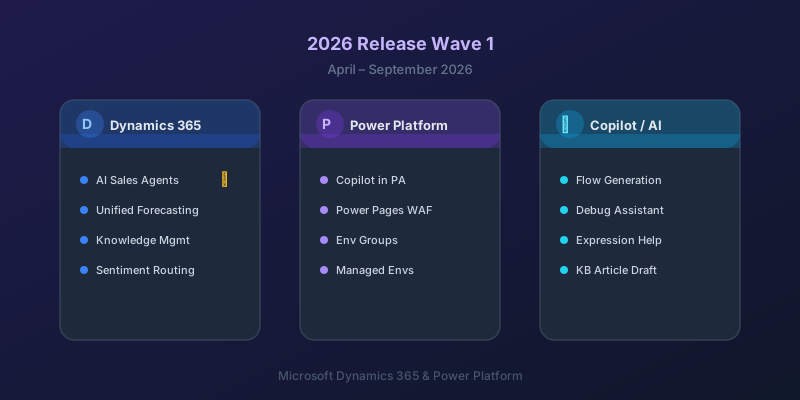
What's New in Dynamics 365 and Power Platform — 2026 Release Wave 1
The standout features from Microsoft's 2026 Release Wave 1 for Dynamics 365 and Power Platform, and what they mean for your projects.
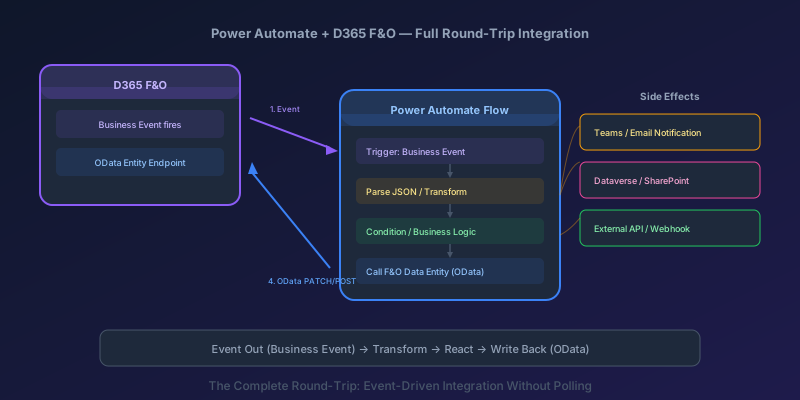
Power Automate + D365 F&O End-to-End: Consuming Business Events and Calling Data Entities
Build a full round-trip integration between Power Automate and D365 Finance & Operations — trigger on business events, transform data, and write back via OData.
Power Automate Trigger Conditions: The Run That Never Appears
A trigger condition that is false does not start a run and does not leave run history. How the expression differs from a Condition action, and how to see the skipped checks.

Power Platform September 2026 Update: The App-Builder Skill, Agent Plugins, and the Refreshed Model-Driven UI
What matters in Microsoft's September 2026 Power Platform feature update: the model app-builder skill goes GA, the canvas authoring agent plugin goes GA, generative pages embed in forms and reach connectors, model-driven header refresh is GA with display density in preview, and Power Automate gets server-side search.
Dataverse Triggers in Power Automate: Select Columns or the Flow Wakes Up for Nothing
How Select columns and Filter rows on a Dataverse trigger cut wasted runs, and the row-version mistakes that make a flow miss the change it was built for.
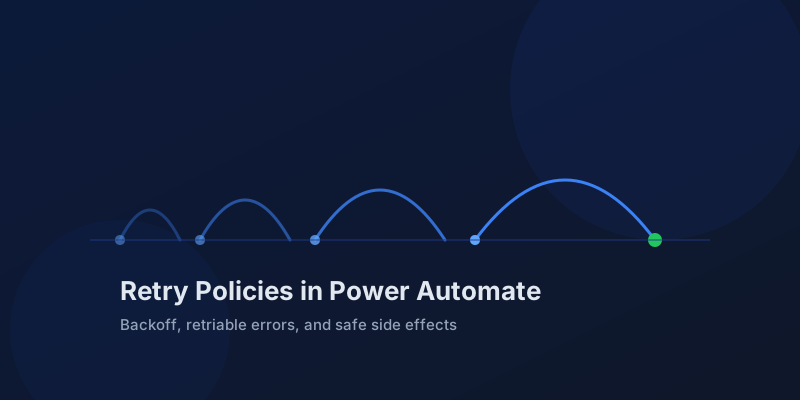
Retry Policies in Power Automate: What Actually Happens When an Action Fails
How Power Automate retry policies work, which errors they cover, how to configure them, and how to keep retries from duplicating side effects.
Newsletter
New posts, straight to your inbox
One email per post. No spam, no tracking pixels, unsubscribe anytime.
Comments
- No comments yet. Be the first.