Recurring Integrations and the REST API in D365 Finance & Operations
In this series: F&O and Dataverse integration
When a third-party system needs to push thousands of records into Dynamics 365 Finance & Operations on a schedule, OData is the wrong tool — it is row-by-row and throttled. The right tool is recurring integrations: a file-based REST endpoint built on the Data Management Framework that handles batches, runs asynchronously, and gives you a status you can poll. Here is how it works end to end.
The moving parts
Recurring integrations wrap a DMF import or export project in an exposed endpoint. You configure the project once, enable it for recurring integration, and F&O hands you two things: an Activity ID and an authentication scope. Your external system then calls the REST API to enqueue (for import) or dequeue (for export) files.
| Direction | You call | F&O does |
|---|---|---|
| Import | enqueue with the file payload | Queues it, runs the import project in batch |
| Export | dequeue to pull the next file | Runs the export, returns the package |
| Both | getMessageStatus | Reports Queued / Processing / Processed / Failed |
| Export | acknowledge | Confirms receipt so the file is not re-sent |
Authenticating
Every call needs an Azure AD bearer token for an app registration that is also registered in F&O under System administration > Setup > Microsoft Entra ID applications. The token audience is your F&O environment URL.
POST https://login.microsoftonline.com/{tenant}/oauth2/v2.0/token
grant_type=client_credentials
&client_id={appId}
&client_secret={secret}
&scope=https://{your-environment}.dynamics.com/.default
Enqueuing a file for import
The enqueue endpoint takes the raw file in the body. The Activity ID and a legal entity come from the query string. The "entity" name must match the public entity name in your data project.
POST https://{env}.dynamics.com/api/connector/enqueue/{activityId}
     ?entity=Vendors V2&company=USMF
Authorization: Bearer {token}
Content-Type: application/octet-stream

<file bytes — CSV, or a zipped data package>
A successful enqueue returns a message ID. That ID is your tracking handle — do not discard it.
Polling status — the part people skip
Enqueue returns immediately; the import has not run yet. Poll status with the message ID until it is terminal, and never assume success from the enqueue response alone.
GET https://{env}.dynamics.com/api/connector/jobstatus/{activityId}
    ?jobId={messageId}
Build your client as a small state machine: Queued and Processing mean keep polling with backoff; Processed means done; PartiallyFailed and Failed mean fetch the execution log and the error file from DMF. A robust integration treats PartiallyFailed as a real outcome, not an edge case — DMF will import the good rows and reject the bad ones.
Package vs single-entity
Two payload shapes exist:
- Single CSV maps to a one-entity data project. Simple, fine for one feed.
- Data package (a zip containing the manifest and one CSV per entity) maps to a multi-entity project and preserves sequencing. Use packages when entities depend on each other — customers before sales orders — so DMF imports them in the right order.
Reliability patterns that matter
- Idempotency. Networks retry. If your client re-enqueues after a timeout, you can double-import. Stamp each file with a unique reference and let the target entity's natural key upsert, so a replay is harmless.
- Throttle on your side. Recurring integrations are batch-backed but the environment still has finite batch capacity. Pace enqueues; do not fire a thousand files in a minute and expect them all to run at once.
- Watch the batch group. The import runs under a batch group. If that group is saturated by other jobs, your files sit in Queued. Give integrations their own batch group so a slow report does not stall data loads.
- Archive processed files. Configure the data project to keep source files for a window. When finance asks "did the 14th's invoices load?", you want the file and the log, not a shrug.
When to use what
Reach for recurring integrations for scheduled, high-volume, file-shaped data — master data syncs, transaction loads, exports to a data lake. Reach for OData for low-volume, interactive, record-at-a-time scenarios where you need an immediate response. Use Business Events when you need F&O to push a signal the moment something happens. They are complementary; the mistake is forcing one tool to do another's job — and the classic symptom of that mistake is an OData integration timing out under a load recurring integrations would have shrugged off.
Keep reading

Dual-Write Dropped My Field and Reported Success
Why a dual-write map can complete with zero errors while a custom F&O field never lands in Dataverse — staging tables, unpublished maps, and change tracking after a schema change.

OData 429s from F&O: What Actually Throttles You
HTTP 429 from Dynamics 365 Finance & Operations is usually the query shape, not the request count — cross-company scans, $filter that cannot seek, $batch that still burns SQL, and why retrying harder makes month-end worse.
D365 F&O Data Entities: Composite, Computed, and Virtual Fields Explained
Data entities look like simple tables until you need a nested import, a derived column, or a field with no storage. Knowing the three advanced shapes is what makes integrations actually work.
Extending Data Entities in D365 Finance & Operations Without Breaking Upgrades
Add fields, computed columns, and validation to standard D365 Finance & Operations data entities the upgrade-safe way — with X++ examples and the staging-table traps to avoid.
Dual-Write vs Virtual Entities vs OData: Choosing the Right F&O–Dataverse Pattern
Compare dual-write, virtual entities, OData, and DMF for Finance and Operations to Dataverse integration with latency and failure tradeoffs.
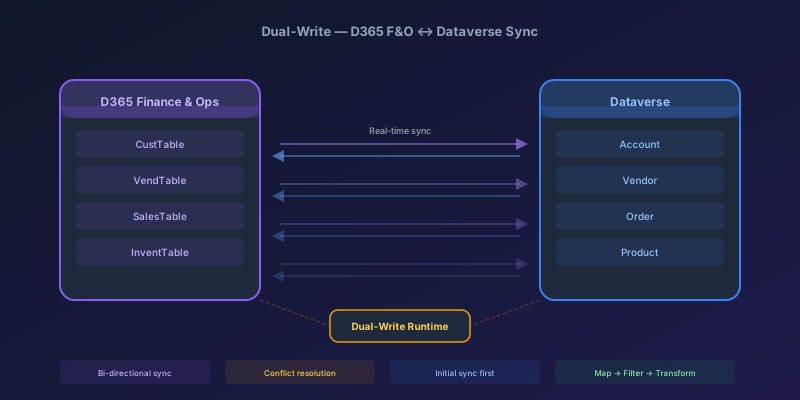
Dual-Write Between D365 F&O and Dataverse: Pitfalls and Patterns That Actually Work
A field-tested guide to dual-write configuration between D365 Finance & Operations and Dataverse — covering initial sync failures, conflict resolution, performance tuning, and when to use alternatives like virtual entities or data export service.
Newsletter
New posts, straight to your inbox
One email per post. No spam, no tracking pixels, unsubscribe anytime.
Comments
- No comments yet. Be the first.