Table and Form Data Source Events in D365 F&O: A Practical X++ Reference
Event handlers are one of the safest ways to extend Dynamics 365 Finance and Operations, but they are also easy to overuse. The problem starts when table validation, form behavior, and business process customization all get dumped into random handlers with no clear boundary. This reference gives you the practical map: which event fires when, what belongs there, and when Chain of Command is the cleaner choice.
Table events are best for persistence rules that must follow the record
Table event handlers run with the table operation, not with a specific form. That makes them appropriate for rules that must apply whether the record is changed from a form, data entity, batch job, or service call. If the rule is only a form experience, keep it on the form data source instead.
The common table CRUD events are exposed through DataEventHandler attributes. You attach a static method to the table and event type, receive the sender record, and inspect or change values before or after the operation.
public final class TAGCustTableEventHandlers
{
    [DataEventHandler(tableStr(CustTable), DataEventType::Updating)]
    public static void CustTable_onUpdating(Common sender, DataEventArgs e)
    {
        CustTable custTable = sender as CustTable;

        if (custTable.Blocked == CustVendorBlocked::All && !custTable.CreditMax)
        {
            throw error("A fully blocked customer must have a reviewed credit limit.");
        }
    }

    [DataEventHandler(tableStr(CustTable), DataEventType::Inserted)]
    public static void CustTable_onInserted(Common sender, DataEventArgs e)
    {
        CustTable custTable = sender as CustTable;
        info(strFmt("Customer %1 was created.", custTable.AccountNum));
    }
}
Use pre-events for control and post-events for reaction. Inserting, Updating, and Deleting are where you block invalid persistence. Inserted, Updated, and Deleted are where you enqueue follow-up work, write audit records, or signal another process after the database operation succeeds.
Form data source events are for user experience and screen state
Form data source events fire as the user moves through records, edits fields, validates writes, or completes form-level persistence. They are excellent for enabling controls, defaulting values for that screen, and validating UI-specific behavior. They are a poor place for rules that must also apply to imports or services.
| Event | When it fires | Typical use |
|---|---|---|
Activated | A record becomes current on the data source | Enable controls based on selected record |
Active | The active method runs for a data source record | Refresh dependent UI state |
ValidatingWrite | Before the form data source writes a record | Block invalid user edits on this form |
Written | After the form data source writes a record | Refresh totals or show confirmation |
Modified field event | After a field value changes on the form | Recalculate dependent fields |
Leaving field event | User leaves a field control | Light UI validation or formatting |
public final class TAGSalesTableFormHandlers
{
    [FormDataSourceEventHandler(formDataSourceStr(SalesTable, SalesTable), FormDataSourceEventType::Activated)]
    public static void SalesTable_OnActivated(FormDataSource sender, FormDataSourceEventArgs e)
    {
        SalesTable salesTable = sender.cursor();
        FormRun formRun = sender.formRun();
        FormControl confirmButton = formRun.design().controlName(formControlStr(SalesTable, ConfirmSalesOrder));

        confirmButton.enabled(salesTable.SalesStatus == SalesStatus::Backorder);
    }

    [FormDataSourceEventHandler(formDataSourceStr(SalesTable, SalesTable), FormDataSourceEventType::ValidatingWrite)]
    public static void SalesTable_OnValidatingWrite(FormDataSource sender, FormDataSourceEventArgs e)
    {
        SalesTable salesTable = sender.cursor();

        if (!salesTable.CustAccount)
        {
            FormDataSourceCancelEventArgs cancelArgs = e as FormDataSourceCancelEventArgs;
            cancelArgs.cancel(true);
            warning("Customer account is required before saving the sales order.");
        }
    }
}
Keep these handlers small. If you need a service class, complex query, or cross-company calculation, call a domain method from the handler rather than burying business logic inside the form extension layer.
Field events should be narrow because they fire often
Field events are tempting because they feel close to the user action. They are also noisy. A modified field handler can run repeatedly during manual entry, personalization, copy operations, or programmatic value changes triggered by the form.
Use field events for immediate feedback:
- Dependent defaults: update delivery mode when the customer changes.
- Control state: enable a dimension tab when a category is selected.
- Cheap validation: warn about a missing reference before the save attempt.
Avoid field events for persistence guarantees. A data entity import will not care that your form field handler once showed a warning. If the rule matters to the table, put it on the table.
public final class TAGSalesLineFieldHandlers
{
    [FormDataFieldEventHandler(formDataFieldStr(SalesTable, SalesLine, ItemId), FormDataFieldEventType::Modified)]
    public static void ItemId_OnModified(FormDataObject sender, FormDataFieldEventArgs e)
    {
        FormDataSource salesLineDs = sender.datasource();
        SalesLine salesLine = salesLineDs.cursor();

        if (salesLine.ItemId)
        {
            salesLine.Name = InventTable::find(salesLine.ItemId).itemName();
            salesLineDs.refresh();
        }
    }
}
Chain of Command wins when you must preserve method intent
Events are not a universal replacement for Chain of Command. If the extension depends on the exact semantics of an existing method, use CoC. That includes wrapping validateWrite, modifiedField, initValue, canSubmitToWorkflow, and service methods where the base method return value is part of the contract.
| Need | Prefer | Why |
|---|---|---|
| Add validation to all writes | Table CoC or table event | Keeps rule close to persistence |
| Toggle controls on one form | Form data source event | UI-specific and isolated |
| Extend a protected method flow | Chain of Command | You can call next and preserve intent |
| React after insert | Inserted event | No need to wrap base insert |
| Change return value | Chain of Command | Events often cannot safely replace result logic |
[ExtensionOf(tableStr(SalesTable))]
final class TAGSalesTable_Extension
{
    public boolean validateWrite()
    {
        boolean ret = next validateWrite();

        if (ret && this.SalesType == SalesType::Journal)
        {
            ret = checkFailed("Journal sales orders are not allowed in this process.");
        }

        return ret;
    }
}
Ordering caveats are real, so design handlers to be independent
Multiple handlers can subscribe to the same event. You should not build a solution that depends on handler A running before handler B unless the platform gives you an explicit ordering contract for that extension point. Most event subscription code should be idempotent, local, and tolerant of other extensions.
That means avoiding hidden coupling:
- Do not rely on another handler setting a field first.
- Do not throw generic errors that mask another validation failure.
- Do not update unrelated records from a UI event without a transaction strategy.
- Do not use post-events to repair data that should have been validated before write.
The senior-engineer test is simple: if the handler would still make sense when another ISV adds its own handler tomorrow, it is probably placed correctly. Use table events for record lifecycle rules, form events for screen behavior, field events for immediate feedback, and CoC when the method contract matters. That split keeps extensions upgrade-safe without turning the event model into a guessing game.
Keep reading

Dual-Write Dropped My Field and Reported Success
Why a dual-write map can complete with zero errors while a custom F&O field never lands in Dataverse — staging tables, unpublished maps, and change tracking after a schema change.

OData 429s from F&O: What Actually Throttles You
HTTP 429 from Dynamics 365 Finance & Operations is usually the query shape, not the request count — cross-company scans, $filter that cannot seek, $batch that still burns SQL, and why retrying harder makes month-end worse.
SysTest in D365 F&O: Unit Tests That Survive a Platform Update
How to write X++ SysTest cases that isolate tables, skip UI, and stay green after Microsoft ships a new PU — without turning the suite into a 40-minute tax.
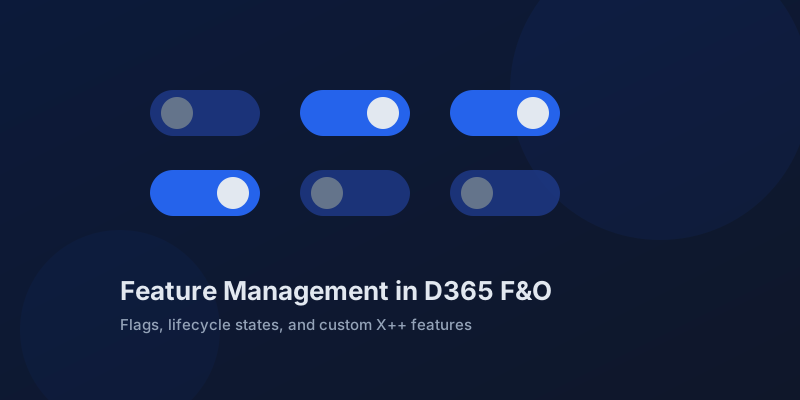
Feature Management in D365 Finance and Operations: Flags, States, and Custom Features
How the D365 F&O Feature management workspace works, what feature states mean for ALM, and how to ship your own X++ features behind flags.
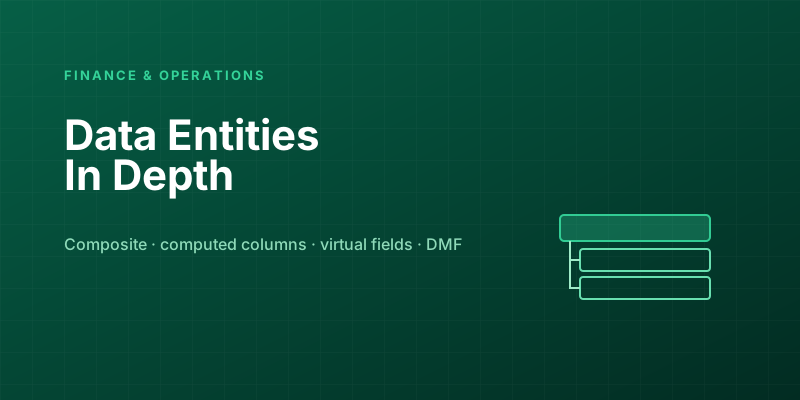
D365 F&O Data Entities: Composite, Computed, and Virtual Fields Explained
Data entities look like simple tables until you need a nested import, a derived column, or a field with no storage. Knowing the three advanced shapes is what makes integrations actually work.
Extending Data Entities in D365 Finance & Operations Without Breaking Upgrades
Add fields, computed columns, and validation to standard D365 Finance & Operations data entities the upgrade-safe way — with X++ examples and the staging-table traps to avoid.
Newsletter
New posts, straight to your inbox
One email per post. No spam, no tracking pixels, unsubscribe anytime.
Comments
- No comments yet. Be the first.