TempDB vs InMemory Temporary Tables in X++: When to Use Which
In this series: X++ performance
Temporary tables in X++ look simple until a report slows down, a join silently moves out of SQL, or a batch job starts copying far more data than expected. Dynamics 365 Finance and Operations gives you two temporary table types, and they are built for different workloads. Choosing between TempDB and InMemory is a performance decision, not a naming preference.
InMemory is fast for small working sets that stay close to X++
An InMemory temporary table stores records in memory on the client or AOS tier and can spill to a disk file when the dataset grows. It is lightweight and convenient for small buffers, wizard state, simple calculations, and temporary lists that do not need SQL joins.
Use InMemory when the data volume is small and the logic is procedural. For example, collecting a few selected records from a form, preparing messages for a dialog, or staging a small set of calculated values before showing them in a temporary grid.
TmpTAGSelection tmpSelection;

tmpSelection.clear();
tmpSelection.RefTableId = tableNum(CustTable);
tmpSelection.RefRecId = custTable.RecId;
tmpSelection.DisplayValue = custTable.AccountNum;
tmpSelection.insert();

while select tmpSelection
{
    info(strFmt("Selected record %1", tmpSelection.DisplayValue));
}
The trap: InMemory data is not a SQL temp table. If you expect SQL Server to join it efficiently to CustTable, InventTable, or ledger tables, you are choosing the wrong table type.
TempDB is the right choice when SQL should do the work
TempDB temporary tables are created as real temporary tables in SQL Server. That means they can participate in SQL joins, use indexes, and support set-based operations much more naturally than InMemory tables. For reports, data providers, batch calculations, and integration staging, TempDB is usually the safer default.
| Capability | InMemory | TempDB |
|---|---|---|
| Storage location | AOS memory with possible disk spill | SQL Server temp database |
| Joins with permanent tables | Not SQL-native | Supported |
| Index usage | Limited for SQL workloads | Supported through table indexes |
| Set-based operations | Poor fit | Strong fit |
| Small UI buffers | Good | Usually unnecessary |
| Large reporting datasets | Risky | Preferred |
| Cross-company processing | Manual care required | Better with SQL-shaped queries |
If the temporary table feeds a form or report that joins to permanent tables, start with TempDB. You can still write simple X++ against it, but you keep the option for SQL Server to do the heavy lifting.
The TableType property is the design-time switch
You choose the temporary behavior on the table metadata. Set the TableType property to InMemory or TempDB. That choice affects runtime behavior, indexing strategy, and how the table participates in queries.
Table: TmpTAGAgingWork
TableType: TempDB
PrimaryIndex: AccountIdx
ClusteredIndex: AccountIdx

Fields:
  DataAreaId
  AccountNum
  TransDate
  AmountCur
  AgingBucket
For TempDB tables, define indexes that match the join and grouping patterns. If the table will be joined by account and company, create an index for that shape. If the report groups by bucket, consider whether the bucket needs indexing based on volume and query plan behavior.
Set-based inserts are where TempDB earns its keep
The fastest X++ loop is the one you never run. With TempDB, you can often populate working data using insert_recordset, then join or aggregate in SQL. That matters when the source table has hundreds of thousands of records.
TmpTAGCustBalance tmpBalance;
CustTrans custTrans;

delete_from tmpBalance;

insert_recordset tmpBalance
    (AccountNum, TransDate, AmountCur)
    select AccountNum, TransDate, AmountCur
        from custTrans
        where custTrans.Open == NoYes::Yes;

while select AccountNum, sum(AmountCur) from tmpBalance
    group by AccountNum
{
    info(strFmt("%1 %2", tmpBalance.AccountNum, tmpBalance.AmountCur));
}
For bulk procedural inserts where set-based logic is not possible, use RecordInsertList to reduce round trips. It is not a magic fix for bad design, but it is better than inserting one record at a time in a tight loop.
RecordInsertList insertList = new RecordInsertList(tableNum(TmpTAGCustBalance));
TmpTAGCustBalance tmpBalance;

while select custTable
{
    tmpBalance.clear();
    tmpBalance.AccountNum = custTable.AccountNum;
    tmpBalance.AmountCur = 0;
    insertList.add(tmpBalance);
}

insertList.insertDatabase();
Copying temporary data has a cost
Temporary table buffers can be passed around, linked to forms, and used in data provider classes, but copying large temporary datasets is expensive. InMemory copies consume memory and can cause spill behavior. TempDB copies can create additional SQL work and lifecycle complexity.
Avoid patterns where each helper method creates its own temporary table and copies records from the previous one. Prefer a single well-defined working table, populated once, with methods that add calculated fields or read from it. For report data provider classes, make the temp table schema match the report dataset instead of building several intermediate shapes.
| Pitfall | Impact | Better approach |
|---|---|---|
| InMemory table used for large report | Memory pressure and slow processing | Use TempDB |
| Missing TempDB index | SQL joins scan too much data | Add index matching join keys |
| Row-by-row insert loop | Excess database chatter | Use insert_recordset or RecordInsertList |
| Repeated temp copies | Memory and SQL overhead | Reuse one working table |
| Business logic in temp schema | Hard to maintain | Keep calculations in service or provider class |
The decision rule is simple and reliable
Choose InMemory for small, local, procedural data where X++ owns the entire workflow. Choose TempDB when the data volume is meaningful, when SQL joins are required, when indexes matter, or when the result feeds reporting and batch processing.
Do not wait for performance testing to reveal the obvious. If a temporary table needs to stand next to permanent tables in a query, make it TempDB. If it is just a small scratchpad for a form interaction, InMemory is fine. That one choice can be the difference between a clean report and a support ticket with a stopwatch attached.
Keep reading

OData 429s from F&O: What Actually Throttles You
HTTP 429 from Dynamics 365 Finance & Operations is usually the query shape, not the request count — cross-company scans, $filter that cannot seek, $batch that still burns SQL, and why retrying harder makes month-end worse.

Surviving OData Throttling in D365 Finance & Operations Integrations
Design resilient D365 Finance and Operations OData integrations with 429 handling, Retry-After, batching, backoff, jitter, and DMF fallbacks.

Scaling Batch Processing in D365 Finance & Operations: Groups, Threads, and Parallel Tasks
How to scale D365 F&O batch: batch groups bound to servers, max threads per AOS, splitting work into parallel tasks with SysOperation, task dependencies, and troubleshooting.
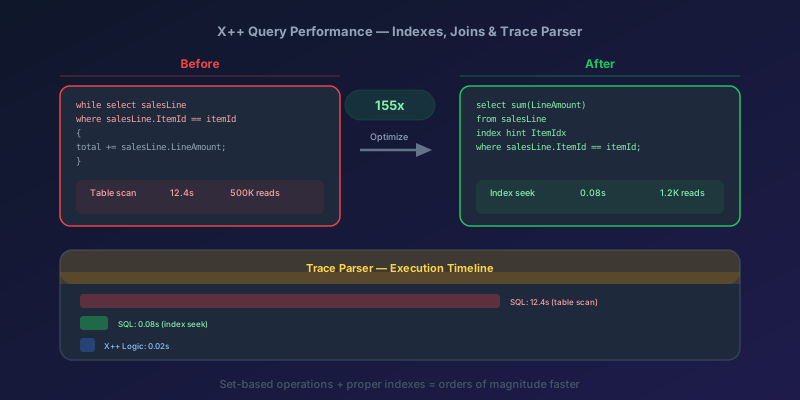
X++ Query Performance in D365 F&O: Indexes, Joins, and the Trace Parser
How to diagnose and fix slow X++ queries in D365 Finance & Operations using Trace Parser, LCS SQL insights, execution plans, proper index design, join selection, and set-based operations.
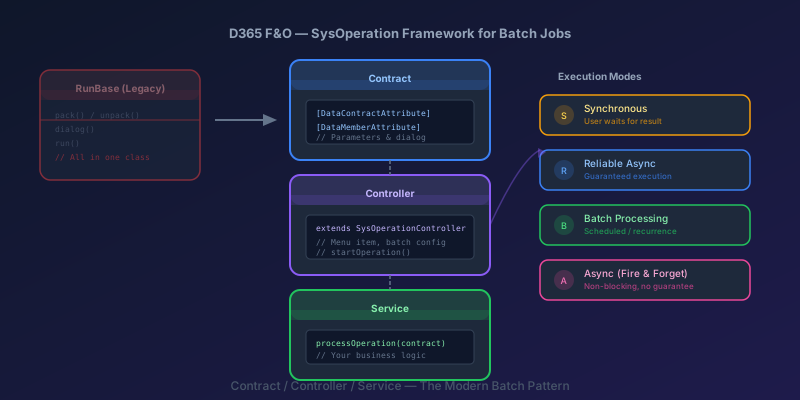
SysOperation Framework in D365 F&O: Building Batch Jobs the Right Way
How to build batch jobs using the SysOperation framework in D365 Finance & Operations — contract, controller, and service classes with X++ code samples.

Dual-Write Dropped My Field and Reported Success
Why a dual-write map can complete with zero errors while a custom F&O field never lands in Dataverse — staging tables, unpublished maps, and change tracking after a schema change.
Newsletter
New posts, straight to your inbox
One email per post. No spam, no tracking pixels, unsubscribe anytime.
Comments
- No comments yet. Be the first.