Canvas vs Model-Driven vs Power Pages: Choosing the Right Power Apps Type
A Power Apps project usually starts with a false question: which app type is best. The better question is which experience matches the audience, data shape, security model, and change cadence you actually have. Pick wrong and you spend months fighting the platform instead of delivering the process.
The app type is an architecture decision, not a cosmetic one
Start with the system boundary. Canvas apps, model-driven apps, and Power Pages all sit under the Power Platform umbrella, but they optimize for different jobs. Canvas apps optimize for controlled user experience and connector flexibility. Model-driven apps optimize for Dataverse business applications where data, forms, views, charts, and security metadata drive most of the experience. Power Pages optimizes for external websites backed by Dataverse.
That distinction matters because the first decision creates downstream constraints. A field service checklist with barcode scanning and offline hints feels natural in canvas. A case management system with queues, business process flows, security roles, auditing, and many related tables usually belongs in model-driven. A partner registration portal or citizen-facing request site belongs in Power Pages.
Do not choose based on maker familiarity alone. The fastest prototype can become the slowest production system if it ignores governance, identity, licensing, supportability, and data ownership.
Canvas apps win when the user experience must be deliberately shaped
Canvas apps are for intentional screens. You control layout, navigation, component composition, responsive behavior, and the exact flow of the task. That makes canvas the best fit when the app needs to guide a user through a narrow job rather than expose a full business data model.
Good canvas candidates include mobile inspections, approval cockpits, executive dashboards, guided intake, task wizards, kiosk experiences, and productivity apps that combine several systems. The connector story is also strong. A canvas app can talk to Dataverse, SharePoint, SQL, custom connectors, Power Automate flows, Microsoft Graph through a connector, and many line of business systems.
The tradeoff is that you own more of the application behavior. You design the screens. You tune delegation. You decide how to cache data. You create reusable components. You handle edge cases that a model-driven app would inherit from Dataverse metadata.
// Canvas pattern for a guided task screen
Set(varSelectedAccount, galAccounts.Selected);
ClearCollect(
    colOpenWork,
    Filter(WorkOrders, Account.Account = varSelectedAccount.Account && Status = "Open")
);
Navigate(scrWorkOrderSummary);
Use canvas when the primary risk is user adoption or task friction. Avoid it when the app is really a full CRM-style system with dozens of tables, rich relationships, and a need for consistent forms across roles.
Model-driven apps win when Dataverse is the product backbone
Model-driven apps are metadata-driven business applications. Tables, columns, forms, views, charts, dashboards, business rules, command bars, security roles, and business process flows do much of the heavy lifting. You configure the shape of the business system instead of drawing every pixel.
This is the right choice for account management, case management, claims, grants, inspections administration, asset management, and internal operational systems. If the key nouns are Dataverse tables and the key questions are who can see which rows, which process stage is next, and which related records matter, model-driven is usually the correct default.
You get consistency and scale. Users can search, filter, sort, export when allowed, open related records, use timeline controls, follow security trimming, and benefit from platform features without the maker recreating them. The model also improves ALM because app structure travels cleanly in solutions.
The tradeoff is less pixel-level freedom. You can customize forms, pages, commands, PCF controls, themes, and modern commanding, but the shell remains a business app shell. That is usually a feature, not a limitation, for enterprise processes.
Power Pages is for people outside your tenant boundary
Power Pages is the website option. It is for customers, suppliers, partners, citizens, students, volunteers, and other external audiences that need controlled access to Dataverse data. Authentication can use external identity providers, anonymous access can be enabled for public content, and table permissions become a central design concern.
Power Pages is not just a public canvas app. The architecture is different. You design pages, templates, lists, forms, site settings, web roles, and table permissions. The experience is website-first, with Dataverse as the transactional backend.
Use it for partner onboarding, public application forms, knowledge bases, event registration, service request portals, and authenticated self-service scenarios. Avoid it for internal productivity apps where Teams, mobile Power Apps, or model-driven apps already provide the right authenticated container.
{
  "siteAudience": "external partners",
  "dataStore": "Dataverse",
  "securityCenter": "web roles and table permissions",
  "bestFor": "authenticated self service"
}
The decision matrix should expose the real tradeoffs
Make the choice visible. I use a matrix early so stakeholders can see why one option wins. It prevents the common mistake of saying canvas for everything because the prototype looked good, or model-driven for everything because the data is in Dataverse.
| Decision area | Canvas app | Model-driven app | Power Pages |
|---|---|---|---|
| Primary audience | Internal users in targeted tasks | Internal business users managing records | External or public users |
| UX control | Highest screen-level control | Structured business app experience | Website and portal experience |
| Data center of gravity | Many connectors or mixed sources | Dataverse-first relational model | Dataverse exposed through web roles |
| Best strength | Guided productivity | Enterprise process management | External self-service |
| Security model | Connector permissions and app logic | Dataverse security roles and sharing | Web roles plus table permissions |
| Licensing lens | Per app or per user, connector dependent | Per app or per user, Dataverse dependent | Authenticated and anonymous website capacity |
| Maker responsibility | High UX and formula responsibility | High metadata and data model responsibility | High website and permission responsibility |
| Avoid when | You need broad record management | You need bespoke mobile screens | Users are only internal staff |
Licensing and governance can change the answer
Validate licensing before the design hardens. A simple app can become expensive if it depends on premium connectors for a large audience. A portal can be perfect functionally but wrong commercially if anonymous traffic is high and not budgeted. Model-driven apps can be efficient for users already licensed for Dataverse-heavy work, but they are not a loophole around platform licensing.
Governance matters too. Canvas apps that connect to many systems need data loss prevention review. Model-driven apps need environment strategy, solution layering discipline, and table ownership. Power Pages needs a security review because exposing Dataverse data externally raises the stakes. Table permissions should be tested as a first-class deliverable, not as a deployment detail.
The best app type is the one where the platform defaults are aligned with your risk, not the one where a demo is fastest.
Hybrid solutions are normal when each app has a job
Do not force one surface to do all work. A mature Power Platform solution often uses more than one app type. A model-driven app manages the internal process. A canvas app gives field workers a focused mobile flow. A Power Pages site lets external applicants submit and track requests. All three can share Dataverse and solutions when designed cleanly.
The key is to keep responsibilities distinct. Canvas should not duplicate the entire admin console. Power Pages should not become a back-office replacement. Model-driven should not be bent into a consumer website. Integration through Dataverse, Power Automate, business events, and plugins is cleaner than stretching one app type beyond its strengths.
Choose canvas when experience precision and connector composition dominate. Choose model-driven when Dataverse records, relationships, and process governance dominate. Choose Power Pages when the audience is outside the organization. That one sentence will save more rework than any prototype trick.
Keep reading
SharePoint Lists vs Dataverse for Canvas Apps: Pick the Storage, Not the Habit
Delegation limits, relationships, security, and ALM — the practical tradeoffs when a canvas app outgrows a list and when it should not migrate at all.
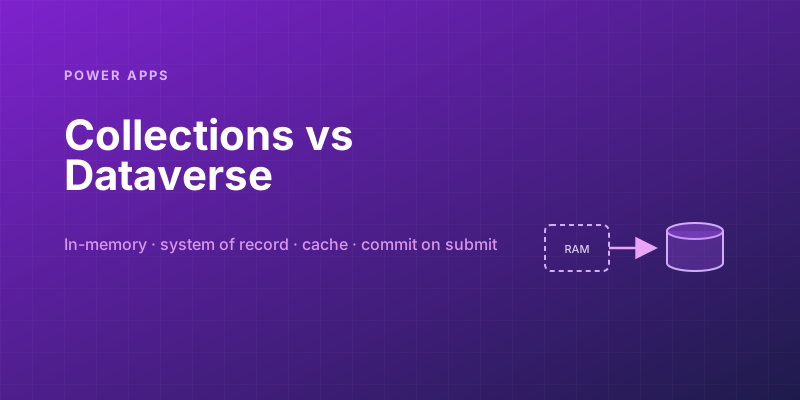
Power Apps Collections vs. Dataverse: Where Your App's Data Should Actually Live
Collections feel fast and convenient, so makers overuse them — and ship apps that lose data and break on refresh. Here is when to hold data in memory and when it belongs in Dataverse.
Solving Power Apps Delegation Warnings for Large Dataverse Tables
Learn how Power Apps delegation works, why blue warnings matter, and the Dataverse patterns that keep large-table queries accurate and fast.

Building Your First PCF Control for Power Apps
Build a first Power Apps PCF control with the CLI, manifest, TypeScript lifecycle, local testing, solution packaging, and safe deployment steps.
Building Offline-Capable Power Apps for the Field
Design offline-capable Power Apps for field teams using canvas app caching, queue-and-sync patterns, conflict handling, and mobile offline profiles.
Named Formulas and the With() Function: Power Fx Patterns for Faster Apps
Use Power Fx named formulas and With to replace noisy OnStart logic, reduce repeated lookups, and make canvas apps faster and easier to maintain.
Newsletter
New posts, straight to your inbox
One email per post. No spam, no tracking pixels, unsubscribe anytime.
Comments
- No comments yet. Be the first.