Managing Environment Variables Across Dev, Test, and Prod in Power Platform
In this series: Power Automate gotchas
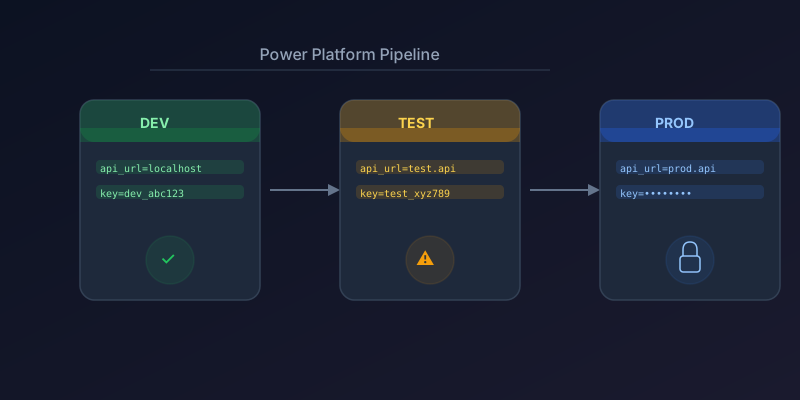
Hardcoding URLs, connection strings, and configuration values directly in your Power Automate flows guarantees they will break when you move from dev to test to production. Here is how to manage environment-specific configuration properly in 2026.
Environment Variables in Solutions
Power Platform environment variables are the native solution for this problem. They live inside solutions, travel with your deployments, and can have different values per environment.
Creating an Environment Variable
- Open your solution in make.powerapps.com
- Click New > More > Environment Variable
- Set the Display name, Type (text, number, JSON, data source, secret), and Default value
Use the default value for your dev environment. When importing the solution into test or prod, you will be prompted to set environment-specific values.
Using in Power Automate
Reference environment variables in expressions:
@parameters('variable_name')
Or use them directly from the dynamic content panel — search for the variable name after adding it to your solution.
Secret Type Variables
For API keys and credentials, use the Secret type. These store values in Azure Key Vault:
- Create a Key Vault in Azure
- Add the secret to Key Vault
- Create an environment variable of type Secret
- Link it to the Key Vault reference
The flow accesses the secret at runtime without exposing it in the flow definition — critical for security compliance.
Connection References
Connections (to Dataverse, SharePoint, Outlook, etc.) are environment-specific by nature. Use connection references in your solutions:
- Add a connection reference to your solution
- Use that reference in all flow actions instead of direct connections
- When importing to a new environment, map the reference to a local connection
This prevents the classic "flow imported but all actions show connection errors" problem.
Deployment Pipeline Configuration
With Power Platform pipelines (now generally available):
- Define your environments in the pipeline configuration
- Set environment variable values per stage
- Map connection references per stage
- Deploy with a single click — values are swapped automatically
Example Pipeline Structure
Dev (source)
  → Test (environment variables: test URLs, test connections)
  → Production (environment variables: prod URLs, prod connections)
What Not to Do
- Don't use Compose actions with hardcoded values as "variables"
- Don't maintain separate copies of the same flow per environment
- Don't store secrets in plain text environment variables
- Don't skip connection references — they save hours of post-deployment fixing
Key Takeaway
Use environment variables for configuration, connection references for connectors, and Power Platform pipelines for deployment. This combination gives you clean, repeatable ALM without manual post-deployment patching.
Keep reading

Power Platform September 2026 Update: The App-Builder Skill, Agent Plugins, and the Refreshed Model-Driven UI
What matters in Microsoft's September 2026 Power Platform feature update: the model app-builder skill goes GA, the canvas authoring agent plugin goes GA, generative pages embed in forms and reach connectors, model-driven header refresh is GA with display density in preview, and Power Automate gets server-side search.
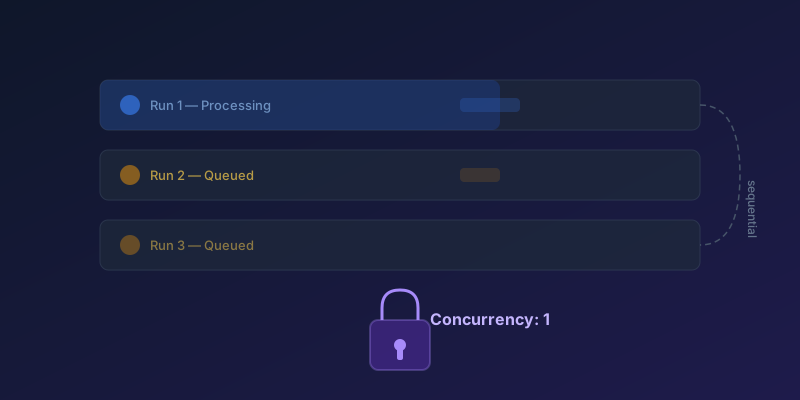
Concurrency Control in Power Automate: Preventing Duplicate Runs
How to configure concurrency limits on scheduled and trigger-based flows to prevent data corruption and race conditions — including split-on, Apply to each, and queued-run limits.
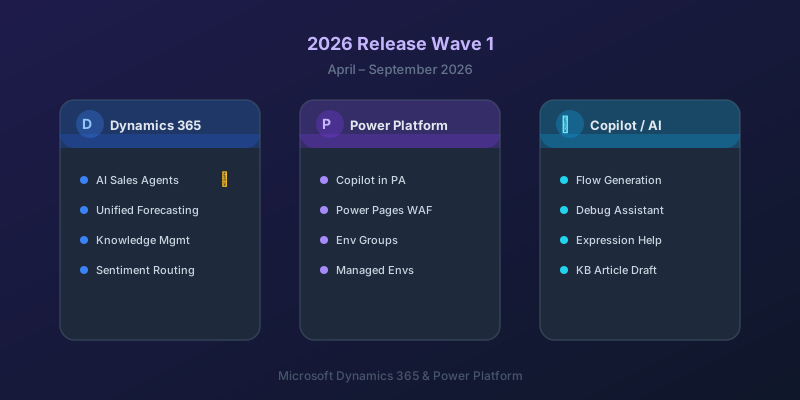
What's New in Dynamics 365 and Power Platform — 2026 Release Wave 1
The standout features from Microsoft's 2026 Release Wave 1 for Dynamics 365 and Power Platform, and what they mean for your projects.

Power Automate Trigger Conditions: The Run That Never Appears
A trigger condition that is false does not start a run and does not leave run history. How the expression differs from a Condition action, and how to see the skipped checks.
Dataverse Triggers in Power Automate: Select Columns or the Flow Wakes Up for Nothing
How Select columns and Filter rows on a Dataverse trigger cut wasted runs, and the row-version mistakes that make a flow miss the change it was built for.
Retry Policies in Power Automate: What Actually Happens When an Action Fails
How Power Automate retry policies work, which errors they cover, how to configure them, and how to keep retries from duplicating side effects.
Newsletter
New posts, straight to your inbox
One email per post. No spam, no tracking pixels, unsubscribe anytime.
Comments
- No comments yet. Be the first.