Managed Environments in Power Platform: What They Are and When to Turn Them On
Managed Environments are where Power Platform governance stops being a spreadsheet and starts becoming a product feature. The practical question is not whether the controls are useful; they are. The question is where the premium licensing, maker friction, and operational overhead are justified.
Managed Environments turn governance into runtime policy
Think of Managed Environments as a premium governance suite. When you enable it on an environment, Microsoft adds controls for sharing, maker onboarding, solution quality, data protection, usage reporting, and network access. It is not a replacement for DLP, environment strategy, ALM, or security roles. It is the layer that makes those controls easier to enforce at scale.
The biggest mistake is enabling it everywhere on day one. The better move is to start with production and high value development environments, prove the governance value, then expand to citizen development spaces where the controls solve a real problem.
| Feature | What it gives admins | Best fit | Trade-off |
|---|---|---|---|
| Sharing limits | Caps broad canvas app sharing | Citizen development environments | Makers need clearer release paths |
| Weekly sharing digest | Highlights heavily shared apps | Tenant governance review | Requires someone to act on findings |
| Solution checker enforcement | Blocks or warns on poor solution quality | Production ALM | Pipelines may fail until issues are fixed |
| Maker welcome content | Guides makers to standards and support | Large maker communities | Content must stay current |
| Usage insights | Shows adoption and activity patterns | Platform operations | Needs interpretation, not just export |
| IP firewall and cookie binding | Restricts access by network context | Regulated workloads | Can disrupt mobile and remote users |
It is governance with consequences. A setting that only reports is advisory. A setting that limits sharing or enforces solution checker can block releases. That is valuable, but it must be introduced with communication and support.
Licensing is the first design constraint
Managed Environments require premium licensing for users. Users running apps or flows in a Managed Environment need appropriate Power Platform premium licensing, such as per-user or per-app licensing depending on the workload. Trial, developer, seeded Microsoft 365 usage, and legacy assumptions are not a strategy.
This changes your environment design. If you enable Managed Environments on a broad default environment, you may create a licensing problem for casual makers and users. If you enable it on production apps that already use Dataverse, premium connectors, or enterprise ALM, the licensing impact is usually easier to justify.
Use an inventory before flipping the switch:
{
  "environment": "Sales Production",
  "managedEnvironmentCandidate": true,
  "premiumUsersEstimated": 420,
  "apps": 18,
  "flows": 63,
  "usesDataverse": true,
  "businessOwner": "Sales Operations"
}
Do the math with actual users. Count app users, flow owners, service accounts, and makers. Then compare the cost with the risk reduction: controlled sharing, quality gates, better visibility, and stronger data controls.
Sharing controls reduce accidental exposure
Limited sharing is one of the most immediately useful controls. It helps prevent a maker from sharing a canvas app with an entire company when the app was built for a department. That does not mean makers cannot collaborate. It means broad sharing becomes intentional and governed.
The weekly limited-sharing digest is useful because it changes the admin conversation. Instead of asking every maker what they shared, admins get a recurring signal showing which apps crossed meaningful sharing thresholds. That digest should feed a review process: owner confirmation, data classification, support model, and ALM status.
Do not treat the digest as decoration. If nobody reviews it, it becomes another ignored email. Assign ownership to the platform team, Center of Excellence, or environment admin group.
Solution checker enforcement raises the release bar
Production environments should not accept unmanaged chaos. Solution checker enforcement gives you a policy-backed way to catch risky patterns before they become production debt. Depending on configuration, issues can warn or block. Start with visibility, then move to enforcement once teams understand the rules.
A realistic rollout looks like this:
Phase 1: Enable Managed Environments for production reporting.
Phase 2: Turn on solution checker warnings for managed solution imports.
Phase 3: Publish exception rules for known false positives.
Phase 4: Move high severity findings to blocking enforcement.
Phase 5: Review trends monthly with app owners.
Quality gates need an exception process. A blocker without a path to resolution creates shadow deployments. Define who can approve exceptions, how long they last, and what remediation is expected.
Security controls are powerful but easy to overapply
IP firewall and IP cookie binding can protect sensitive apps. IP firewall restricts access to approved network ranges. IP cookie binding helps reduce token replay risk by binding session context. These controls matter for regulated or high value workloads, especially when apps expose sensitive Dataverse data.
They also have real usability implications. Remote workers, mobile users, partner users, and changing network egress routes can all be affected. Test with actual access patterns before enforcing. If the app must work from field devices, a strict office-only IP rule may be the wrong control.
PowerShell can help inventory candidate environments before rollout:
Install-Module Microsoft.PowerApps.Administration.PowerShell -Scope CurrentUser -Force
Add-PowerAppsAccount

Get-AdminPowerAppEnvironment |
  Select-Object DisplayName, EnvironmentName, EnvironmentType, Location |
  Sort-Object DisplayName
Use network controls for the apps that deserve them. Not every internal checklist app needs an IP firewall. A finance approval app with confidential data might.
Data exfiltration controls complement DLP
Managed Environments add governance, not magic. Data exfiltration controls help reduce unwanted data movement, but they should sit alongside DLP policies, connector classification, endpoint filtering, security roles, and tenant isolation settings. The strongest posture comes from overlapping controls that each handle a different failure mode.
For example, DLP can prevent a flow from combining Dataverse and a consumer connector. Managed Environment settings can limit app sharing, enforce quality rules, and expose risky usage. Dataverse security roles still decide what a user can read. None of those controls replace the others.
Design for layered failure. If a maker shares too broadly, sharing limits help. If a flow uses the wrong connector mix, DLP helps. If a solution has risky patterns, solution checker helps. If a user accesses from an unexpected network, IP controls help.
Enable it when governance value beats friction
Turn on Managed Environments first for production, regulated, and widely shared workloads. These are the places where governance failures are expensive and the premium licensing model is already more likely. Then expand to important development environments where solution checker and maker guidance improve release quality.
Hold back in low-risk personal productivity spaces unless you have a clear reason. Over-governing simple maker scenarios can push people toward unmanaged tools. Under-governing production apps creates operational risk. The senior call is choosing the environment boundary where the control pays for itself.
Managed Environments are worth enabling when you can name the risk they reduce and the owner who will operate them. Start with the environments that matter, measure the effect, and make the controls part of your platform operating model instead of a checkbox in the admin center.
Keep reading
SharePoint Lists vs Dataverse for Canvas Apps: Pick the Storage, Not the Habit
Delegation limits, relationships, security, and ALM — the practical tradeoffs when a canvas app outgrows a list and when it should not migrate at all.
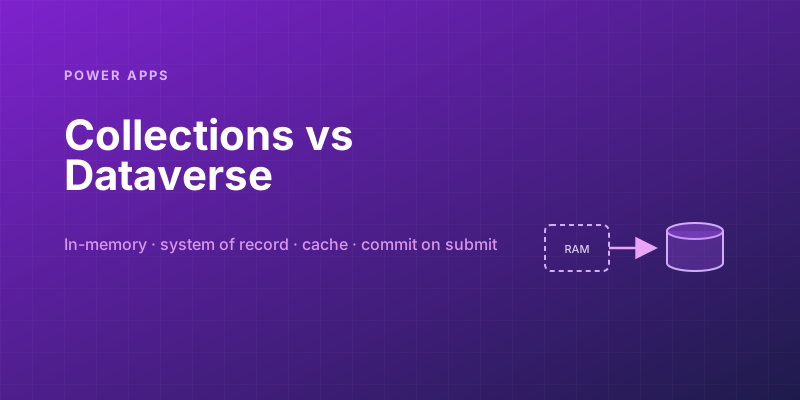
Power Apps Collections vs. Dataverse: Where Your App's Data Should Actually Live
Collections feel fast and convenient, so makers overuse them — and ship apps that lose data and break on refresh. Here is when to hold data in memory and when it belongs in Dataverse.

Canvas vs Model-Driven vs Power Pages: Choosing the Right Power Apps Type
Choose between canvas apps, model-driven apps, and Power Pages using a practical matrix for UX, data, licensing, governance, and audience fit.
Solving Power Apps Delegation Warnings for Large Dataverse Tables
Learn how Power Apps delegation works, why blue warnings matter, and the Dataverse patterns that keep large-table queries accurate and fast.

Building Your First PCF Control for Power Apps
Build a first Power Apps PCF control with the CLI, manifest, TypeScript lifecycle, local testing, solution packaging, and safe deployment steps.

Building Offline-Capable Power Apps for the Field
Design offline-capable Power Apps for field teams using canvas app caching, queue-and-sync patterns, conflict handling, and mobile offline profiles.
Newsletter
New posts, straight to your inbox
One email per post. No spam, no tracking pixels, unsubscribe anytime.
Comments
- No comments yet. Be the first.