Building Offline-Capable Power Apps for the Field
Field apps fail differently from office apps. A technician can lose signal in a basement, a warehouse, a mine, a rural road, or a hospital wing and still needs to finish the job. Offline capability is not a checkbox; it is an application design constraint from the first screen.
Offline starts with deciding what must work without the network
Do not cache the whole business system. Start by listing the tasks a user must complete while disconnected: open assigned work, view asset details, capture readings, add photos, record parts, collect signatures, and submit completion notes. Everything else can wait for connectivity.
That boundary keeps the offline dataset small and intentional. A field worker usually needs today’s assignments, nearby assets, reference data, and a local transaction queue. They do not need every account, every historical case, and every admin lookup table on the device.
Canvas apps and model-driven apps approach this differently. Canvas gives you formula-level control through local storage functions. Model-driven mobile offline uses offline profiles, table selection, and sync filters. Both can work well, but they require different engineering habits.
Canvas offline uses local storage and explicit sync behavior
Canvas offline is maker-controlled. You use Connection.Connected to detect network state, SaveData to persist local collections, LoadData to hydrate them, and Clear or ClearCollect to manage local state. The app must decide when to load from Dataverse, when to use local data, and when to queue changes.
// App.OnStart or first screen initialization
LoadData(colAssignments, "assignments-cache", true);
LoadData(colPendingChanges, "pending-changes", true);

If(
    Connection.Connected,
    ClearCollect(
        colAssignments,
        Filter(WorkOrders, Owner.Email = User().Email && Status = "Scheduled")
    );
    SaveData(colAssignments, "assignments-cache")
)
Use local storage for records that have a clear upper bound. If a user can have thousands of assignments, fix the assignment model or sync filter before building the app. Device storage is not a replacement for Dataverse querying.
Queue-and-sync is safer than pretending writes are immediate
Offline writes need a durable queue. When disconnected, the app should capture intended changes in a local collection with enough metadata to replay them later. That includes the target table, row identifier, operation type, payload, local timestamp, and a generated client transaction id.
// Save a field update while offline
Collect(
    colPendingChanges,
    {
        ClientChangeId: GUID(),
        TableName: "WorkOrders",
        Operation: "Update",
        RowId: varWorkOrder.WorkOrder,
        PayloadStatus: "Completed",
        PayloadNotes: txtCompletionNotes.Text,
        CapturedOn: Now()
    }
);
SaveData(colPendingChanges, "pending-changes")
When the connection returns, process the queue in a controlled sequence. Keep successful changes out of the queue, leave failed changes visible, and give the user an honest sync state.
// Simple sync pass when connection returns
If(
    Connection.Connected,
    ForAll(
        colPendingChanges As change,
        Patch(
            WorkOrders,
            LookUp(WorkOrders, WorkOrder = change.RowId),
            {
                Status: change.PayloadStatus,
                CompletionNotes: change.PayloadNotes
            }
        )
    );
    Clear(colPendingChanges);
    SaveData(colPendingChanges, "pending-changes")
)
Production sync usually needs more nuance than this snippet: per-row error capture, retries, conflict checks, and server acknowledgements. The pattern is still the same. Local actions become queued facts, and sync turns those facts into server changes.
Conflict handling must be a user experience, not an exception message
Conflicts are normal in field work. Two technicians may update the same asset. A dispatcher may cancel a job while a worker is offline. A price list may change before parts are submitted. If the app treats all conflicts as rare errors, users will lose data or trust.
Design a conflict policy for each record type. Some fields can use last writer wins, such as a draft note with low business impact. Some require merge, such as adding multiple readings. Some require review, such as changing job status after cancellation.
| Conflict scenario | Recommended policy | User experience |
|---|---|---|
| Note edited by one user | Last writer wins may be acceptable | Show saved timestamp |
| Inspection readings added | Append or merge | Preserve all readings |
| Work order cancelled remotely | Server state wins | Show blocked sync item |
| Asset condition changed twice | Review required | Present local and server values |
| Reference data changed | Refresh before submit | Ask user to revalidate selection |
Store server row version or modified timestamp with cached records when possible. During sync, compare the cached version with the current server version before applying changes. If they differ, route the item through the policy instead of blindly patching.
Model-driven mobile offline is profile-driven
Model-driven offline moves configuration to the platform. You define mobile offline profiles that specify tables, relationships, and sync filters. Users download the offline data to the mobile app, work offline, and let the platform synchronize when connectivity returns.
This is ideal for Dataverse-first field service and operational apps where the model-driven experience already fits. The profile should be small and role-specific. Include only the tables and rows the mobile user needs. Filter by owner, team, region, date window, status, or assignment relationship.
Offline-first behavior is important. If a model-driven app is meant for field use, test it with airplane mode enabled before user acceptance testing. Confirm forms open, lookups resolve, business rules behave, and required related rows are available.
Some features still do not belong offline
Know the limits before committing. Real-time integrations, live pricing calls, server-side document generation, complex approvals, fresh search across the full tenant, and broad reporting do not make sense while disconnected. You can queue requests, cache reference data, or show the last known result, but you cannot promise live behavior without a network.
Attachments and images need special attention. They can be large, slow to sync, and painful under weak connectivity. Use compression, limits, progress indicators, and retry behavior. Make it obvious when media is stored locally but not yet uploaded.
The best offline apps are honest. They show what is cached, what is pending, what synced, and what needs attention. Field users forgive temporary disconnection. They do not forgive silent data loss.
Keep reading
SharePoint Lists vs Dataverse for Canvas Apps: Pick the Storage, Not the Habit
Delegation limits, relationships, security, and ALM — the practical tradeoffs when a canvas app outgrows a list and when it should not migrate at all.
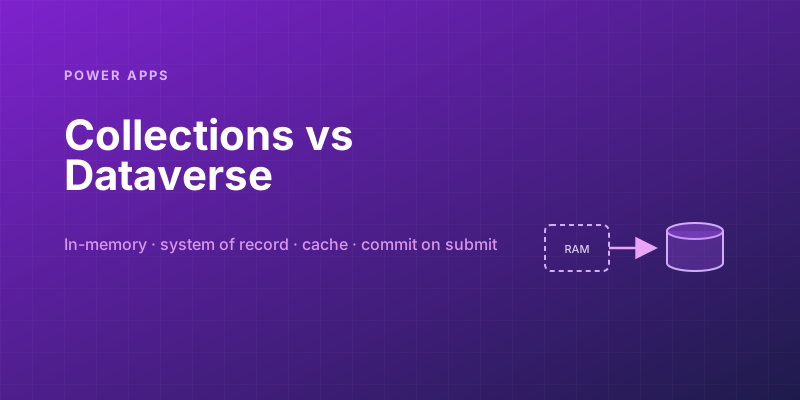
Power Apps Collections vs. Dataverse: Where Your App's Data Should Actually Live
Collections feel fast and convenient, so makers overuse them — and ship apps that lose data and break on refresh. Here is when to hold data in memory and when it belongs in Dataverse.
Canvas vs Model-Driven vs Power Pages: Choosing the Right Power Apps Type
Choose between canvas apps, model-driven apps, and Power Pages using a practical matrix for UX, data, licensing, governance, and audience fit.
Solving Power Apps Delegation Warnings for Large Dataverse Tables
Learn how Power Apps delegation works, why blue warnings matter, and the Dataverse patterns that keep large-table queries accurate and fast.
Building Your First PCF Control for Power Apps
Build a first Power Apps PCF control with the CLI, manifest, TypeScript lifecycle, local testing, solution packaging, and safe deployment steps.
Named Formulas and the With() Function: Power Fx Patterns for Faster Apps
Use Power Fx named formulas and With to replace noisy OnStart logic, reduce repeated lookups, and make canvas apps faster and easier to maintain.
Newsletter
New posts, straight to your inbox
One email per post. No spam, no tracking pixels, unsubscribe anytime.
Comments
- No comments yet. Be the first.