React 19 useOptimistic: Instant UI Without Lying to the Server
A checkbox that waits 400ms for a round trip feels broken even when the API is fine. The old workaround was local state plus a fetch plus a grim catch that hoped you remembered to revert. React 19's useOptimistic is that pattern with a defined rollback and a defined merge, designed to sit next to Actions rather than fight them.
The contract
useOptimistic(state, updateFn) returns a pair: the value to render, and a function that applies an optimistic update. The rendered value is state until an optimistic update is in flight; then it is updateFn(current, action) over each pending action. When the real state catches up (the Action finished and the parent passed new props or the reducer committed), the optimistic layer drops. If the Action throws, React discards the pending update and you are back to the last confirmed state. You do not hand-write the revert.
That last sentence is the reason to use the hook instead of useState. Amateur optimistic UI forgets the error path; this hook makes the error path the default.
A toggle that does not flicker
Suppose a task list where each row has done. The confirmed source of truth lives on the server and arrives as props from a Server Component, or from a client cache after a mutation.
"use client";

import { useOptimistic, useTransition } from "react";
import { toggleTask } from "./actions";

export function TaskRow({ task }: { task: { id: string; done: boolean; title: string } }) {
  const [optimisticTask, setOptimistic] = useOptimistic(
    task,
    (current, nextDone: boolean) => ({ ...current, done: nextDone }),
  );
  const [, startTransition] = useTransition();

  return (
    <label>
      <input
        type="checkbox"
        checked={optimisticTask.done}
        onChange={() => {
          const next = !optimisticTask.done;
          startTransition(async () => {
            setOptimistic(next);
            await toggleTask(task.id, next);
          });
        }}
      />
      {optimisticTask.title}
    </label>
  );
}
Two details are load-bearing. First, setOptimistic must run inside the transition that also awaits the Action — that is how React knows the optimistic update is associated with that in-flight work. Call it outside and you get a warning and a stuck overlay. Second, the reducer should be a pure merge from confirmed state plus pending actions, not a grab-bag of timestamps. If two toggles fire before the first returns, React will replay both reducers in order on top of the latest confirmed task. Design the reducer so order is commutative when the user can click twice (a boolean toggle is; a "append comment" list is, if you key by a client id).
Lists: give the pending row an identity
Appending a comment is the example that looks cute in docs and races in production. If the optimistic row uses crypto.randomUUID() and the server returns a different id, you will flash a duplicate when the confirmed list arrives unless you reconcile.
Pass a client-generated id in the Action, persist it (or map it) on the server, and use that as key. The optimistic row and the confirmed row are then the same React identity. Without that, useOptimistic still rolls back on error, but a success path looks like a teleport.
const [optimisticComments, addOptimistic] = useOptimistic(
  comments,
  (current, pending: Comment) => [...current, pending],
);
Keep pending items obviously pending — opacity, a "Sending" label — so a slow Action does not look like a successful write the user then tries to edit.
What not to optimistic-update
Do not optimistic-update money, inventory, or anything the server might reject for a business rule the client cannot see (credit limit, unique constraint, feature flag). Show a spinner. Optimistic UI is for mutations whose failure is rare and whose confirmed shape is a function of the request: toggles, likes, reorder, "mark read." If the server assigns numbers, permissions, or derived fields, wait.
Also do not combine useOptimistic with an ad-hoc cache write in the same handler "just to be sure." Two sources of unconfirmed state will drift. Pick the hook or the cache's optimistic API (TanStack Query's onMutate, etc.), not both.
Failure is a product decision
When the Action throws, the UI snaps back. That snap is correct and also easy to miss. Pair it with an error toast from the Action's catch or from an error boundary around the form. The hook restores data; it does not restore trust. Users who watched a checkbox tick and then untick need one sentence of why.
Used this way, useOptimistic is not a trick. It is the UI equivalent of a write-ahead display: show the intended world, commit when the server agrees, and never leave a fork the reducer cannot explain.
Keep reading
Next.js 16 Cache Components: Replacing revalidate and force-dynamic With 'use cache'
How Cache Components in Next.js 16 replace route segment configs with the use cache directive and cacheLife, what becomes a build error, and the cookies-outside-the-cache rule that trips every migration.
React List Keys That Survive a Filter
Why key={index} corrupts state when a list is filtered, sorted, or prepended, and which id to use instead.
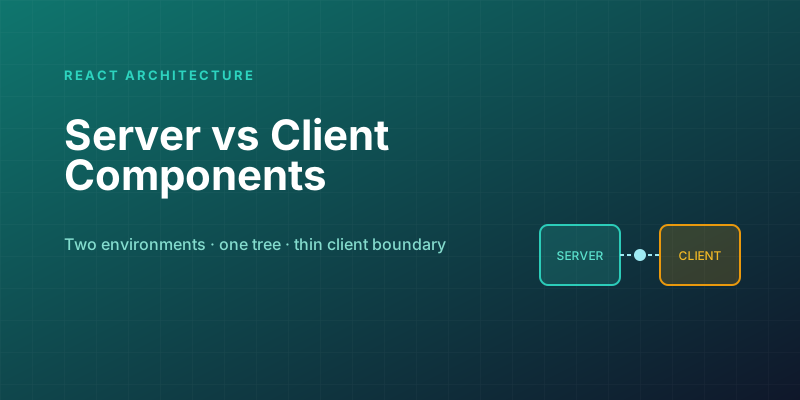
Server Components vs. Client Components: A Mental Model That Sticks
The hardest part of React Server Components isn't the syntax — it's knowing which kind of component you're writing and why. Here is the mental model that makes the boundary obvious.
Optimistic UI Updates: Making Apps Feel Instant Without Lying to Users
The like button that responds before the server confirms feels instant. The trick is updating the UI first and reconciling later — and handling the rollback so you never mislead the user.
Debouncing and Throttling in React: Taming Expensive Event Handlers
A search box that fires a request on every keystroke, a scroll handler running 60 times a second — these are debounce and throttle problems. The concepts are simple; React makes them subtly tricky.
Next.js 16 and React 19: What Actually Matters in 2026
A practical guide to the features that changed how we build React apps — Server Components, the new compiler, and the patterns that stuck.
Newsletter
New posts, straight to your inbox
One email per post. No spam, no tracking pixels, unsubscribe anytime.
Comments
- No comments yet. Be the first.