React List Keys That Survive a Filter
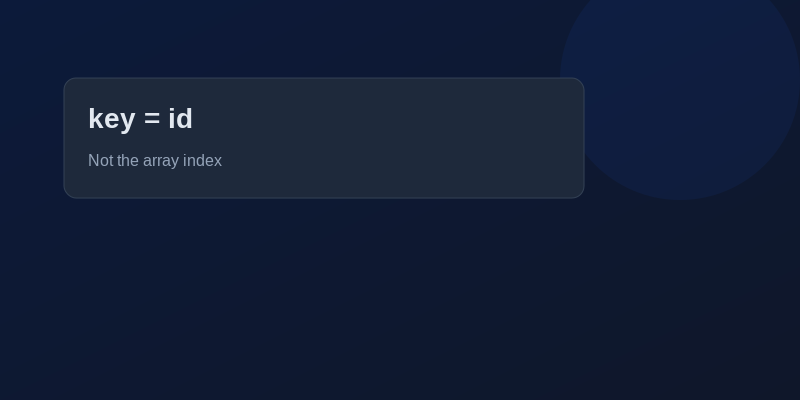
key={index} looks fine until the list changes shape. React uses the key to decide which component instance keeps its state. If the key is the position, then the state belongs to the position. Filter out row 0 and the state that was on row 1 is now on row 0. The checkbox stays ticked on the wrong person. The input keeps the previous row's draft.
This shows up in admin tables, in carts, and in any list with a local expanded row. It does not show up in a static map of strings, which is why the bug ships.
What the key has to be
The key is the identity of the item, stable for as long as that item is the same item.
| Source | Use it when |
|---|---|
| Database id, UUID | The row exists on the server |
| Client id created when the user added a draft row | The row is not saved yet |
A composite that cannot collide, such as ${orderId}:${lineId} | The same line id can appear under two parents |
Do not use the array index. Do not use a field the user can edit, such as the title, unless a title change is supposed to reset the row. Do not use Math.random() during render. A new key every render remounts the row, drops focus, and replays effects.
If two rows can share an id because you concatenated pages and the API repeated a cursor item, fix the data. A duplicate key warning is React telling you the identity map is wrong. Suppressing it hides which row will keep the state.
Broken: the checkbox follows the slot
Local state on the row is the fastest way to see the bug. Type this, tick the second person, then filter the first person out.
function BrokenPeople({ people }: { people: { id: string; name: string }[] }) {
  const [q, setQ] = useState("");
  const visible = people.filter((p) =>
    p.name.toLowerCase().includes(q.toLowerCase()),
  );
  return (
    <>
      <input value={q} onChange={(e) => setQ(e.target.value)} placeholder="Filter" />
      {visible.map((person, index) => (
        <PersonRow key={index} person={person} />
      ))}
    </>
  );
}

function PersonRow({ person }: { person: { id: string; name: string } }) {
  const [done, setDone] = useState(false);
  const [note, setNote] = useState("");
  return (
    <label>
      <input type="checkbox" checked={done} onChange={(e) => setDone(e.target.checked)} />
      {person.name}
      <input value={note} onChange={(e) => setNote(e.target.value)} />
    </label>
  );
}
People: Ada (a1), Bao (b1), Cam (c1). Tick Bao. Filter so Ada disappears. The remaining first row is Bao, but its key is still 0. React reuses Ada's instance. Bao renders with Ada's checkbox and note. Sort does the same: Cam lands in index 1 and inherits Bao's draft.
Fixed: the checkbox follows the person
{visible.map((person) => (
  <PersonRow key={person.id} person={person} />
))}
That is the entire fix for this component. PersonRow for b1 keeps done and note because key b1 is still in the list. Ada unmounts; if she must keep her tick, lift it into a map keyed by person.id. Lifting into done[index] is the same bug one level up.
const [notes, setNotes] = useState<Record<string, string>>({});
// setNotes((n) => ({ ...n, [person.id]: value }))
Filter, sort, and prepend are the test
These three operations are the test:
- Type into an input inside row B. Filter the list so row A disappears. Row B's input must still show what you typed.
- Sort by name. The same input must stay on row B, not on whoever is now in that slot.
- Prepend a new row. Existing rows must not remount. Effects that fetch on mount must not refetch.
Index keys fail all three. Id keys pass all three, as long as state lives on the keyed component. Prepend is the one reviews miss: a useEffect that loads comments on mount refires for every row when you unshift a draft under index keys.
The key on the wrong node, and fragments
key has to sit on the element you return from map, not on a child inside it. This does not identify the row:
{rows.map((row) => (
  <div>
    <OrderLine key={row.id} line={row} />
  </div>
))}
React keys the div, which has no key, and ignores the inner key for list reconciliation. Put key={row.id} on the div (or on OrderLine if that is the mapped root).
<>...</> cannot take a key. Use <Fragment key={row.id}> when the row is a list of siblings without a wrapper — definition lists, table groupings, or a label plus a hidden live region.
import { Fragment } from "react";

{rows.map((row) => (
  <Fragment key={row.id}>
    <dt>{row.label}</dt>
    <dd>
      <input defaultValue={row.value} />
    </dd>
  </Fragment>
))}
If you put the key on <dt> only, <dd> is a separate sibling in the parent's list and will still shift when you filter. One Fragment, one identity, two tags.
Virtualizers have a second key
If you virtualize the list, the windowing library has its own identity prop. An index there has the same bug when the dataset filters. The DOM nodes are recycled on purpose. The library needs to know which item is in which slot, not which window index.
TanStack Virtual:
const virtualizer = useVirtualizer({
  count: rows.length,
  getScrollElement: () => parentRef.current,
  estimateSize: () => 36,
  getItemKey: (index) => rows[index].id,
});
react-window's List takes itemKey={(index, data) => data[index].id} with itemData={rows}. Passing index alone ties state to the viewport slot. Render with the same React key: <PersonRow key={item.id} ... />. Mixing getItemKey: (i) => i with an id React key still lets the virtualizer reuse caches by index. Set both.
When the index is actually the identity
A fixed list of steps that never reorders can use the index, because the position is the item. The moment you sort, filter, or insert, that stops being true. Do not use index keys on a filtered view of a "static" list. The array you map is not static.
This pairs with optimistic updates: mint a stable client id before the server id arrives. Changing the key remounts the input. Keep the client id as the React key for the life of the row.
If the row has no state and no effects, a wrong key still deserves a fix — the next change will add a checkbox. Do not switch back to index keys as an optimization.
Checklist
- Search for
.map((and read thekey=. Index and missing keys are the list. - Tick a box on row 2, filter out row 1, confirm the tick stayed on the same entity.
- Prepend a row and confirm in-flight effects on existing rows do not replay.
- If you return two siblings from
map, useFragment key={id}. - If you virtualize, set
getItemKey/itemKeyto the row id, and use that same id as the React key. - Draft rows: mint a client id once, at creation, never during render.
Keep reading
React use(): A Promise Created in Render Suspends Forever
use() reads a Promise or Context. Creating the Promise in render suspends forever. Lift it, wrap Suspense, and catch rejections with an Error Boundary.
Next.js 16 Cache Components: Replacing revalidate and force-dynamic With 'use cache'
How Cache Components in Next.js 16 replace route segment configs with the use cache directive and cacheLife, what becomes a build error, and the cookies-outside-the-cache rule that trips every migration.
React 19 useOptimistic: Instant UI Without Lying to the Server
How to wire useOptimistic with Actions so toggles and comments feel native, roll back on failure, and stay consistent when two mutations overlap.
Server Components vs. Client Components: A Mental Model That Sticks
The hardest part of React Server Components isn't the syntax — it's knowing which kind of component you're writing and why. Here is the mental model that makes the boundary obvious.
Optimistic UI Updates: Making Apps Feel Instant Without Lying to Users
The like button that responds before the server confirms feels instant. The trick is updating the UI first and reconciling later — and handling the rollback so you never mislead the user.
Debouncing and Throttling in React: Taming Expensive Event Handlers
A search box that fires a request on every keystroke, a scroll handler running 60 times a second — these are debounce and throttle problems. The concepts are simple; React makes them subtly tricky.
Newsletter
New posts, straight to your inbox
One email when a new post goes up. Double opt-in, unsubscribe anytime. Not a daily digest.
Comments
- No comments yet. Be the first.