Next.js 16 Cache Components: Replacing revalidate and force-dynamic With 'use cache'

Next.js 16 ships a caching model called Cache Components. Turn it on with cacheComponents: true in next.config.ts, and the route segment configs you have been exporting — dynamic, revalidate, fetchCache — are replaced by a directive, 'use cache', and a function, cacheLife. The page is dynamic by default. You opt specific scopes into caching, as close to the data as you can.
This is the migration most Next.js 16 upgrades get stuck on, because the old configs do not error out loudly; they stop being the mechanism. Here is the mapping the Next.js docs give, and the two rules that make it work.
The config-to-directive table
| Old export | New behavior |
|---|---|
export const dynamic = 'force-dynamic' | Delete it. Pages are dynamic by default |
export const dynamic = 'force-static' | Delete it. Add 'use cache' with cacheLife('max') close to the data access. Runtime data access such as cookies() or headers() must be removed or wrapped in <Suspense> |
export const revalidate = 3600 | 'use cache' plus cacheLife('hours') in the scope you want cached |
export const fetchCache = 'force-cache' | Delete it. Every fetch inside a 'use cache' scope is cached |
cacheLife takes a named profile ('max', 'hours', and others) or a custom one. The named profile replaces the number of seconds you used to export.
import { cacheLife } from "next/cache";

export default async function Page() {
  "use cache";
  cacheLife("hours");
  const posts = await fetch("https://api.example.com/posts").then((r) => r.json());
  return <PostList posts={posts} />;
}
Where the directive can go
'use cache' works at three levels. At the top of a file, every export is cached, and every function export must be async. At the top of a component, the rendered output is cached. At the top of a function, the return value is cached. Put it on the smallest scope that contains the data access. A page-level directive is the blunt instrument; a cached data function called from a dynamic page is the usual shape.
The cache key is built from the build id, a hash of the function's location and signature, and the serializable arguments. Variables a cached function closes over are captured and become part of the key too. A getData inside a component that reads userId from the component's props will be keyed by userId even though it is not a parameter. That is correct behavior and also the reason a cached function that closes over a large object will have as many entries as there are distinct objects.
Arguments and return values must be serializable. Primitives, plain objects, arrays, Dates, Maps, Sets, and typed arrays are fine. Class instances, functions, symbols, and URL instances are not. You can return JSX. You cannot accept JSX as an argument except as pass-through.
The rule that breaks migrations: cookies outside the cache
Read cookies() and headers() outside the cached scope and pass the values in as arguments. That is the pattern the docs call preferred, and it is the one every force-static page that secretly read a cookie will violate. With Cache Components on, the development server and the build raise an error when uncached or runtime data access happens where it should not, and the error points you at <Suspense>.
import { cookies } from "next/headers";

async function getDashboard(tenantId: string) {
  "use cache";
  cacheLife("minutes");
  return fetchDashboard(tenantId);
}

export default async function Page() {
  const tenantId = (await cookies()).get("tenant")?.value ?? "default";
  return <Dashboard data={await getDashboard(tenantId)} />;
}
If you cannot refactor to pass the runtime value in — a compliance constraint, or a library that reads the request internally — there is 'use cache: private' for that case. If the in-memory cache is not enough and your platform offers a dedicated handler, 'use cache: remote' exists, with a network round trip and typically platform fees. Both are documented as the exception. The default is the plain directive with arguments.
A migration order for a real app
- Turn on
cacheComponentsin a branch. Runnext devandnext build. Collect the errors; they are the list of runtime data access inside what used to be static. - Delete every
dynamic = 'force-dynamic'andfetchCacheexport. They are no-ops now. - For each
revalidate, find the data access it was protecting and move'use cache'pluscacheLifeonto that function. Pick the profile that matches the old seconds. - For each
force-staticpage, add'use cache'withcacheLife('max')at the data access and remove or hoist anycookies()/headers()call. - Where the build demands
<Suspense>, add it around the dynamic part so the static shell still prerenders. - Confirm
revalidateTagandcacheTagusage still invalidates what you think; tags attach inside cached scopes.
The reason to do this now rather than later is that it makes the static shell explicit. A page is either dynamic, or it has a cached scope with a declared lifetime. The old configs let a page be cached by accident. This model does not. The full reference is in the Next.js docs under Directives, and the migration guide maps each old export one by one.
Keep reading

Server Components vs. Client Components: A Mental Model That Sticks
The hardest part of React Server Components isn't the syntax — it's knowing which kind of component you're writing and why. Here is the mental model that makes the boundary obvious.

Next.js 16 and React 19: What Actually Matters in 2026
A practical guide to the features that changed how we build React apps — Server Components, the new compiler, and the patterns that stuck.
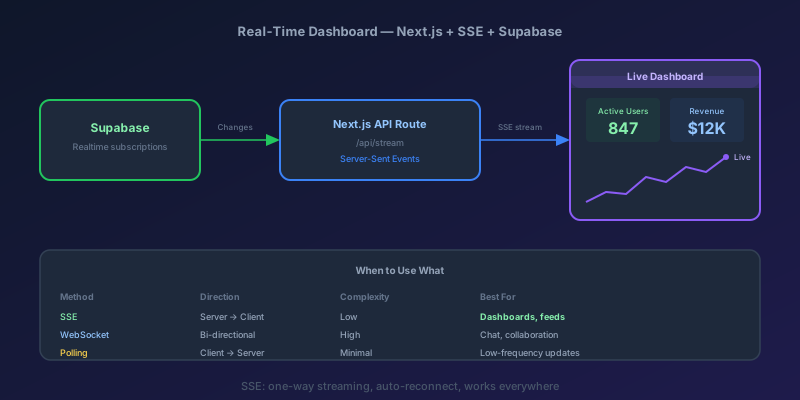
Building a Real-Time Dashboard with Next.js, Server-Sent Events, and Supabase
A step-by-step guide to building a live-updating dashboard using Next.js API routes, Server-Sent Events, and Supabase Realtime — with reconnection handling and smooth UI transitions.

React List Keys That Survive a Filter
Why key={index} corrupts state when a list is filtered, sorted, or prepended, and which id to use instead.

React 19 useOptimistic: Instant UI Without Lying to the Server
How to wire useOptimistic with Actions so toggles and comments feel native, roll back on failure, and stay consistent when two mutations overlap.

Optimistic UI Updates: Making Apps Feel Instant Without Lying to Users
The like button that responds before the server confirms feels instant. The trick is updating the UI first and reconciling later — and handling the rollback so you never mislead the user.
Newsletter
New posts, straight to your inbox
One email per post. No spam, no tracking pixels, unsubscribe anytime.
Comments
- No comments yet. Be the first.