TypeScript 7 Upgrade: 10x Faster tsc, and the API Gap You Have to Plan Around
TypeScript 7.0 shipped on July 8, 2026. It is the native port of the compiler and tooling to Go that Microsoft has been building since early 2025, and it installs the ordinary way: npm install -D typescript gives you a tsc that is a native binary. Full builds typically run 8 to 12 times faster than TypeScript 6, from native execution plus shared-memory parallelism. The language did not change. 7.0 checks the same types, reports the same errors, and emits the same JavaScript as 6.0.
Two things did change, and they are why the upgrade is a project rather than a version bump.
Deprecations are now errors, and the defaults moved
Everything TypeScript 6.0 marked deprecated is removed in 7.0. The "ignoreDeprecations": "6.0" escape hatch that silenced warnings in 6.0 does not apply; the options are hard errors. strict and esnext are the defaults.
The recommended path, from the TypeScript team, is to land on 6.0 first, clear every deprecation warning there, then move to 7.0. If the project builds cleanly on 6.0 with no deprecation warnings, 7.0 is usually just the install. If it does not, the 6.0 warnings are the exact list of what will break.
There is no stable programmatic API in 7.0
This is the gap. The typescript package no longer exports the classic compiler API — createProgram, ScriptTarget, the ts namespace — from its main entry point. Only version and explicitly unstable typescript/unstable/* entry points are available. The stable API is planned for 7.1.
Anything that consumes the compiler API cannot run on 7.0 yet: typescript-eslint, and framework tooling for Vue, Svelte, Astro, MDX, and Angular. Microsoft published @typescript/typescript6, which provides a tsc6 binary and re-exports the 6.0 API, so those tools keep working while tsc moves to 7.
The arrangement the docs describe, and the one that works, is to run both:
{
  "devDependencies": {
    "typescript": "^7.0.0",
    "@typescript/typescript6": "npm:typescript@^6.0.0"
  },
  "scripts": {
    "typecheck": "tsc --noEmit",
    "lint": "eslint ."
  }
}
tsc on 7 does the type check in CI, fast. ESLint and the framework plugin resolve the 6.0 API through the compatibility package. When 7.1 ships the stable API and the plugins adopt it, delete the alias.
Check your eslint.config and any tsconfig paths that pin a typescript module. If a tool silently falls back to its own bundled TypeScript, the editor and CI will disagree about errors, which is worse than being slow.
Editors
VS Code has a dedicated TypeScript 7 extension on the marketplace. Visual Studio enables 7.0 automatically based on the workspace's installed version. JetBrains and other LSP editors work through the language server protocol support in 7. Nightlies now publish under typescript@next; the old @typescript/native-preview package is the pre-release era and should not be in a package.json anymore.
An order that does not stall the team
- Upgrade to TypeScript 6.0. Fix every deprecation warning. Do not set
ignoreDeprecations; you are about to lose it anyway. - Turn
stricton if it was off. 7.0 will turn it on for you, and you want to see the errors on 6.0 where you can still stage them. - Add
@typescript/typescript6via the npm alias. Point lint and framework tooling at it. Confirmnpx tsc6 --versionreports 6.x. - Install
typescript@^7. Runtsc --noEmit. Time it against the old build. Expect the 8 to 12x on full builds, less on incremental, and far less if your build was waiting on something other than the type checker. - Keep the editor on 7 for the speed and watch for any diagnostic that appears in CI but not in the editor, or vice versa. That is a version split, and it is fixable by pinning.
- Watch for 7.1. Remove the alias when the tools you depend on no longer need the 6.0 API.
What 7.0 does not do
It does not type-check faster than esbuild or swc transpile, because they do not type-check. It closes most of the gap while keeping the full check, which is the point. It does not change your emit. It does not fix a project whose slow builds come from a bundler, a test runner, or a monorepo graph that rebuilds everything; measure where the time went before you expect it to vanish.
Feature releases resume now that the port is done, on the familiar three-to-four-month cadence. The next one is the API. Until then the compatibility package is the bridge, and the 6.0 deprecation list is the migration plan.
Keep reading
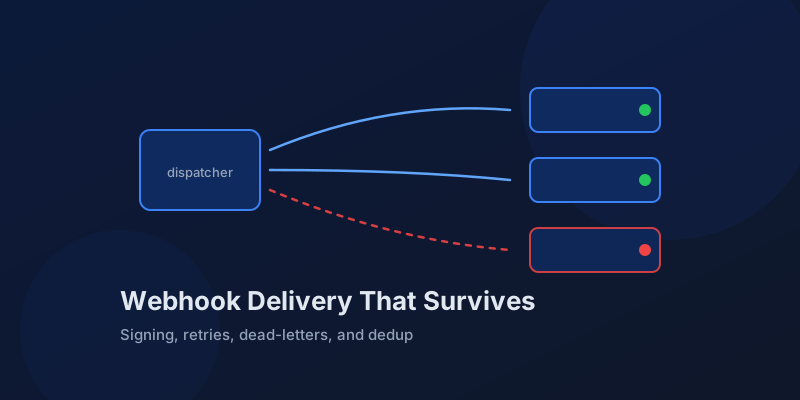
Designing Webhook Delivery That Survives Flaky Consumers
Signing, retries, ordering, and dead-lettering: the design decisions that separate reliable webhook delivery from silent event loss.
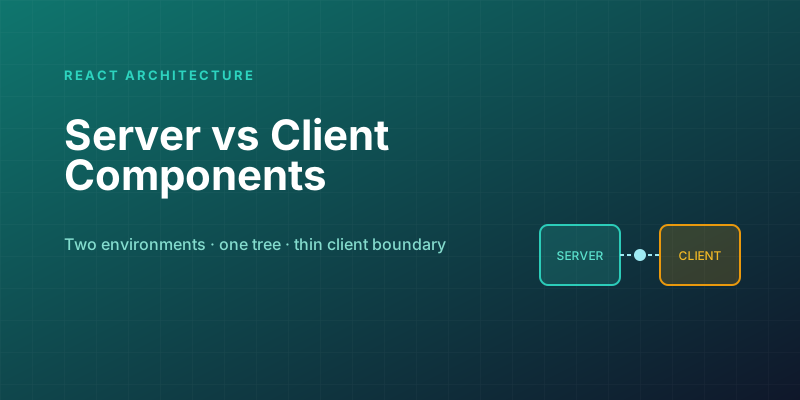
Server Components vs. Client Components: A Mental Model That Sticks
The hardest part of React Server Components isn't the syntax — it's knowing which kind of component you're writing and why. Here is the mental model that makes the boundary obvious.
Optimistic UI Updates: Making Apps Feel Instant Without Lying to Users
The like button that responds before the server confirms feels instant. The trick is updating the UI first and reconciling later — and handling the rollback so you never mislead the user.
Debouncing and Throttling in React: Taming Expensive Event Handlers
A search box that fires a request on every keystroke, a scroll handler running 60 times a second — these are debounce and throttle problems. The concepts are simple; React makes them subtly tricky.
Next.js 16 and React 19: What Actually Matters in 2026
A practical guide to the features that changed how we build React apps — Server Components, the new compiler, and the patterns that stuck.
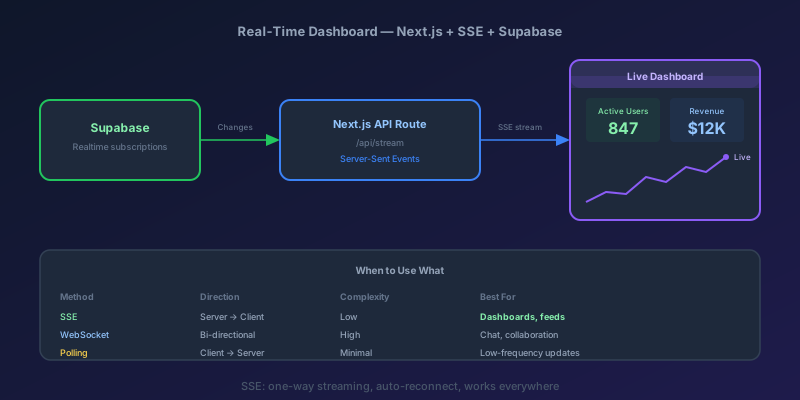
Building a Real-Time Dashboard with Next.js, Server-Sent Events, and Supabase
A step-by-step guide to building a live-updating dashboard using Next.js API routes, Server-Sent Events, and Supabase Realtime — with reconnection handling and smooth UI transitions.
Newsletter
New posts, straight to your inbox
One email per post. No spam, no tracking pixels, unsubscribe anytime.
Comments
- No comments yet. Be the first.