Client Scripting in Model-Driven Apps Done Right: formContext, Execution Context, and Async
Client scripting in model-driven apps is where a lot of legacy habits go to die slowly. People still copy Xrm.Page snippets from a decade ago, manipulate the DOM directly, and wonder why forms break after an update. Here is how to write form scripts that are supported, fast, and maintainable.
Stop using Xrm.Page; pass the execution context
Xrm.Page is the old global that pointed at "the current form." It is deprecated. The supported approach is to receive the execution context as the first parameter of your event handler and derive the form context from it.
When you register a handler in the form designer, there is a checkbox: "Pass execution context as first parameter." Tick it. Then your function looks like this:
function onLoad(executionContext) {
    var formContext = executionContext.getFormContext();
    // everything goes through formContext now
}
Why this matters beyond "it is the new way": the same script can run on a main form or in an embedded grid/subgrid context, and the execution context resolves the correct form context for where it fired. Xrm.Page has no such awareness. Get the form context from the execution context every time and you write code that travels.
A clean namespacing pattern keeps the global scope tidy and makes functions easy to reference in the registration UI:
var Contoso = Contoso || {};
Contoso.Account = (function () {
    "use strict";

    function onLoad(executionContext) {
        var formContext = executionContext.getFormContext();
        toggleCreditFields(formContext);
    }

    function onCreditHoldChange(executionContext) {
        var formContext = executionContext.getFormContext();
        toggleCreditFields(formContext);
    }

    function toggleCreditFields(formContext) {
        var onHold = formContext.getAttribute("creditonhold").getValue();
        formContext.getControl("creditlimit").setVisible(!onHold);
    }

    return {
        onLoad: onLoad,
        onCreditHoldChange: onCreditHoldChange
    };
})();
Register Contoso.Account.onLoad and Contoso.Account.onCreditHoldChange against the OnLoad and OnChange events respectively, with the execution-context checkbox enabled.
Attributes vs controls
This trips people up constantly. There are two distinct objects:
- Attribute — the data. Get it with
formContext.getAttribute("name"). It holds the value, the requirement level, and the dirty state. One attribute exists per field on the form. - Control — the UI. Get it with
formContext.getControl("name"). It controls visibility, disabled state, and notifications. A single attribute can have multiple controls (the same field placed twice, or on a quick-view).
Rule of thumb: anything about the value goes through the attribute; anything about how it looks or behaves on screen goes through the control.
// Value operations -> attribute
formContext.getAttribute("telephone1").setValue("555-0100");
formContext.getAttribute("telephone1").setRequiredLevel("required");

// Visual operations -> control
formContext.getControl("telephone1").setVisible(true);
formContext.getControl("telephone1").setDisabled(false);
formContext.getControl("telephone1").setNotification("Check this number", "phoneWarn");
Wiring OnLoad, OnChange, and OnSave
- OnLoad fires when the form loads. Do initial visibility/requirement setup here, but keep it lean — it runs on every form open and the user is staring at a spinner.
- OnChange fires when a field's value changes and the field loses focus (or is set in script). Register it per field in the field's properties. This is where you react to user input.
- OnSave fires when the user saves. You can inspect why it is saving and cancel the save if validation fails.
Canceling a save uses the event arguments from the execution context:
function onSave(executionContext) {
    var formContext = executionContext.getFormContext();
    var eventArgs = executionContext.getEventArgs();

    var revenue = formContext.getAttribute("revenue").getValue();
    if (revenue !== null && revenue < 0) {
        eventArgs.preventDefault(); // stops the save
        formContext.getControl("revenue").setNotification(
            "Revenue cannot be negative.", "revenueCheck");
    } else {
        formContext.getControl("revenue").clearNotification("revenueCheck");
    }
}
Prefer business rules or server-side validation for hard rules; use OnSave script only when the logic genuinely needs the client.
Async patterns with Xrm.WebApi
When you need data that is not on the form — a parent record's field, a count of related rows — call the Web API. Use Xrm.WebApi, which returns promises, and never block the UI.
function loadParentCreditRating(formContext) {
    var parent = formContext.getAttribute("parentaccountid").getValue();
    if (!parent || parent.length === 0) {
        return;
    }
    var parentId = parent[0].id.replace(/[{}]/g, "");

    Xrm.WebApi.retrieveRecord("account", parentId, "?$select=creditrating")
        .then(function (result) {
            formContext.getAttribute("description").setValue(
                "Parent credit rating: " + result.creditrating);
        })
        .catch(function (error) {
            console.error("WebApi retrieve failed: " + error.message);
        });
}
Two things to respect here:
- Always handle
.catch. A rejected promise that no one catches is a silent failure that is miserable to debug in production. - OnSave is not async-aware by default. If you need an async check during save, you must use the async-save pattern by returning a promise from a registered async OnSave handler; otherwise the save proceeds before your
thenresolves. Do not put a fire-and-forget Web API call in OnSave and expect it to gate the save.
For user-facing dialogs and navigation, use the documented Xrm.Navigation API (openAlertDialog, openConfirmDialog, navigateTo) rather than browser alert/window.open.
Never touch the DOM
This is the single biggest source of forms that break on update. Direct DOM manipulation is unsupported. Do not do document.getElementById(...), do not inject HTML, do not hunt for elements by CSS class. Microsoft does not guarantee the rendered markup between releases, and the new model-driven form rendering can change the DOM out from under you with no notice.
Everything you might be tempted to do via the DOM has a supported API:
- Hide a field or section ->
setVisibleon the control orformContext.ui.tabs/sections. - Disable a field ->
setDisabled. - Show a message ->
setNotification/ form-level notifications viaformContext.ui.setFormNotification. - Custom UI -> build a PCF (Power Apps Component Framework) control, which is the supported extensibility surface for custom rendering.
If you cannot achieve something through the supported client API, that is a signal to use a PCF control, not a signal to reach into the DOM.
Performance and maintainability
A few habits that separate scripts that age well from ones that rot:
- Keep OnLoad cheap. It runs on every open. Defer non-critical work and avoid synchronous network calls.
- Use
addOnChangesparingly in code. Prefer registering OnChange in the designer; if you wire handlers in script, remove them when appropriate to avoid duplicates on form reloads. - Batch your reads. If you need several fields off one related record, do one
retrieveRecordwith a precise$select, not several round trips. - Namespace and modularize. One IIFE per table, public functions returned explicitly. It keeps the global namespace clean and makes the registration names obvious.
- Guard for null. Lookups return arrays that can be empty; attributes can be absent if the field is not on the form. Check before you dereference.
- Bundle and version your web resources. Treat them as real source: lint, source-control, and deploy through solutions, not by hand-editing in the maker portal.
Write form scripts this way — execution context in, form context out, attributes for data, controls for UI, promises for async, and the supported API for everything — and your scripts will survive platform updates instead of being the thing that breaks during them.
Keep reading

Dataverse Cascade Delete: Parental, Restrict, and the Children You Lose
What Parental, Referential Restrict, and Remove Link actually do on delete, assign, and merge, and which preset to pick before a parent row takes its children with it.

Sales Agent Creates CRM Records From Copilot Chat, and Sales Development Agent Quotes on Its Own: What Went GA on September 30
Two Dynamics 365 Sales agent capabilities reached general availability on September 30, 2026: inline record creation in Microsoft 365 Copilot Chat, and autonomous quote generation in Sales Development Agent. Setup, security, and the escalation path.
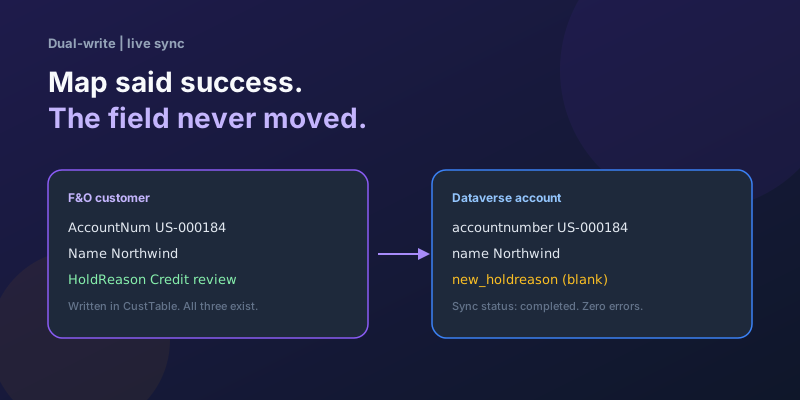
Dual-Write Dropped My Field and Reported Success
Why a dual-write map can complete with zero errors while a custom F&O field never lands in Dataverse — staging tables, unpublished maps, and change tracking after a schema change.

Elastic Tables in Dataverse: When Cosmos-Backed Storage Beats Standard Tables
What Dataverse elastic tables are, how TTL, partitioning, and JSON columns work, and how to decide between elastic and standard tables.

Business Process Flows in Dynamics 365: Branching, Stage-Gating, and the Limits Nobody Warns You About
A practical guide to designing branching Business Process Flows in model-driven Dynamics 365 apps, with stage-gating, automation hooks, the storage model, and hard limits.

The Dataverse Plugin Execution Pipeline: Stages, Transactions, and Images Explained
How the Dataverse event pipeline actually works: pre-validation, pre-operation, post-operation stages, the transaction boundary, entity images, depth, and registration guidance.
Newsletter
New posts, straight to your inbox
One email per post. No spam, no tracking pixels, unsubscribe anytime.
Comments
- No comments yet. Be the first.