Patch in Canvas Apps: The Blank Column That Overwrites a Real Value
Patch does not mean "save what changed." It means "write this record onto that row." Every column present in the change record is written. A column whose value is blank is cleared. Canvas apps hit this when a form's Updates record, or a variable that was never set, is passed through and a note, a lookup, or a status the user never touched comes back empty.
What actually gets written
The second argument is the row to change. The third argument, and any further ones, are merged and applied. Columns you leave out of those records stay as they are. Columns you set are replaced, and Blank() is a value.
Patch(
    Orders,
    LookUp(Orders, OrderId = selectedId),
    { Status: statusDropdown.Selected.Value },
    If(!IsBlank(noteInput.Text), { Note: noteInput.Text })
)
Status is always written. Note is written only when the input has text, because a false If returns blank and that argument adds no columns. The version that clears notes is the one that always passes the input:
Patch(
    Orders,
    LookUp(Orders, OrderId = selectedId),
    { Status: statusDropdown.Selected.Value, Note: noteInput.Text }
)
An empty text input is blank. The column is present. The stored note is gone. The same thing happens with a lookup dropdown that has no selection, and with a form card the user never opened. EditForm.Updates includes every card's Update property, not the cards the user edited. An empty card contributes a blank column, and Patch applies it.
The base record has to be a row
LookUp that finds nothing returns blank. A blank base is not an update of the row you meant. Check it and stop. Creating is a different call: the base record is Defaults(Orders), and you pass the columns for the new row. Using Defaults because the lookup failed is how a double-click creates a second order.
Do not pass Gallery.Selected as the change record. It contains every column the gallery loaded, plus blanks for columns it did not. You will write those blanks, and you can write system columns you had no reason to touch. Name the columns.
LookUp on the primary key is a delegable predicate on Dataverse, so the base row does not require pulling the table into a collection. The delegation rules for everything else you filter are in delegation warnings. Patch itself is not a query. It will happily write a blank that a non-delegable filter hid from the gallery.
A practical rule
Build the change record from controls the user can see on this screen, and omit a column when the control is empty and empty means "leave it alone." If empty means "clear it," pass Blank() on purpose, from a button that says clear. Those are different operations. A single Patch of Form.Updates treats them as the same operation, and the next person to open the record finds out which one you shipped.
Keep reading

Dataverse Filtered Record Ownership: Row-Level Security Without Owners, Teams, or Sharing
Dataverse's filtered record ownership (preview) secures rows by column values such as region or department instead of owner or business unit. How record filters, entity record filters, and security roles fit together, and what the no-owner model gives up.

Power Platform September 2026 Update: The App-Builder Skill, Agent Plugins, and the Refreshed Model-Driven UI
What matters in Microsoft's September 2026 Power Platform feature update: the model app-builder skill goes GA, the canvas authoring agent plugin goes GA, generative pages embed in forms and reach connectors, model-driven header refresh is GA with display density in preview, and Power Automate gets server-side search.

Canvas Apps: Concurrent() Is How OnStart Stops Feeling Stuck
Load independent Dataverse and SharePoint calls together in a canvas app, and keep the calls that really do depend on each other out of the same Concurrent.
SharePoint Lists vs Dataverse for Canvas Apps: Pick the Storage, Not the Habit
Delegation limits, relationships, security, and ALM — the practical tradeoffs when a canvas app outgrows a list and when it should not migrate at all.
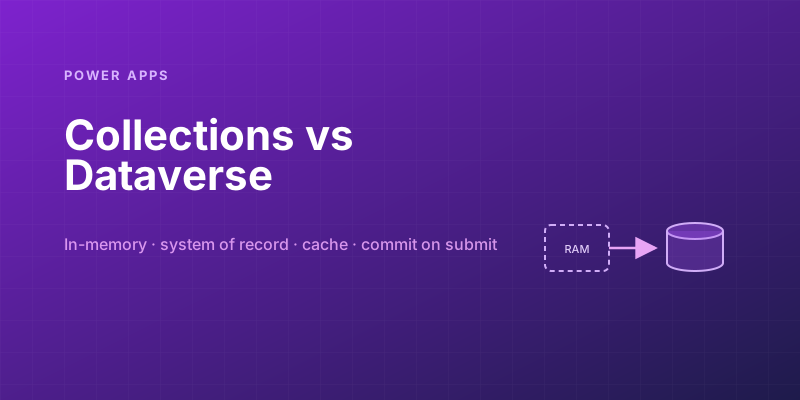
Power Apps Collections vs. Dataverse: Where Your App's Data Should Actually Live
Collections feel fast and convenient, so makers overuse them — and ship apps that lose data and break on refresh. Here is when to hold data in memory and when it belongs in Dataverse.
Canvas vs Model-Driven vs Power Pages: Choosing the Right Power Apps Type
Choose between canvas apps, model-driven apps, and Power Pages using a practical matrix for UX, data, licensing, governance, and audience fit.
Newsletter
New posts, straight to your inbox
One email per post. No spam, no tracking pixels, unsubscribe anytime.
Comments
- No comments yet. Be the first.