Dataverse Filtered Record Ownership: Row-Level Security Without Owners, Teams, or Sharing
Dataverse security has always been about who owns a row. User or team ownership, business units, hierarchy, and sharing all answer the same question: which person or team does this record belong to, and who inherits access from that. For a lot of data that question has no good answer. A regional sales summary, a reporting dataset, a reference table filtered by department — nobody owns those rows, so teams invent an owner, or over-share, or copy the data per region.
Filtered record ownership is the preview feature that drops the question. Access is granted by the value of a column. A role can read rows where City is Redmond. Another role can read rows where Department is Finance. The system applies the filter on every create, read, update, and delete. Microsoft's message center item for the feature (MC1486027) put the public preview at October 2, 2026, and the Learn documentation is marked prerelease.
What a filtered table is, and is not
When you create a table with Record ownership set to Filtered (preview), there is no owner column. Rows cannot be assigned. Rows cannot be shared with a user. The system creates a global All records CRUD privilege and gives it to the System Administrator role so nobody is locked out on day one. Created by is still tracked; it is not ownership.
| Capability | User/team-owned table | Filtered record ownership table |
|---|---|---|
| Owner column | Yes | No |
| Assign a row | Yes | No |
| Share a row | Yes | No |
| Access by business unit hierarchy | Yes | No |
| Access by column value | Not natively | Yes, through record filters |
| Change ownership type after creation | No | No |
The last row matters at design time. You pick the ownership type when you create the table and you cannot change it later. You can, however, add record filters to an existing user- or organization-owned table, so this is not only for new tables.
The four objects you configure
The setup is a chain, and each link is a solution component.
- A filter, written in FetchXML. The quickest way to produce it is to open the table's view in the model-driven app, add the conditions you want (
City equals Redmond), and download the FetchXML. - A record filter: a solution component (New > More > Other > Record Filter) with a unique name, a display name, and that FetchXML pasted in. This is the security predicate.
- An entity record filter: the link between a record filter and a table (New > More > Other > EntityRecordFilter, with the record filter and the table's logical name). A table can have many; each one is a separately grantable predicate.
- A security role that grants the entity record filter on Create, Read, Write, Delete, Append, or Append To, assigned to users or teams the usual way.
A user with a role that grants the Redmond predicate on Read sees Redmond rows in the form and the view. An admin with the All records privilege sees everything.
Where it fits, and where it does not
Microsoft's own use case is persona-based access to departmental or location data: an accounting clerk sees certain departments, the accounting manager sees all of them. Reporting and aggregated datasets, which never had an owner, are the obvious fit.
It does not restrict metadata. Row-level security cannot hide a table, a column, or a view; that is still column-level security and view management. It does not currently apply to external virtual tables. And Dataverse Search has a documented limit: for filters that involve a link-entity (Account linked to Contact), search returns results from the primary table only.
The cost is on every query
The documentation answers the performance question plainly: yes, filter permissions affect query performance, because every query applies them. An efficient data model and a simple filter design are the mitigation. In practice that means:
- Filter on indexed, low-cardinality columns such as region codes, not on free text.
- Prefer one predicate per role over a role that stacks a dozen entity record filters.
- Avoid link-entity filters where a column on the table itself would do. They are slower and they trip the search limitation above.
Test with production-sized data in a sandbox before you move a reporting table onto it. A filter that is cheap on 5,000 rows is a different thing on 5 million.
How to pilot it
- Pick one table that has no natural owner today — a regional summary, a department reference list — and create it as a filtered table in a sandbox solution.
- Define two record filters that partition the data cleanly, two entity record filters, and two roles.
- Assign the roles to two test users. Confirm each sees only their partition in the view, the form, and Dataverse Search.
- Try to share or assign a row. It should fail; that is the design.
- Load a realistic row count and time the default view.
Because the table has no owner, the integration story changes too. A flow that assigns rows to a queue or a user will have nothing to assign. Dual-write and plugins that read ownerid need to know the column does not exist. If you are also using column-level security for sensitive fields, the two features compose: filters decide which rows, column security decides which fields on those rows. Neither replaces the other.
Preview features are not for production. This one is worth learning now because it fixes a modeling problem that has driven a decade of workarounds.
Keep reading
Patch in Canvas Apps: The Blank Column That Overwrites a Real Value
Patch writes every column present in the change record, including blanks from empty form cards. How to update only the fields the user actually edited.

Power Platform September 2026 Update: The App-Builder Skill, Agent Plugins, and the Refreshed Model-Driven UI
What matters in Microsoft's September 2026 Power Platform feature update: the model app-builder skill goes GA, the canvas authoring agent plugin goes GA, generative pages embed in forms and reach connectors, model-driven header refresh is GA with display density in preview, and Power Automate gets server-side search.

Canvas Apps: Concurrent() Is How OnStart Stops Feeling Stuck
Load independent Dataverse and SharePoint calls together in a canvas app, and keep the calls that really do depend on each other out of the same Concurrent.
SharePoint Lists vs Dataverse for Canvas Apps: Pick the Storage, Not the Habit
Delegation limits, relationships, security, and ALM — the practical tradeoffs when a canvas app outgrows a list and when it should not migrate at all.
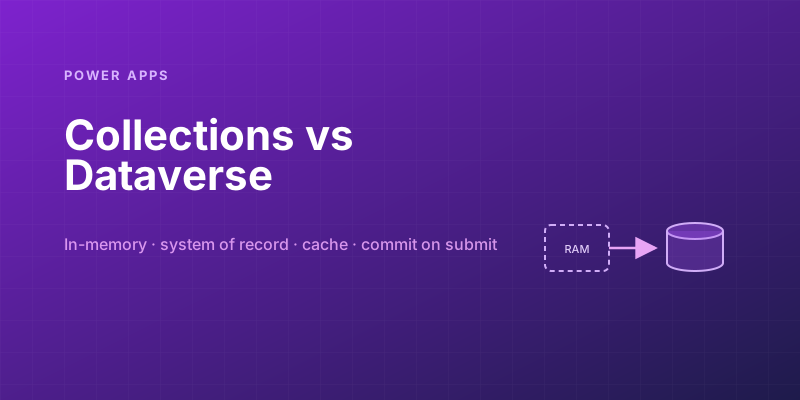
Power Apps Collections vs. Dataverse: Where Your App's Data Should Actually Live
Collections feel fast and convenient, so makers overuse them — and ship apps that lose data and break on refresh. Here is when to hold data in memory and when it belongs in Dataverse.
Canvas vs Model-Driven vs Power Pages: Choosing the Right Power Apps Type
Choose between canvas apps, model-driven apps, and Power Pages using a practical matrix for UX, data, licensing, governance, and audience fit.
Newsletter
New posts, straight to your inbox
One email per post. No spam, no tracking pixels, unsubscribe anytime.
Comments
- No comments yet. Be the first.