When an HTTP Request Is Received: The Callback URL Is a Secret
In this series: Power Automate gotchas
A vendor asked how to push order confirmations into Dataverse. Someone copied HTTP POST URL from When an HTTP request is received, pasted it into a Teams thread, and called the work done. The flow created rows. It also created rows for anyone who later found that URL in the chat history, a wiki, a canvas formula, or a screenshot in a ticket. The query string is not a friendly address. It is a credential.
That is the whole trap. This trigger is an HTTP endpoint on the Logic Apps runtime Power Automate uses. Treat the URL like a password, pick who may call it, and send a Response on every path the caller is waiting on.
What the URL actually is
Save the flow once. The trigger shows a URL shaped like this:
https://<region>.logic.azure.com:443/workflows/<id>/triggers/manual/paths/invoke
  ?api-version=2016-06-01
  &sp=%2Ftriggers%2Fmanual%2Frun
  &sv=1.0
  &sig=<signature>
sig is a shared access signature. With Who can trigger the flow set to Anyone, the signature is the auth. There is no extra login. GET or POST to that URL and the run starts.
Do not strip the query string. Do not "clean up" api-version or sp. Do not check the URL into source control, an environment-variable default that travels with the solution, or a canvas Notify for debugging. Copy it into the calling system's per-environment config, the same way you would store a webhook secret.
There is no friendly "rotate signature" control in the designer. If the URL leaked, turn the flow off, clone it so a new URL is issued, point callers at the clone, and delete the old flow. A Key Vault secret can hold a second shared value you check in a header. That is defense in depth. It does not make a leaked sig harmless.
Anyone, the tenant, or named users
The trigger has three caller modes. They are not labels for documentation. They change what a request must present.
| Who can trigger the flow | What the caller needs | Use when |
|---|---|---|
| Anyone | The full URL, including sig | An external system that cannot send Entra tokens, plus a header secret you verify |
| Any user in my tenant | URL plus Authorization: Bearer for a user or app in this tenant | Internal services and apps that already sign in to Entra |
| Specific users in my tenant | The same Bearer token, limited to the people you listed | A handful of known callers, not "the whole company" |
Any user in my tenant is not "any maker." It is any authenticated identity in the tenant that can obtain a token the platform accepts. A random employee with a browser and the URL is in scope if they can sign in. Specific users is the narrower internal option.
When the caller can do Entra, do not leave Anyone on because the first Postman test was easier. Switch the setting, save, and prove a call without a token is rejected before you hand the URL to the vendor.
If the other system truly cannot do OAuth — a warehouse scanner, a legacy job, a SaaS webhook that only posts JSON — keep Anyone, require a header such as X-Webhook-Secret, and compare it to a Key Vault value before you write anything. Fail closed:
Condition: equals(triggerOutputs()?['headers']?['X-Webhook-Secret'], outputs('Get_secret')?['body']?['value'])
If no: Response  Status = 401
       Body     = { "error": "Unauthorized" }
       Terminate  Status = Cancelled
Put Terminate after Response. The caller already got 401. Cancelling the run keeps the rest of the flow from creating the row you just refused.
Always Respond, on every branch
With no Response action, the HTTP trigger returns 202 Accepted and lets the run continue in the background. That is correct for fire-and-forget. It is wrong when the caller needs a body, a 4xx, or proof the write happened.
Add the Response action from the same Request connector. Set status, headers, and JSON. The incoming HTTP call is held until that action runs.
The hold is bounded. On this runtime the waiter gives up after 120 seconds. The flow can keep going after that. The caller already timed out. Do not put a Do until, an approval, or a long Dataverse poll before Response. Return 202 with a correlation id, then do the slow work. If the caller needs the final state, give them a GET they can poll, or a callback they own.
Response must exist on every path the waiter can take. A Condition whose If no never responds is how Postman spins until 120 seconds and then fails, while run history shows success. Validation, missing-id, and conflict paths need their own Response — 400, 404, 409 — then Terminate if you do not want the rest of the flow to run.
Response  Status = 200
Headers   Content-Type = application/json
Body
{
  "orderId": "@{triggerBody()?['orderId']}",
  "accountId": "@{outputs('Add_a_new_row')?['body/accountid']}"
}
Return 2xx for work you actually did. Return 4xx for a bad payload. Return 5xx only when a retry might help. Callers that retry on 5xx will double-post unless the write is idempotent — the same problem retry policies create when the other side never saw your first success.
Schema, method, and the path
Use sample payload to generate schema so the designer has dynamic content. The schema is not a validator. Extra properties still arrive in triggerBody(). A property you marked required can still be missing; the trigger still fires. Check with coalesce and empty yourself, then 400.
{
  "type": "object",
  "properties": {
    "orderId": { "type": "string" },
    "accountNumber": { "type": "string" },
    "amount": { "type": "number" }
  }
}
Send Content-Type: application/json. Form bodies and text/plain will not match that schema. You will get a run whose body is a string, and every triggerBody()?['orderId'] is empty.
The trigger can listen on GET, POST, PUT, PATCH, or DELETE. Use POST or PUT for anything that creates or changes a row. A GET URL with sig in the query string lands in proxy logs, browser history, and Referer headers. Relative path parameters belong in the path, not in a SAS query string you then paste into a chat:
Relative path: /orders/{orderId}

triggerOutputs()?['relativePathParameters']?['orderId']
triggerOutputs()?['queries']?['status']
triggerBody()?['amount']
After you change method or relative path, copy the URL again. The invoke path changed.
What this trigger is not for
A canvas app. Bind the app to Power Apps (V2) (or Respond to a PowerApp or flow when you need typed outputs). The app then calls as the signed-in user, with parameters the designer knows. Pasting the HTTP URL into a formula publishes the SAS to everyone who can open the app or Monitor.
A child flow. Parents should use Run a child flow, not HTTP to yourself. Child flows take a typed contract, solution dependencies, and connection references without minting a public URL. HTTP-to-self is how you get loops, extra request charges, and a secret to leak. The reuse pattern is in child flows.
A public website fetch. Browser callers from another origin hit CORS, and you would have to put the URL in JavaScript to even try. Put an API Management instance, a Function, or a custom connector in front if humans in a browser need this. The HTTP trigger is for servers.
A substitute for Dataverse "when a row is modified." If the event already happens inside Dataverse, use that trigger with select columns and a trigger condition. HTTP is for systems that will never write the row themselves.
The URL is per environment
Import the solution into test and the trigger gets a new URL. Production gets another. The definition does not carry the callback. After each import, open the trigger, copy HTTP POST URL, and update the caller config for that environment.
Do not store this flow's own URL in an environment variable that is exported. You would be shipping a stale signature, or a development signature, into the next environment. Environment variables are for other systems' URLs and for secrets that Key Vault resolves. This URL is an output of deploy, like a function hostname.
Concurrent posts are concurrent runs
Each HTTP call starts a run. Concurrency control on the trigger is off unless you turn it on, so two posts for the same orderId overlap. If the flow is "get or create account, then add order," you can get two accounts. Set Concurrency Control to on and Degree of Parallelism to 1 only when overlapping runs are unsafe and you can live with a queue — the same knob as scheduled flows.
Better: make the write idempotent. Have the caller send a stable orderId, put an alternate key on it, and upsert. Two posts become one row. Parallelism can stay on.
Wrap the work in a try / catch scope and still Response from the catch path. A failed HTTP waiter with no body is how the vendor retries into a mess you then cannot see.
The HTTP trigger is the right door when another system must call you and you are willing to treat the callback URL as a secret. Pick Anyone only when Entra is impossible, put a second secret in a header, Respond on every branch within two minutes, and rotate the flow if that URL ever leaves a password manager.
Keep reading
Power Automate Do Until: The Loop That Succeeds After Giving Up
A Do until that hits count or timeout still succeeds. Put Get inside the loop, add a Delay, and test the condition after the loop exits.
Power Automate Trigger Conditions: The Run That Never Appears
A trigger condition that is false does not start a run and does not leave run history. How the expression differs from a Condition action, and how to see the skipped checks.

Power Platform September 2026 Update: The App-Builder Skill, Agent Plugins, and the Refreshed Model-Driven UI
What matters in Microsoft's September 2026 Power Platform feature update: the model app-builder skill goes GA, the canvas authoring agent plugin goes GA, generative pages embed in forms and reach connectors, model-driven header refresh is GA with display density in preview, and Power Automate gets server-side search.

Dataverse Triggers in Power Automate: Select Columns or the Flow Wakes Up for Nothing
How Select columns and Filter rows on a Dataverse trigger cut wasted runs, and the row-version mistakes that make a flow miss the change it was built for.
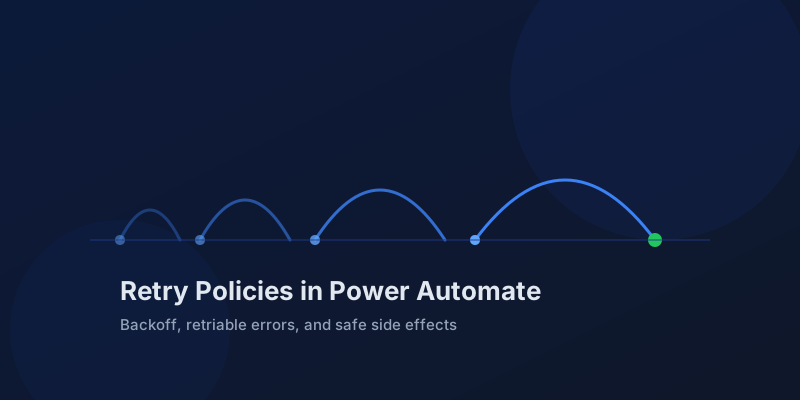
Retry Policies in Power Automate: What Actually Happens When an Action Fails
How Power Automate retry policies work, which errors they cover, how to configure them, and how to keep retries from duplicating side effects.
Resilient Power Automate: Retry Policies and Dead-Letter Patterns
Transient failures are normal in any flow that calls an API. The difference between a flow that self-heals and one that pages you at 2 a.m. is how you handle retries and the failures that stick.
Newsletter
New posts, straight to your inbox
One email per post. No spam, no tracking pixels, unsubscribe anytime.
Comments
- No comments yet. Be the first.